EasyManua.ls Logo

MB QUART MDR2.0 - User Manual

MB QUART MDR2.0
13 pages
Print Icon
To Next Page IconTo Next Page
Loading...
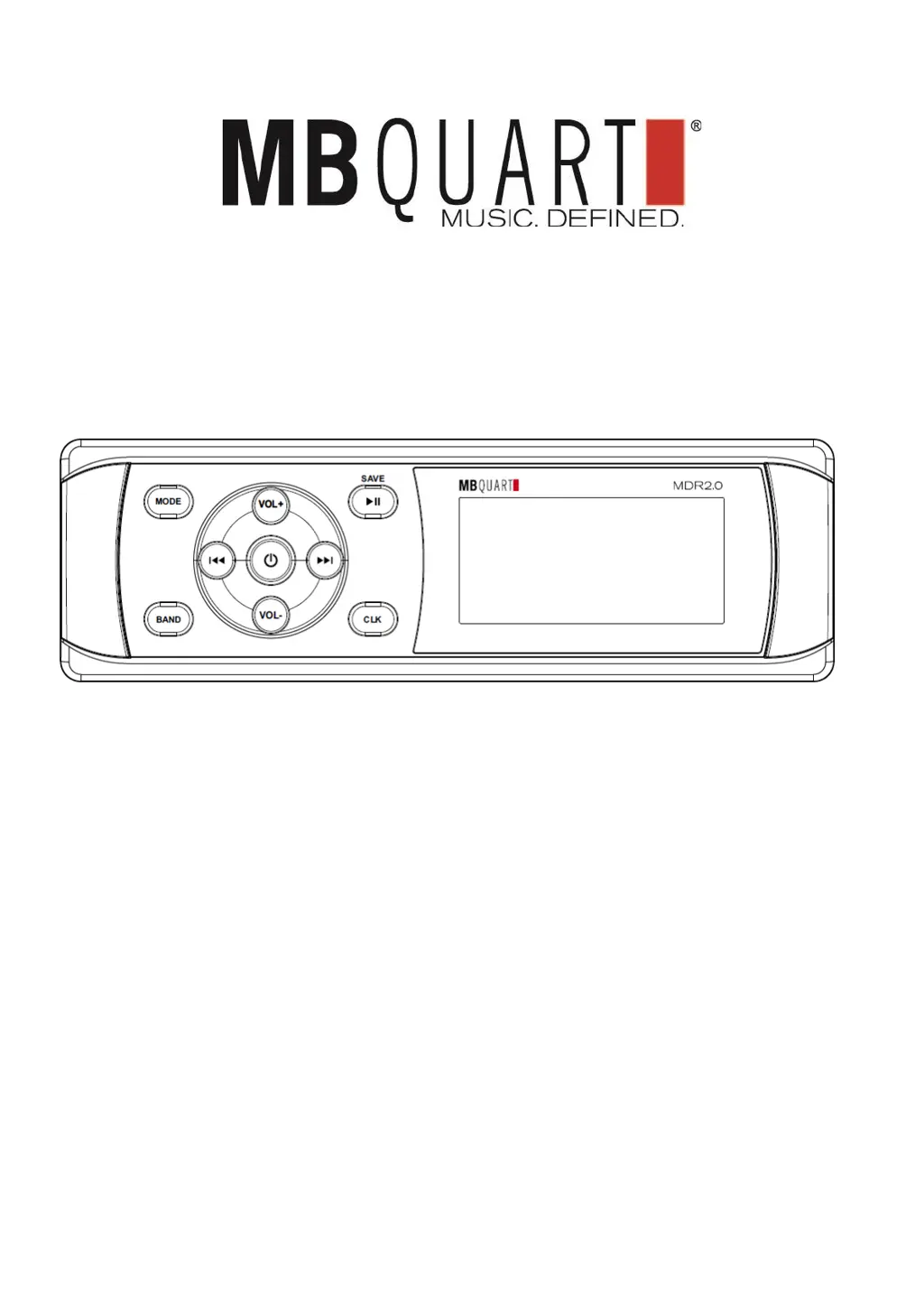
MDR2.0 USER MANUAL
AM/FM ● Bluetooth
®
● USB ● iPhone/iPod
IPX5-Rated Media Receiver

Questions and Answers

  • C
    corey90Aug 10, 2025
    What to do if there is no sound from my MB QUART Receiver?
    • C
      Christopher JordanAug 10, 2025
      If you are experiencing a lack of sound from your MB QUART Receiver, there are a couple of things to check: First, make sure that the volume isn't set to the minimum level and adjust it accordingly. Second, verify that all wiring connections are properly connected.
  • T
    Tyrone TuckerAug 17, 2025
    How to troubleshoot no power on my MB QUART Receiver?
    • L
      Lori SpearsAug 17, 2025
      If your MB QUART Receiver isn't powering on, here are a couple of potential causes and solutions: * **Car Ignition Switch:** If the receiver's power supply is linked to the car's accessory circuits, ensure the ignition key is switched to the “ACC” position if the engine isn't running. * **Blown Fuse:** Check the fuse and replace it if it has blown.
  • C
    Carol SmithAug 26, 2025
    Why is the radio not working on my MB QUART Receiver?
    • T
      Tanner GuzmanAug 26, 2025
      If the radio on your MB QUART Receiver isn't working, consider these potential causes: * **Antenna Cable:** Ensure the antenna cable is firmly inserted. * **Weak Signals:** If the signals are too weak for automatic selection, try selecting a radio station manually.
  • A
    Amanda KingSep 1, 2025
    What to do if the operation keys do not work on my MB QUART Receiver?
    • W
      wdawsonSep 1, 2025
      If the operation keys on your MB QUART Receiver aren't responding, it might be due to the built-in microcomputer malfunctioning because of noise. Try pressing the reset button.

Summary

PRE-INSTALLATION CHECKLIST

WIRING & INSTALLATION

Rear Panel Detail

Diagram and description of the rear panel connections for antenna, AUX, USB, and speaker outputs.

Install the Unit

Step-by-step guide for physically mounting the MDR2.0 unit into a dashboard opening.

FRONT PANEL CONTROLS

Button Functions Overview

Explanation of button functions for AM/FM, USB, iPhone/iPod, and Bluetooth audio sources.

OPERATION

Power and Basic Sound Adjustments

Control unit power and adjust bass, treble, balance, fader, EQ, and loudness.

Setting Adjustments (USB, iPod, BT, AUX)

Configure settings for USB, iPhone/iPod, Bluetooth, and AUX audio sources.

AM;FM Source Settings

Adjust AM/FM specific settings like CT SYNC, AREA, DX/LOC, and STEREO/MONO.

Clock and Information Display

Procedure for setting the clock format and displaying source information.

Preset Volume Setting (P_VOL)

Configure the unit's power-on volume level based on the last used volume.

AM;FM Radio Operations

Instructions for receiving stations, storing presets, and auto-storing stations.

USB, iPhone;iPod, and AUX Operation

Connect and operate USB, iPhone/iPod, and AUX sources for audio playback.

Bluetooth Source Management

Pair, stream, disconnect, reconnect Bluetooth devices, and reset the unit.

SPECIFICATIONS

General Specifications

Details on power supply, output, dimensions, and tone control ranges.

Radio Specifications

Technical specifications for FM and AM radio reception.

TROUBLESHOOTING

Troubleshooting Common Issues

Diagnose and resolve common operational problems like no power, no sound, or non-functional keys.

FCC Notice

WARRANTY

MB QUART MDR2.0 Specifications

General IconGeneral
BrandMB QUART
ModelMDR2.0
CategoryReceiver
LanguageEnglish

Related product manuals