EasyManua.ls Logo

MBQuart RA320.2 - User Manual

MBQuart RA320.2
11 pages
Print Icon
To Next Page IconTo Next Page
Loading...
System Design
The success of any car stereo system relies on several factors, such as
the system design, execution of the installation, and system setup. Please
remember that any system is only as good as its weakest link.
Please remember that higher power systems are not necessarily useful
purely for high sound pressure levels, but also to establish a headroom
capability, to reproduce musical peaks cleanly without distortion.
Lower power amplifiers will clip earlier than their more powerful cousins,
and cause loudspeaker failure when overdriven, due to the harmonics
generated by a clipped signal, thus overheating voice coils.
Amplifiers should be mounted with the fins running horizontally for best
convection cooling, to minimize overheating. Purchase the best quality
RCA cables you can afford, for reliability and less engine noise
interference in the audio system.
It is highly recommended that the amplifier be mounted to a board of MDF
or other solid structure using the 4 mounting screws provided. Avoid
mounting the amplifier to metal as this can introduce noise and other
unwanted issues. When mounting the amplifier, ensure that it is mounted
HORIZONTALLY, as shown in the diagram above, for optimal heat
dissipation. Mounting amplifiers to speaker enclosures is not
recommended as this can cause damage to the amplifier components.
When choosing a location for mounting the amplifier, ensure that you
check for clearance from wires, gas tank, electrical devices and brake
lines etc.
Congratulations!
By purchasing an amplifier from MB Quart, you have decided on a product
of the highest technical quality. MB Quart wishes you great enjoyment with
your amplifier. Should you have any questions about this system or other
MB Quart products, please email us at info@maxxsonics.com
Installation Manual
REFERENCE
WOOD
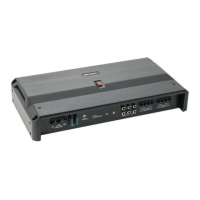
RA320.2 / RA400.2 / RA480.4 / RA640.4 / RA1000.4 / RA1000.1 / RA1500.1 / RA2000.1

Questions and Answers

  • R
    Robert PowellAug 14, 2025
    What to do if MBQuart Amplifier system does not turn on?
    • M
      martinphillipAug 14, 2025
      If your MBQuart Amplifier system isn't turning on, begin by checking all fuses and connections. If the issue persists, measure the +12 volt and remote turn-on voltages at the amplifier terminals. If these voltages are absent or low, take voltage measurements at fuse holders, distribution blocks, and the head unit’s +12 volt and remote leads to pinpoint the problem.
  • S
    Samantha CarterAug 18, 2025
    Why does my MBQuart Amplifier keep blowing fuses?
    • D
      Donald PetersonAug 18, 2025
      Your MBQuart Amplifier might be blowing fuses due to a short on the main +12 volt cable from the battery to the vehicle chassis, which will cause the main fuse to blow. Also, using loudspeaker impedances below the recommended minimums will draw more current, so check that as well.
  • J
    Jennifer DanielsAug 21, 2025
    Why is my MBQuart Amplifier heatsink overheating?
    • K
      Krista SantiagoAug 21, 2025
      The heatsink of your MBQuart Amplifier might be overheating due to inadequate cooling. Relocate or remount it to ensure better natural airflow over the fins. Another possible cause is driving high power levels into low impedances. Try reducing the volume or ensure that the amplifier isn't loaded with less than the recommended loudspeaker impedance.
  • P
    Paul MendezAug 25, 2025
    How to fix low output power on MBQuart Amplifier?
    • S
      Shane MitchellAug 25, 2025
      To address low output power on your MBQuart Amplifier, first, check that the level controls have been properly set up. Also, ensure that the battery voltage, measured at the amplifier’s +12 volt and ground terminals, is 11 volts or higher. Finally, inspect all +12 volt and ground connections to confirm they are secure.
  • B
    burkejeffAug 28, 2025
    How to stop MBQuart Amplifier whine that changes with engine RPM?
    • J
      Jacob GarzaAug 28, 2025
      A ticking or whine that changes with engine RPM in your MBQuart Amplifier can be due to several factors. It may be caused by radiation pickup of RCA cables too near a fuel pump or distributor, so relocate the cables. Ensure the head unit ground is connected directly to the vehicle chassis, not using factory wiring. You can also try supplying the head unit with a clean +12 volt supply directly from the battery +, instead of using a supply from the in-dash wiring/fusebox.
  • J
    Jennifer MendozaAug 31, 2025
    What to do about electrical interference in MBQuart Amplifier?
    • K
      Katherine AndersonAug 31, 2025
      To address electrical interference in your MBQuart Amplifier, isolate the problem by first unplugging the amplifier input RCA cables. If the noise persists, check the speaker leads. If the noise disappears when the RCAs are unplugged, plug them back in and investigate the source driving the amplifier, one component at a time.
  • B
    Brett BauerSep 3, 2025
    How to reduce hiss or white noise in MBQuart Amplifier?
    • E
      Emily DeanSep 4, 2025
      High levels of white noise usually occur when amplifier level controls are turned up too high, readjust according to the procedures in section 'Setting up systems after installation for best performance'. Another major problem that can cause excessive hiss is a noisy head unit - unplug the amplifier input RCA cables, and if the hiss level reduces, the source unit is at fault.
  • S
    Stacey SmithSep 7, 2025
    What to do if MBQuart Amplifier goes into diagnostic mode?
    • S
      Sarah WalkerSep 7, 2025
      If your MBQuart Amplifier enters diagnostic mode, disconnect all RCA and speaker leads while keeping the +12 volt, power ground, and remote leads connected. Turn the amplifier back on. If the diagnostic LED lights up, there's an internal fault within the amplifier. If it doesn't light up, plug the RCA cables back in and reset the amplifier. If it then goes into diagnostic mode, the issue lies in the input, possibly with faulty cables or the source unit. If the amplifier appears fine with RCA cables connected, connect the speakers one at a time. A faulty speaker or its wiring will activate the diagnostic system.
  • J
    Justin EdwardsSep 10, 2025
    How to eliminate a constant whine from MBQuart Amplifier?
    • M
      Matthew PetersonSep 12, 2025
      To eliminate a constant whine from your MBQuart Amplifier, check all connections, paying special attention to ensure good grounds. Also, make sure that no speaker leads are shorting to exposed metal on the vehicle chassis.

MBQuart RA320.2 Specifications

General IconGeneral
BrandMBQuart
ModelRA320.2
CategoryAmplifier
LanguageEnglish