35
Commissioning
Do not turn the device on before you have read and understood these operating instructions.
Check again that all connections are correct.
a) Switching the mixing desk on/off
Not observing the the following sequence when switching the mixing desk on and off could
damage the loudspeakers or the amplifier.
Switching on
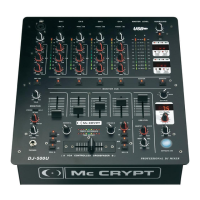
• Make sure that the faders CH1/CH2 (10) are set to minimum volume (channel fader pulled right back to the lowest
point).
• Switch on the output devices that are connected to the mixing desk first.
• Switch on the mixing desk with the POWER switch (1) (set switch to ON position).
• Switch on the connected amplifier and the recording device (connected to the REC socket (28)). The mixing desk
is now ready for operation.
To switch off
• To switch off the mixing desk, first turn the volume on the mixing desk and then that of the amplifier to minimum.
• Switch off the amplifier.
• Next, switch off the mixing desk using the POWER switch (1) and then the playback devices (record player, CD
player, etc.).
• If you do not require the mixing desk for a longer period, unplug the mains plug from the socket.
b) Selecting the input
Reduce the volume to minimum setting using the relevant fader CH1/CH2 (10) before actuating
an input selection switch PHONO/CD/LINE (2). Due to the different levels of the respective
playback sources, sudden excessive volume could occur when switching between the inputs.
• Use the input selection switches PHONO/CD/LINE (2) to select the desired inputs.



 To Next Page