Each rack-mounting rail and ear has holes that match up with holes in the chassis. You will need a screwdriver
to secure the slotted panhead screws.
Task
1
Verify that you have all the parts you will need: two three-in-one rails, two chassis ears, and fourteen slotted
panhead screws.
Each rail includes a rail that mount to the rack, a rail that slides into the mounted rail, and a rail that is
attached to the chassis.
2
Disassemble the slide rail by pulling the inner rail out and pushing the side latch in to separate.
3
Attach the inner rail to the chassis by fastening it with the screws provided.
4
Attach the ear to each side of the chassis.
5
Mount the L-shape and external rail to your rack frame.
The adjustable end of the L-shape rail is intended for placement at the back of your rack. Adjust the rail as
needed for length. You are now ready to mount the Sensor in the rack.
Mount the Sensor on a rack
McAfee recommends rack-mounting your Sensors. The rack-mounting hardware included with the Sensors is
suitable for most 19-inch equipment racks and telco-type racks. For maintenance purposes, you should have
access to the front and rear of the Sensor.
Before you mount the Sensor on the rack, make sure that power is OFF. Remove the power cable and all network
interface cables from the Sensor.
Because of the weight of the appliance, McAfee recommends that two people place the chassis into the rail
cabinet.
Insert the chassis into the rail cabinet and complete the rack-mounting of the Sensor by securing the rack
mount ears to two posts or mounting strips in the rack. The ears secure the Sensor to two rack posts. Be sure to
fasten the ears securely to the rack.
You can also mid-mount the Sensor (optional). For details, refer to the corresponding Sensor McAfee Network
Security Platform Quick Start Guide.
Remove a Sensor from the rack
Because of the weight of the appliance, McAfee recommends that two people remove the chassis from the rail
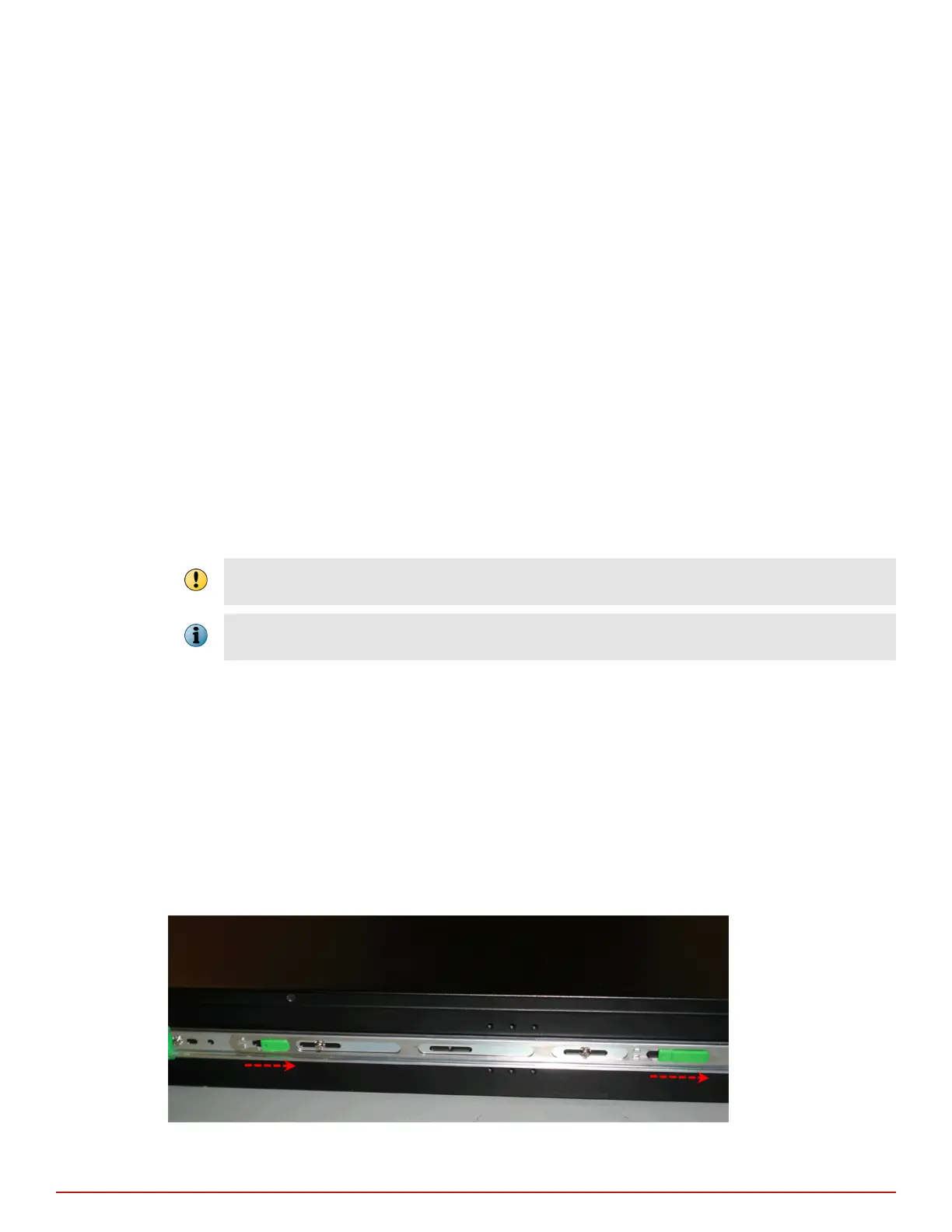
cabinet. When removing the chassis from the rack, pull chassis forward until you hear the innermost rails snap
in place. On each side of the rails, press in the release button as pictured below and continue pulling the
chassis.
Figure 3-1 Rail release latch for the Sensor
3
Setting up the Sensor
Position the Sensor
18
McAfee
®
Network Security Platform M-2850/M-2950 Sensor Product Guide



 To Next Page