MLNX5 Digital Lock
User Manual
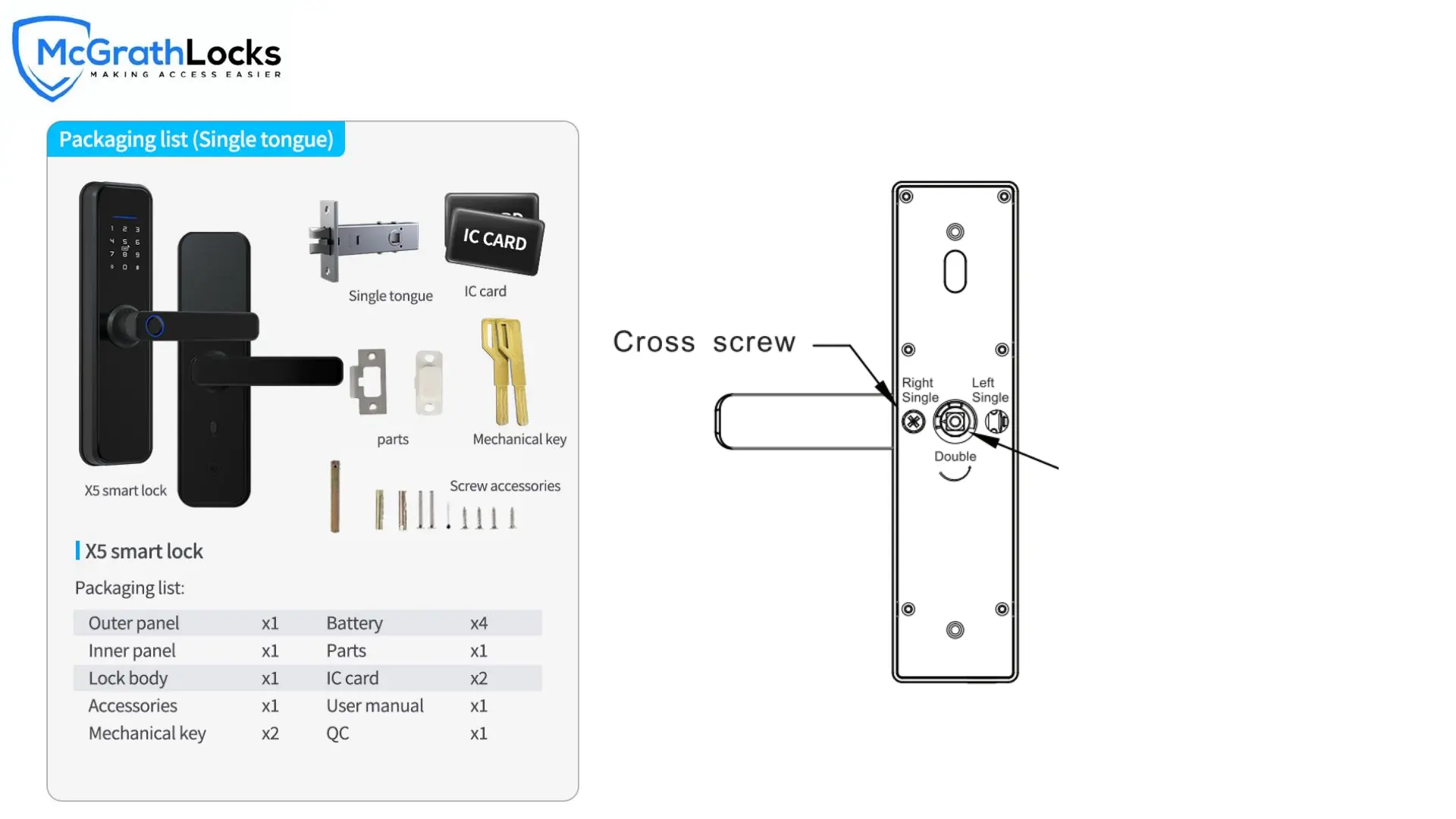
Change Handle :
9
1.Adjust the Front Handle Direction
1. Remove the cross screw in the figure, turn the handle
180 degrees in the direction of the arrow.
2. After adjusting the handle direction, install the screw and
complete the reversing.
ATTENTION: Hexagon screw is
fixed when changing the handle
direction.


 To Next Page