Installation Instructions
7
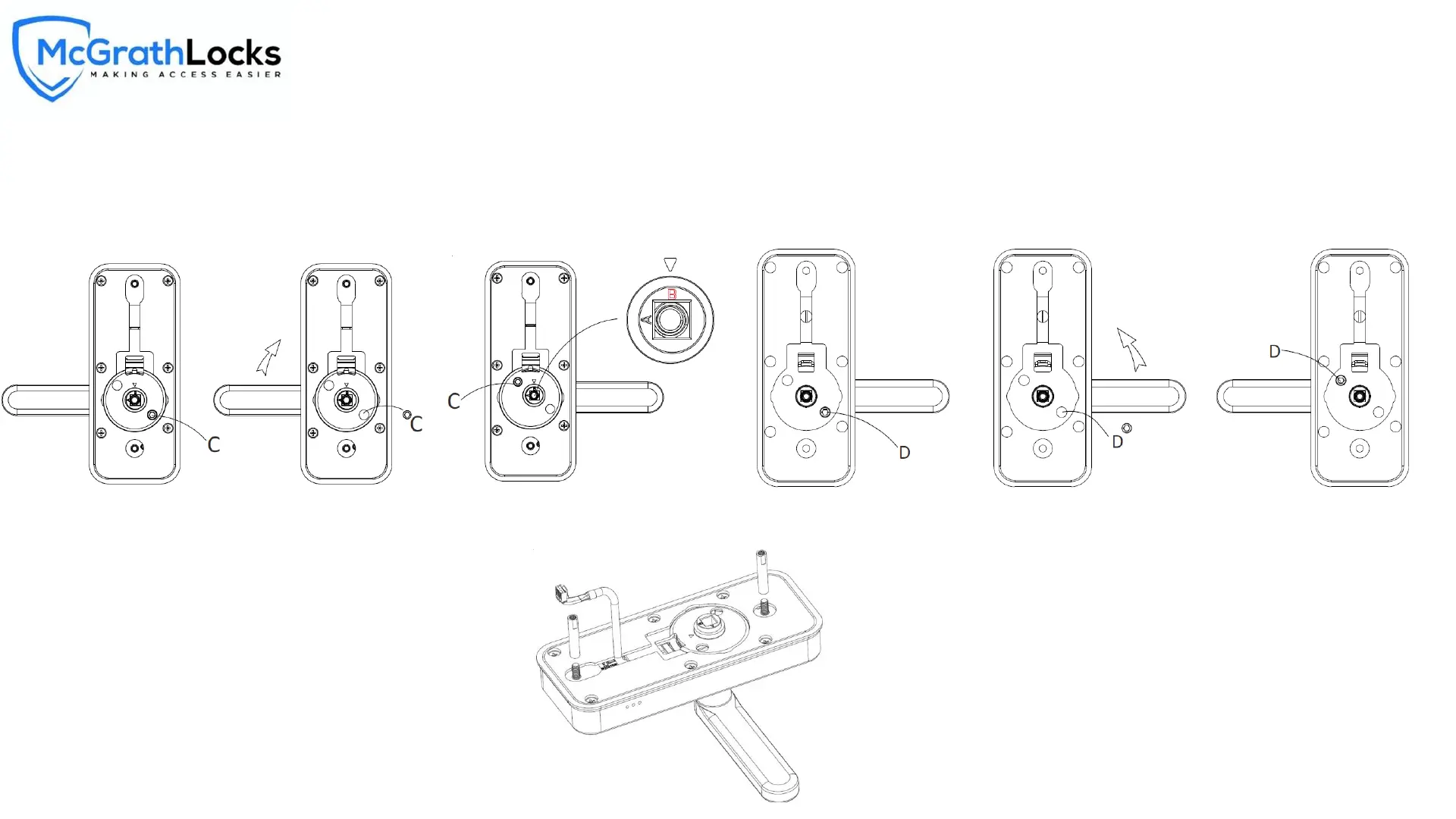
Reverse the handle direction
1. The smart door lock is suitable for left hand and right hand opening door. As default, it’s
set as right hand, if need to reverse the handle direction to left, as showed in figure, loosen
the reversing screw ‘C’, rotate the handle up 180 degrees, then tighten the screw ‘C’ back.
Turn the direction of ‘B’ towards up, reverse completely.
MLWINDSOR Digital Lock
2. Reverse the lock handle indoor, loosen the reversing screw D, rotate the handle up
180 degrees, then tighten the screw ‘D’ back, no need to change the spindle base.
As shown in figure, tighten the two connection screw studs on the external threads of the
exterior panel.



 To Next Page