Customer helpline 0345 605 2065
11
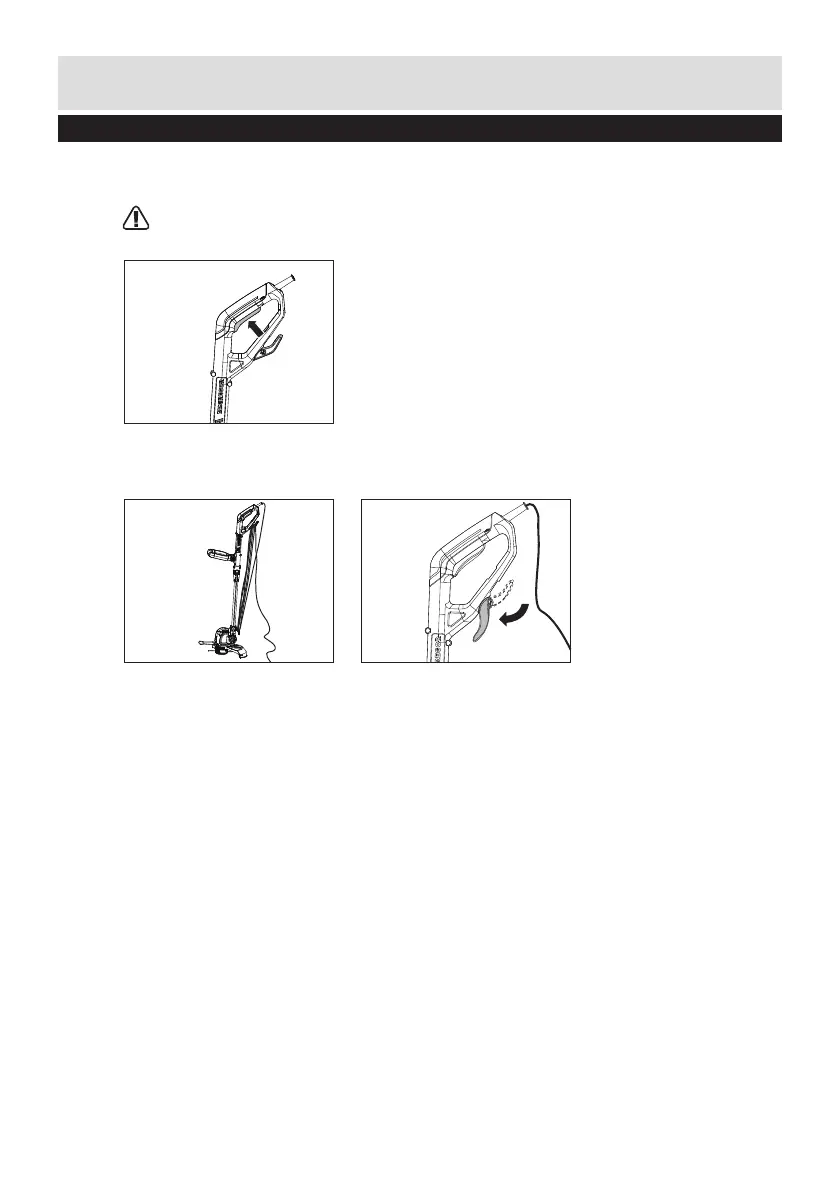
6. ON/OFF SWITCH
To start, press and hold the switch. (See Fig. H)
Release the switch to stop.
WARNING: The cutting head continues to rotate after the trimmer has been switched off,
wait until it has stopped then lay down the tool.
7. CABLE STORAGE (SEE FIG. I1, I2)
To release the cable, just turn down the upper cable holder (Fig. I2).
Prepare
H
I1 I2
Preparing instructions



 To Next Page