EasyManua.ls Logo

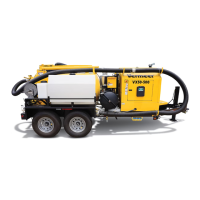
McLaughlin VX50 Gen3-800 LT - User Manual

Default Icon
210 pages
Print Icon
To Next Page IconTo Next Page
Loading...
VX30 / VX50 Gen3 / ECO50
Vacuum Excavators
Operator’s and
Maintenance Manual
EN_o-m1_00 original instructions
Serial No. 5001 -
Order No. 105400ES7
Cabled Assembly No. E850014

Table of Contents

Questions and Answers

  • J
    James WatsonAug 9, 2025
    What to do if the vacuum will not build within the tank of my McLaughlin Excavator?
    • S
      Susan HarveyAug 9, 2025
      If the vacuum isn't building up in your McLaughlin Excavator's tank, there are several potential causes: * The rear door on the tank may not be sealed properly. Try cleaning the door seal and ensuring the door is completely closed. * The suction line could be plugged. Try unplugging the suction line. * The float ball might be stuck against the seal. Remove the float ball from the seal. * There might be air leaks in the lines between the tank and the pump. Check for these leaks. * The vacuum gauge may be malfunctioning. Replace it if it's giving a faulty reading.
  • O
    ortizjuliaAug 19, 2025
    Why is the vacuum not building in my McLaughlin Excavator tank?
    • M
      Mary GuerreroAug 19, 2025
      The vacuum in your McLaughlin Excavator tank might not be building due to several reasons. It could be that the rear door on the tank isn't sealed properly; in this case, you should clean the door seal and ensure the door is completely closed. Another cause might be a plugged suction line, which you should try to unplug. Also, the float ball could be stuck against the seal, so try removing it. Air leaks in the lines between the tank and pump can also prevent vacuum build-up; check these lines for leaks. Finally, the vacuum pump itself might be malfunctioning. For vacuum pump issues, refer to the Pump Operation Manual furnished with the machine for servicing information.
  • C
    Christina MillerAug 30, 2025
    How to troubleshoot vacuum not building in McLaughlin Excavators?
    • M
      Michael ConnerAug 30, 2025
      To troubleshoot why the vacuum is not building in your McLaughlin Excavator, start by checking the rear door on the tank to ensure it is sealed correctly; clean the door seal and close the door completely. Next, inspect the suction line for any blockages and unplug it if necessary. Also, verify that the float ball is not stuck against the seal and remove it if it is. Examine the lines between the tank and pump for air leaks. If the issue persists, the vacuum pump may be malfunctioning; refer to the Pump Operation Manual for servicing information.

Summary

McLaughlin New Industrial Equipment Limited Warranty

Warranty Terms and Purchaser Responsibility

Details the limited warranty period, repair process, and retail purchaser's responsibilities for maintenance.

Warranty Exclusions and Limitations

Lists specific conditions and circumstances that are NOT covered by the limited warranty.

Safety Messages and Precautions

Understanding Safety Signal Words and Symbols

Explains signal words (DANGER, WARNING, CAUTION, NOTICE) and safety alert symbols.

General Operating Safety Warnings

Provides essential safety warnings for reading manuals, checking machines, and wearing PPE.

Hazard-Specific Safety Warnings

Details safety warnings related to engine exhaust, moving parts, flammable liquids, and fire.

Diesel Fuel Requirements

Sulfur Content Guidelines for Diesel Engines

Specifies required diesel fuel sulfur content for Tier 3/Stage IIIA and Tier 4 Final/Stage IV engines.

Intended Use and Operation Guidelines

Machine Purpose and Safe Operation

Defines the intended use of vacuum excavators and emphasizes following manual instructions.

Machine Controls and Indicators

Emergency Stop Switch Operation

Instructions on how to use the emergency stop switch to halt the engine.

Remote Boom Control - Hydraulic

Explains the operation of the remote control for hydraulic boom functions.

Remote Boom Control - Manual

Details the operation of the remote control for manual boom functions.

Electronic Controller and LCD Display

VX50;ECO50 LCD Display Functions

Explains system booting and main screen operations for the LCD display.

System Indicators and Alerts

Interprets various warning lights and indicators shown on the system display.

Starting Procedure

Standard Engine Starting Steps

Step-by-step guide for starting the machine's engine.

Cold Weather Engine Starting

Specific procedures for starting the engine in cold temperatures.

Jump-Starting Procedures and Safety

Instructions for jump-starting the battery and associated safety precautions.

Shutdown Procedure

Machine Stopping and Shutdown Steps

Provides the correct procedure for safely shutting down the machine.

Transporting the Machine

Towing Vehicle Selection Criteria

Details requirements for selecting an appropriate towing vehicle.

Machine Preparation for Transport

Steps to secure the machine and its components before transportation.

Attaching Machine to Towing Vehicle

Procedures for adjusting the hitch height and attaching safety chains.

Preparing Machine and Work Area

Personal Protective Equipment (PPE) Requirements

Details the essential PPE needed for safe operation.

Locating and Identifying Buried Utilities

Procedures for contacting utility locating services before excavation.

Preventing Electrocution Hazards

Safety measures to avoid electrocution when working near utilities.

Operating the Vacuum Excavator

Potholing Operation Procedure

Guide for performing potholing excavation using water and vacuum.

General Operating Instructions and Warnings

Key safety and operational instructions for using the machine.

Vacuum Excavation Operation

Steps for performing vacuum excavation using the tool and spoil tank.

Dumping Spoil Tank Procedure

Safety warnings and steps for emptying the spoil tank.

Maintenance Schedule and Procedures

Daily;10-Hour Maintenance Checks

Routine checks for engine, brakes, fluids, and filters to be performed daily.

50-Hour;Weekly Maintenance Tasks

Scheduled maintenance items for every 50 operating hours or weekly.

100-Hour;Monthly Maintenance Tasks

Scheduled maintenance for every 100 operating hours or monthly.

500-Hour Maintenance Tasks

Scheduled maintenance for every 500 operating hours, including oil changes.

Troubleshooting Common Issues

Vacuum Excavator Problems and Solutions

Lists common symptoms, causes, and solutions for vacuum excavator problems.

Machine Specifications

Lubricant Recommendations and Capacities

Lists recommended lubricants, their capacities, and specifications for various components.

McLaughlin VX50 Gen3-800 LT Specifications

General IconGeneral
Operating Weight11, 990 lb
EngineYanmar 4TNV98C
Engine Power68.4 hp
Dig Depth4.2 m
Bucket Digging Force56 kN
Bucket Capacity0.28 m³
Max Digging Depth4.2 m
Max Reach at Ground Level7.2 m

Related product manuals