EasyManua.ls Logo

MCOHome MH-S411H - User Manual

MCOHome MH-S411H
6 pages
Print Icon
To Next Page IconTo Next Page
Loading...
www.mcohome.com
User Manual
1
Touch Panel Switch
410 Series
Introduction
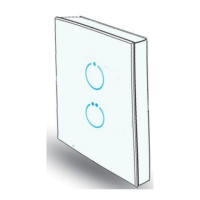
Touch Panel Switch is a wall panel built-in with Z-Wave Plus module. With its stylish design and
stable performance, the panel can be used to control house-hold electrical appliances like lamp, motor,
coffee machine, TV set etc. It supports basic command classmulti channel command class and multi
channel association command class, also works as a repeater in a Z-Wave network. This product can
be included and operated in any Z-Wave network with other Z-Wave certified devices from any other
manufacturers.
Specifications
Power supply: 85~260VAC, 50/60Hz
Z-Wave frequency: 868.42MHz (EU), 865.2MHz (IN) or other frequency customized
Note: If an inductive load wired, please choose model MH-S411H. (LED load: <10A, inrush
current<165A/ 20ms)
Installation Instructions
IMPORTANT:
A qualified electrician with the understanding of wiring diagrams and knowledge of electrical
safety should complete the installation inside the main circuit box (normally outside your house).
Read all instructions and documentation and save for future reference.
Step1 Preparing
CAUTION: Cut off power supply at circuit breaker or fuse before installation to avoid fire, shock or
death!
Step2 Installation
Step 1: Separate the device into two parts: the
touch panel and the bottom.
Step 2: Insert all wires into the right terminals by
following the wiring diagrams as below,
and tighten screws.
Step 3: Secure the bottom part onto a junction box with screws, and then mount the touch panel back.
Step 4: Confirm the device is well mounted, power on and it is ready to operate.
Item Models Max Load
410 series
MH-S411 1*5A
MH-S412 2*5A
MH-S411H 1*10A
Question and Answer IconNeed help?

Do you have a question about the MCOHome MH-S411H and is the answer not in the manual?

Summary

Specifications

Installation Instructions

Step1 Preparing

Cut off power supply at circuit breaker or fuse before installation to avoid fire, shock or death!

Step2 Installation

Separate the device into two parts, insert wires, secure the bottom part, and mount the touch panel.

Operation

Turning on;off the device

Control the device by pressing any key or sending commands through a controller or gateway.

Scene Function

Parameters Setting

Parameter 0 x02: Power Failure State Save

Configure whether the switch state is saved or not when power fails.

Parameter 0 x03: All On;All Off Control

Configure the behavior of ALL ON/ALL OFF commands.

Parameter 0 x05: Key Mode

Configure the device's key operation modes, including default state and timed behavior.

Restoring Factory Settings

Safety Notice

MCOHome MH-S411H Specifications

General IconGeneral
Resolution480 x 272 pixels
ConnectivityZ-Wave
Power SupplyAC85-260V, 50/60Hz
OutputRelay output
Hole Pitch60mm
Display TypeLCD
CompatibilityZ-Wave compatible devices
Z-Wave Frequency868.42 MHz
Operating Temperature0°C to 40°C
Operating Humidity10% to 90% RH