EasyManua.ls Logo

MCOHome MH7H-WH - User Manual

MCOHome MH7H-WH
8 pages
Print Icon
To Next Page IconTo Next Page
Loading...
www.mcohome.com User Manual
MCOHome Technology Co., Ltd 1
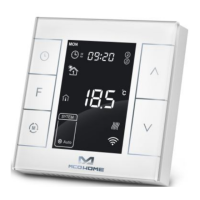
Water /Electrical Heating Thermostat
MH7H-WH / MH7H-EH
Introduction
MCOHome Water / Electrical Heating Thermostat is a Z-Wave Plus enabled device for
indoor temperature control. MH7H-WH is mainly applied to control wall mounted boiler, water
valve/pump etc. , while MH7H-EH is for electrical heating system. The device is of high
reliability and practicability, which can be included and operated in any Z-Wave network with
other Z-Wave certified devices from any other manufacturers. All non-battery operated nodes
within the network will act as repeaters regardless of vendor to increase reliability of the network.
Features
Capacitive touch buttons
Tempered glass panel, PC alloy enclosure
Precise temperature calibration function
Attractive appearance
Clear display, easy to operate
Specification
Power SupplyAC85-260V, 50/60HZ
Output: MH7H-WH ≤5A ; MH7H-EH≤ 16A
Self Consumption≤1W
External Temp. Sensor(optional): NTC R25=15KΩ B25/50=3550K
Working Environment0-50; 0-90% RHNon-condensation)
Temperature Setting5-37 (41-99℉)Adjustable
Dimension86* 86*15mm
Hole Pitch60-61mm
Safety Information
To protect yourself and others from danger and to protect the device from damage, please read the
safety information before using it.
Important!
A qualified electrician with the understanding of wiring diagrams and knowledge of electrical
safety should complete installation following the instructions.
Before installation, please confirm the real voltage complying with the device’s specification.
Cut off any power supply to secure the safety of people and device.
During installation, protect the device from any physical damage by dropping or bumping. If
happens, please contact the supplier for maintenance.
Keep the device away from acid-base and other corrosive solids, liquids, gases, to avoid
damage.
Avoid overexertion during operation, to protect device from mechanical damage.
Read all instructions and documentation and save for future reference.
Question and Answer IconNeed help?

Do you have a question about the MCOHome MH7H-WH and is the answer not in the manual?

Summary

Introduction and Features

Product Introduction

Overview of the MCOHome Water/Electrical Heating Thermostat, its Z-Wave Plus capabilities, and network integration.

Key Features

Highlights capacitive touch buttons, tempered glass panel, precise calibration, and clear display.

Technical Specifications

Details power supply, output capacity, self-consumption, sensor compatibility, and physical dimensions.

Safety Information

Provides crucial safety guidelines for installation and operation, emphasizing qualified electricians and power cutoff.

Installation and Wiring Guide

Optimal Location

Recommends indoor installation at 1.5m height, away from direct sunlight or heat sources.

Installation Steps

Outlines a four-step process for installing the device, including separating parts, wiring, and mounting.

Wiring Diagrams and Models

Illustrates wiring for different models (MH7H-WH, MH7H-EH) and their control device compatibility.

Device Operation and Settings

On;Off Operation

Explains how to power the thermostat on/off and navigate the display modes.

Temperature Setting Modes

Details manual, auto, and vacation mode temperature adjustments and their validity.

Key Lock Functionality

Describes how to lock and unlock device buttons to prevent unauthorized changes.

Control Specifications MH7 H-WH

Specifies the temperature detection logic for the MH7H-WH model's heating control.

Advanced Settings and Functions

Control Specifications MH7 H-EH

Details the temperature detection logic for the MH7H-EH model's heating control.

Manual vs. Auto Mode

Explains switching between manual and automatic control based on time periods.

Vacation Mode Setup

Guides on activating and setting vacation mode temperature and duration.

Local Time and Auto Mode Periods

Covers setting the device's local time and configuring four daily time periods for auto mode.

Protective Functions and Z-Wave

Scheduled Heating Periods

Defines default heating schedules for weekdays and weekends.

High Temperature Protection

Details how the device reacts to high external temperatures to protect the heating system.

Anti-freeze Protection

Explains the anti-freeze function for low internal temperatures and sensor usage.

Z-Wave Network Integration

Guides on adding/removing the device from a Z-Wave network and its node ID.

Command Classes and Warranty

Z-Wave Association Group

Supports association group 0x01 for reporting status changes to a gateway.

Supported Command Classes

Lists Z-Wave command classes supported for device control and status.

Basic Command Class Usage

Explains using Basic CC for energy saving, comfort modes, and reporting.

1-Year Limited Warranty

Outlines the warranty terms, coverage, and exclusions for the product.

Secret Menu Parameters

Accessing Secret Menu

Instructions on entering the secret menu using button combinations and code 1234.

Temperature Limit Settings

Configuration of upper and bottom temperature setting limits (P01, P02).

Deadband and Protection Settings

Parameters for negative/positive deadbands and anti-freeze/protection temperatures (P05-P08).

Calibration and Display Options

Settings for temperature calibration, beep volume, and backlight level (P11-P14).

Advanced Control and Reset

External Temperature Control

Options for controlling heating based on external temperature and displaying it.

Temperature Format Selection

Setting the temperature display format between Celsius (OC) and Fahrenheit (OF).

Factory Reset Procedure

Steps to restore the device to factory settings using a specific password and confirmation.

Post-Power Failure Behavior

Defines the device's state (shutdown, working, or previous status) upon power restoration.

MCOHome MH7H-WH Specifications

General IconGeneral
BrandMCOHome
ModelMH7H-WH
CategoryThermostat
LanguageEnglish

Related product manuals