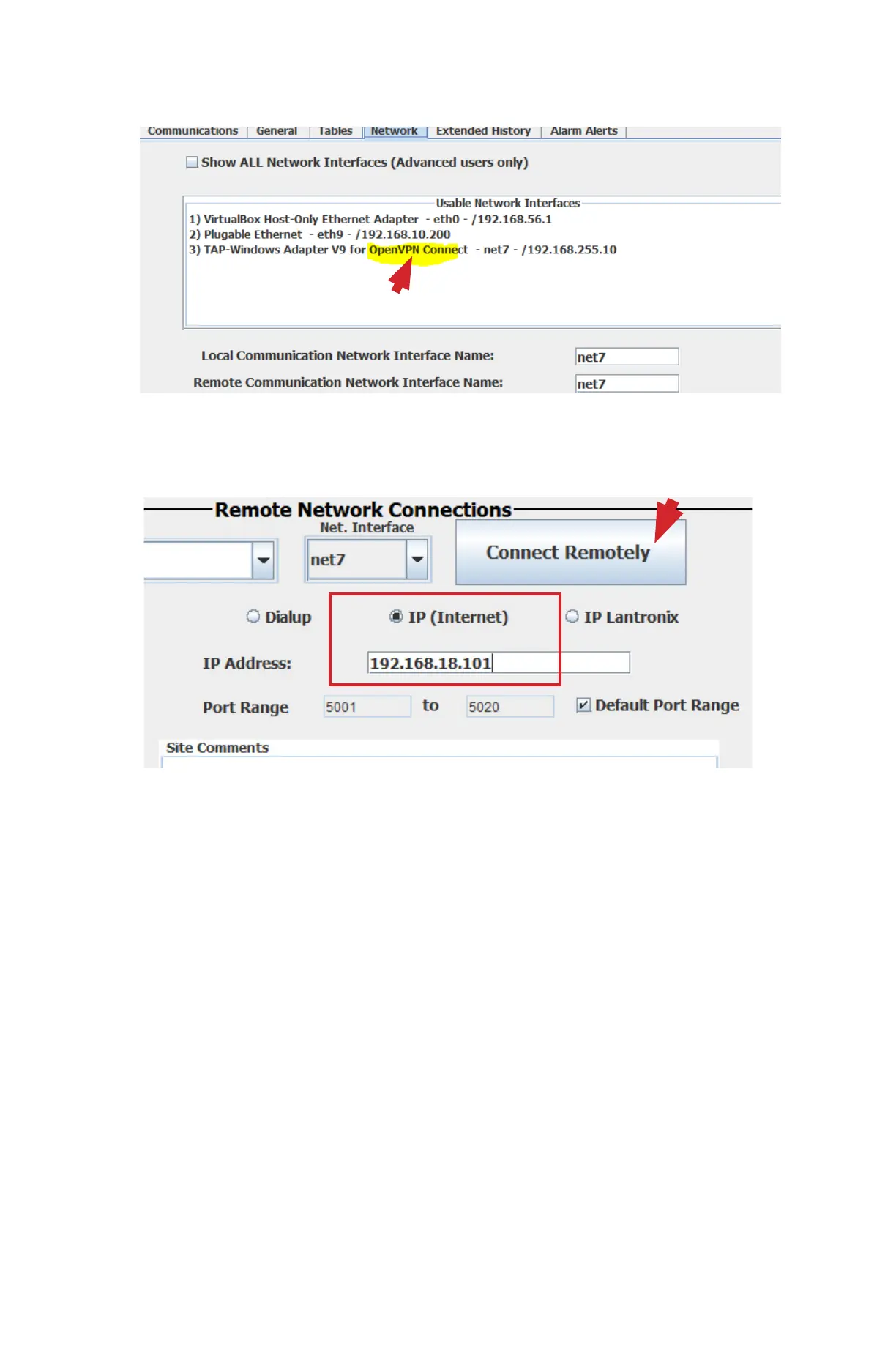
5. Open MCS-CONNECT on your computer.
6. Click on ‘SETUP’ > ‘NETWORK OPTIONS’
7. MCS-Connect will show a new device in the Network Options screen.
8. Look for the one that says ‘OpenVPN’, and select it.
9. Now try to connect to the Magnum over Remote Ethernet with the settings below.
MCS-WIRELESS-B-REV 1.6. - December 7, 2022 3:16 PM



 To Previous Page