MDR-2000 VJ User's Reference Manual
Troubleshooting
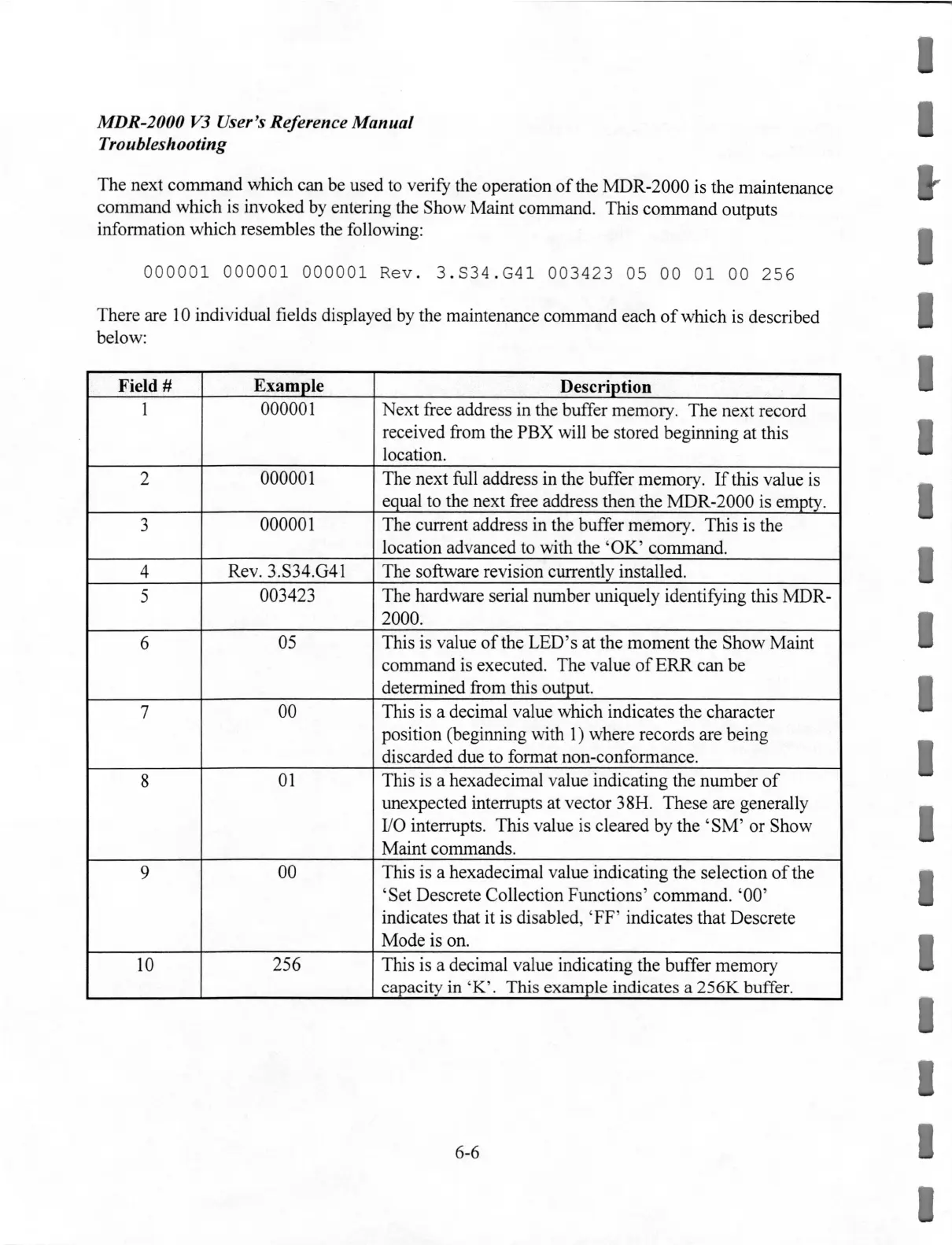
The next command which can be used to verify the operation
of
the MDR-2000 is the maintenance
command which is invoked by entering the Show Maint command. This command outputs
information which resembles the following:
000001
00000
1
000001
Rev
. 3 .
S34
.
G4
1
003423
05 00
01
00
256
There are
10
individual fields displayed by the maintenance command each
of
which is described
below:
Field#
Example
Description
1
000001
Next free address in the buffer memory. The next record
received from the PBX will be stored beginning at this
location.
2
000001
The next full address in the buffer memory.
If
this value is
equal to the next free address then the MDR-2000 is empty.
3
000001 The current address in the buffer memory. This
is
the
location advanced to with the
'OK' command.
4
Rev. 3.S34.G41 The software revision currently installed.
5
003423
The hardware serial number uniquely identifying this MDR-
2000.
6
05
This
is
value
of
the LED's at the moment the Show Maint
command is executed. The value
of
ERR
can be
determined from this output.
7
00 This
is
a decimal value which indicates the character
position (beginning with
1)
where records are being
discarded due to format non-conformance.
8
01
This
is
a hexadecimal value indicating the number
of
unexpected interrupts at vector 3 8H. These are generally
1/0 interrupts. This value is cleared by the 'SM' or Show
Maint commands.
9
00 This
is
a hexadecimal value indicating the selection
of
the
'Set Descrete Collection Functions' command. '00'
indicates that it
is
disabled, 'FF' indicates that Descrete
Mode is on.
10
256
This is a decimal value indicating the buffer memory
capacity in 'K'. This ex
ample
indicates a
256K
buffer.
6-6
I
I
I
I
I
I


 To Next Page
 Loading...