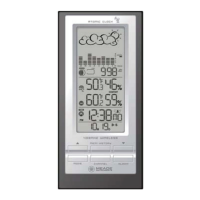
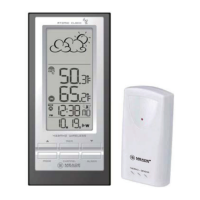
A. WEATHER FORECAST/ PRESSURE window
B. TEMPERATURE/ HUMIDITY window
C. CLOCK window
D. DOWN button
• Select the next available mode
• Press and hold for 2 seconds to search for wireless signal from remote sensor.
• Decrease parameters.
E. ALARM button
• When time mode has been selected, press once to display the alarm time of weekday alarm
(W), single alarm (S) and pre-alarm (Pre-AL).
• Hold for 2 seconds, set weekday, single or pre-alarm’s alarm time.
• When temperature mode has been selected, press once to display the highest or lowest
temperature alarm’s value.
• Hold for 2 seconds, set the highest or lowest temperature alarm’s value.
• When alarm is on, press once to stop the alarm temporarily.
F. CHANNEL button
• Press to display the outdoor temperature readings of Channels 1, 2 and 3.
• Hold for 2 seconds, enter into the circulation mode and outdoor temperature readings of
Channels 1, 2 and 3 will be displayed automatically in every 5 seconds.
G. MODE button
• When pressure mode has been selected, press once to display the local pressure, altitude and
sea level.
• Press and hold for 2 seconds to set altitude and sea level.
• When time mode has been selected, press once to toggle between time with seconds display or
time with weekday display.
• Press and hold for 2 seconds, set language of the day of the week, year digit, month digit, date
digit, hour format (12/ 24 hours), hour digit and minute digit. (Note: calendar format is default
in month-date display).
• When temperature mode has been selected, press and hold for 2 seconds to toggle the
temperature unit between Celsius or Fahrenheit.
H. UP button
• Press to select the next available mode
• Increase the parameters
• In time with seconds display mode, press and hold for 2 seconds to activate/ deactivate radio
controlled time signal search manually.
• In time with weekday display mode, press and hold for 2 seconds to switch time zone from
Pacific, Mountain, Central to Eastern.
I. MEM/ HISTORY button
• When temperature mode has been selected, press to recall the minimum or maximum
temperature and humidity readings of main and remote units.
• Press and hold for 2 seconds, collected memories will be cleared.
• When pressure mode has been selected, press once to check the historical pressure data for the
past 24 hours.
J. WALL- MOUNT hole
• A recessed opening to mount the unit on a wall
7


 To Next Page