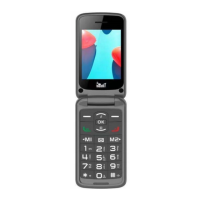
Need help?
Do you have a question about the meanIT SENIOR 10 and is the answer not in the manual?
Instructions for inserting SIM and MicroSD cards into the device.
Guide on how to correctly insert the battery into the phone.
Instructions for making, receiving, and ending phone calls.
Guide on composing, sending, and managing SMS messages.
Adding, viewing, and managing contacts in the phonebook.
Configuring M1 and M2 keys for quick dialing of phone numbers.
Configuration options for date, time, language, and auto power on/off.
Adjusting wallpaper, standby screen, contrast, and backlight.
Managing SIM PIN, phone lock, keypad lock, and blacklists.
Configuring call waiting, forwarding, call barring, and caller ID.
Managing sound profiles (vibrate/silent) and ringtone volume/type.
Selecting network mode (automatic/manual) and SIM card preference.
Setting up emergency contacts and SOS message for quick assistance.
Assigning phone numbers to numeric keys 1-9 for quick dialing.
How to turn the device's LED flashlight on and off.
Using the calendar function for scheduling and viewing dates.
Performing basic arithmetic calculations with the built-in calculator.
Setting up multiple alarms with customizable time and repeat options.
Viewing time in different time zones around the world.
Connecting and transferring data with Bluetooth-enabled devices.
Tuning into radio stations, adjusting volume, and listening to FM radio.
Using the viewer for images, video, and audio playback/recording.
Steps to resolve common problems with device operation, SIM cards, and signal.
Guidelines on safe usage, handling, cleaning, and avoiding hazards like heat and liquids.
Safety advice for specific environments (planes, fuel stations) and electronic interference.
Instructions on repairs, proper handling of the screen, and preventing damage.
Information on warranty, child safety, accessories, hazardous environments, and operating temperature.
Details the warranty coverage, exclusions, and conditions for service.
Specific exclusions from warranty, and details on who covers transport costs for service.
 General
| Display Size | 2.4 inches |
|---|---|
| Rear Camera | 0.3 MP |
| SIM | Dual SIM |
| Battery | 1000 mAh |
| Bluetooth | Yes |
| Camera | 0.3 MP |
| Memory Card Slot | microSD |
| Memory | 32 MB |
| Expandable Memory | Up to 32 GB |

 To Next Page