Page 7 Version 2
ADJUSTING THE TILT/ANGLE OF THE MACHINE
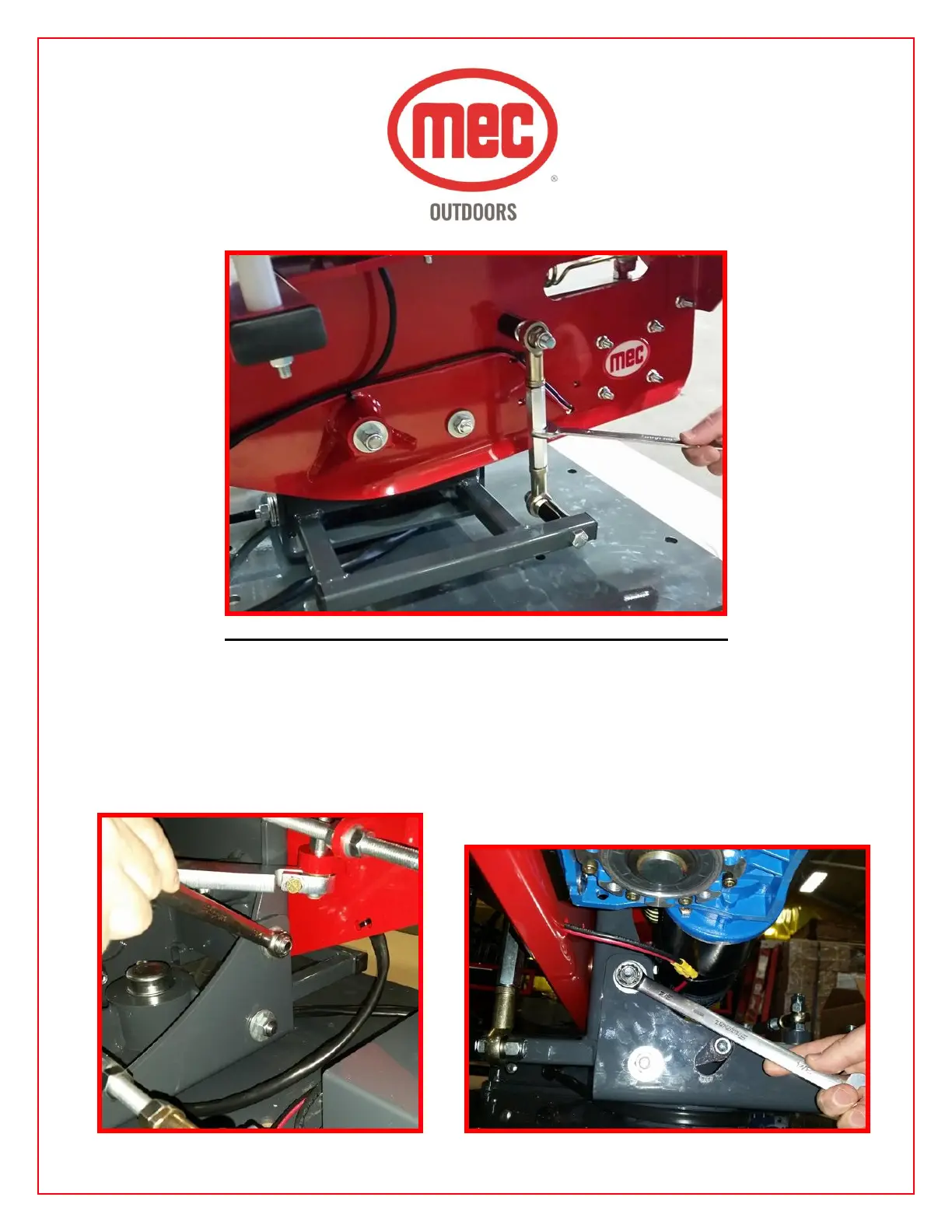
Step 9 – Adjust the machine tilt by loosening the (2) ¾” nuts on the rear side (Photo #1) and the (2)
¾” nuts on the front side (Photo #2) of the upright of the machine as shown below. Tilt the machine
to the desired angle by adjusting the turnbuckle. (Photo #3) Adding tilt allows the machine to throw a
flat target with no curl. Once the correct tilt has been achieved RETIGHTEN ALL (4) NUTS TO
KEEP THE MACHINE FROM SHIFTING OVER TIME. NOTE: You may need to use a ¾” wrench
to make this adjustment on the turnbuckle.
1. 2.



 To Next Page