Now the album cover has been modified to the right format.
It is the same way to replace the image in the right size ( correct the size to below or equal to
640x640). The the album cover will show up in the device then.
6. Some users are complaining that the unit cuts off 2-3 seconds of the end of the songs. Can
you confirm this has been fixed?
Sorry that’s an existed problem which we cannot solve right now, when we have upgraded
products to solve the problem, we will let you know.
7. Does the player have a microphone?
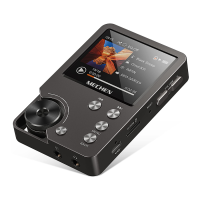
No, it doesn't have a microphone. No Bluetooth either. It play high quality music files through
wired headphones or your hi-fi via line-out.
8. Does this have to be used with headphones or can it be used plugged into an external
speaker?
Yes, you can play on external speaker it has a line out socket, you go into the play menu and then
select line level then click on 0db it then plays wonderful through your speakers.
9. Does the player have the ability to display full screen album artwork?
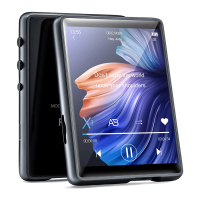
It only displays a small album art picture which needs to be embedded in the music file tag. The
maximum pixel is 640*640.
10. Does this unit have a bookmark feature when listening to audio books?
No. It's really designed for music files so you can save to a play list but that's it.
11. Is this compatible with itunes?
No it's not. But adding songs is easy, you literally just drag and drop them into the folder of the
MP3. Or you can insert a SD card with song.
12. Does this player have Bluetooth and if so, which version?
No Bluetooth on this device.
13. Are you able to delete songs from the device directly? Or do you have to connect it up to a
computer?
You can delete any song you want off the player via the players options without having to hook
up to a computer. But just one by one.
If you want to delete songs in bulk, please connect it to a PC.
14. Can you listen to it while it is charging?
Yes, you can listen to it while charging.


 To Next Page
 Loading...