Attention:
These 3 default playlists cannot be deleted.
No new playlists can be created either.
Doesn’t support M3U playlist.
Delete Music Tracks
1) When playing a song, press the button MENU.
2) Select Delete to remove a music track.
Return to the Home Page
When playing a song, long press the button BACK to return to the home page directly.
Play CUE Files
CUE files are shown as a music track under the Music view, but a folder under the folder view.
1) Go to music and find the CUE track, press the button MENU, at this time, the music player is
playing the 1
st
track of the CUE.
2) Press the button MENU again, then the complete CUE playlist come up.
3) Just select the one you wanna play.
If you still have no idea how to make it, please check the video:
https://youtu.be/yp5T66uj1vg
Attention:
The repeat mode Repeat Folder doesn’t work for CUE files.
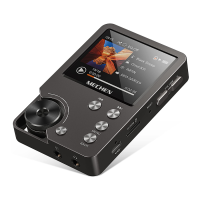
The Scroll Wheel
When playing a song, clockwise the scroll wheel to volume up
When browsing the music lists under the music view, clockwise to quick view the next
song.
When playing a song, counterclockwise the scroll wheel to volume down
When browsing the music lists under the music view, counterclockwise to quick view
the previous song.
Setting
Language
English, Français, Deutsch, Italiano, Español, 日本語, 简体中文 available
The defaulted language is English.


 To Next Page