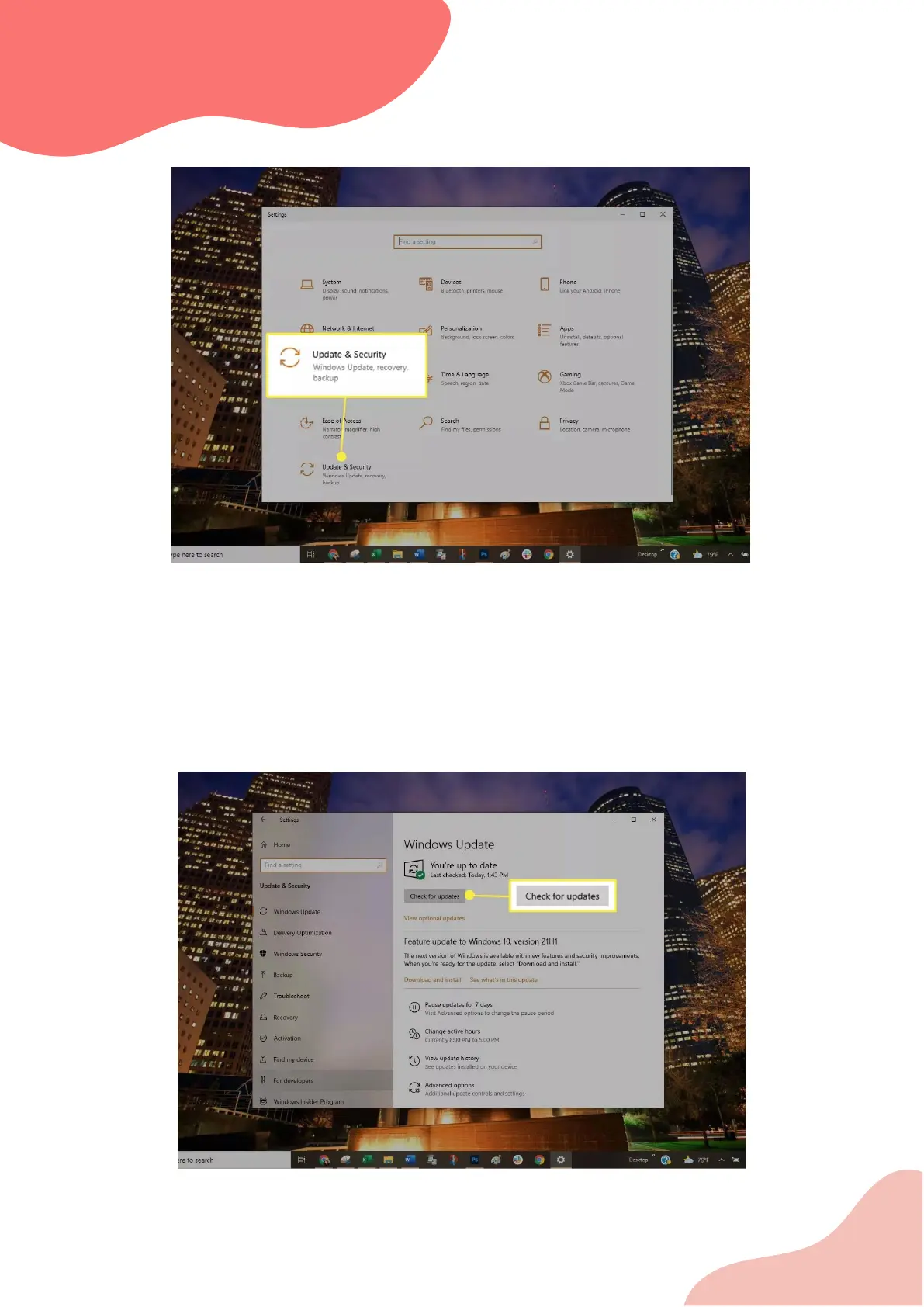
Choose Update & Security.
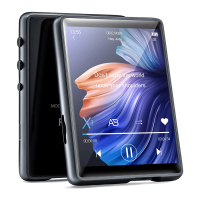
Select Check for updates to verify that your Windows 7/8/10 computer is fully patched. If it isn't,
install the recommended packages then, if necessary, reboot the computer.
Try a Different USB Mode
Set the portable player to use a different USB mode if the unit supports it:
Disconnect your portable from the computer.
Look in the portable's settings to see if you can select another USB mode, such as MTP mode.
Connect the portable again to the computer to see if it is recognized.


 To Next Page