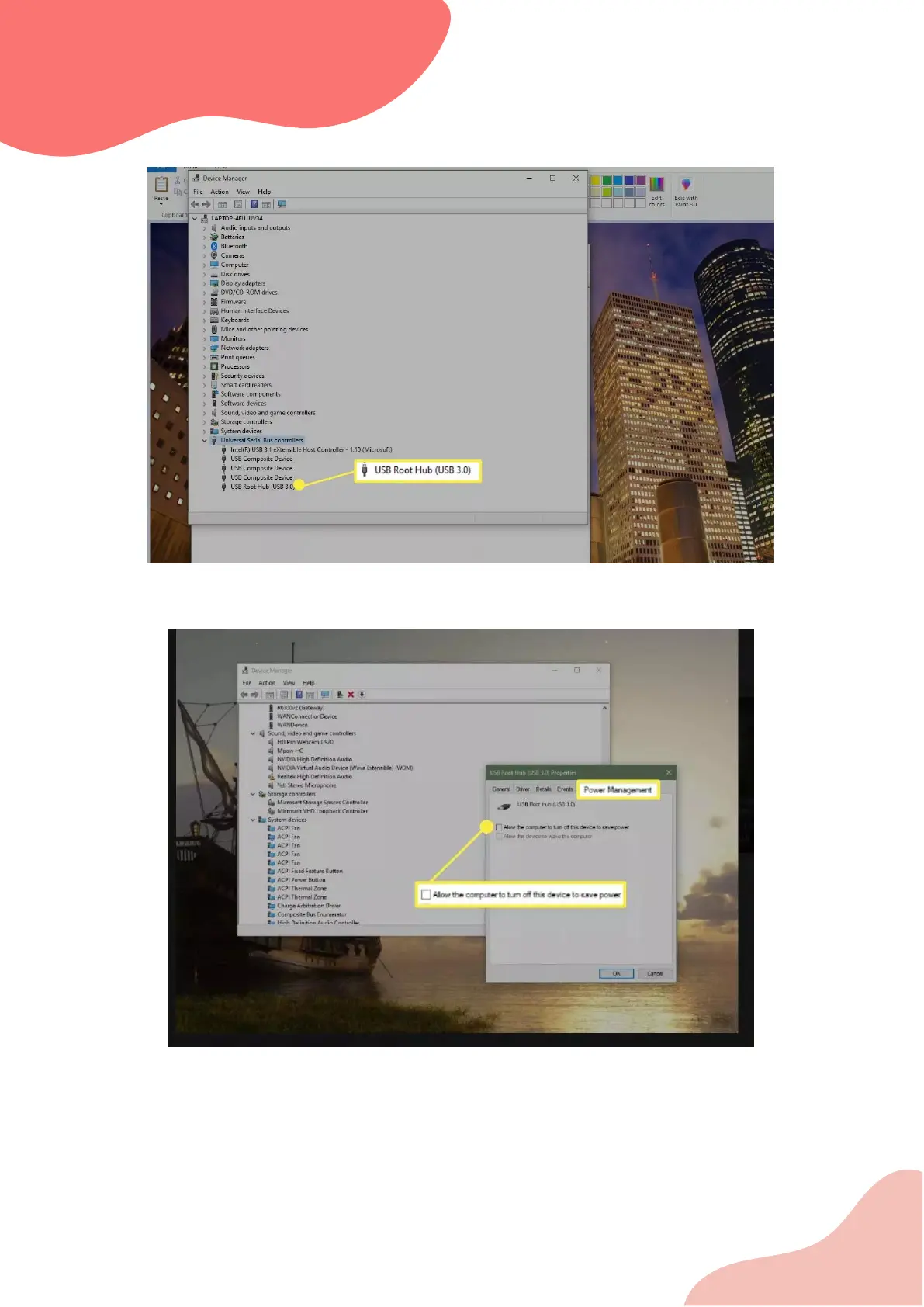
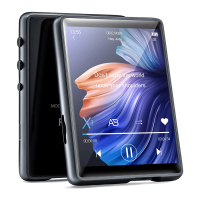
Double-click the first USB Root Hub entry in the list, then select the Power Management tab.
Clear the box next to the Allow the computer to turn off this device to save power option.
Select OK.
Repeat Steps 4 and 5 until all the USB Root Hub entries have been configured.
Restart Windows and sync your portable again.
If you have tried everything and your computer still does not recognize it, please contact us for
an exchange.



 To Previous Page