06146-6
11
| USER MANUAL- ENGLISH
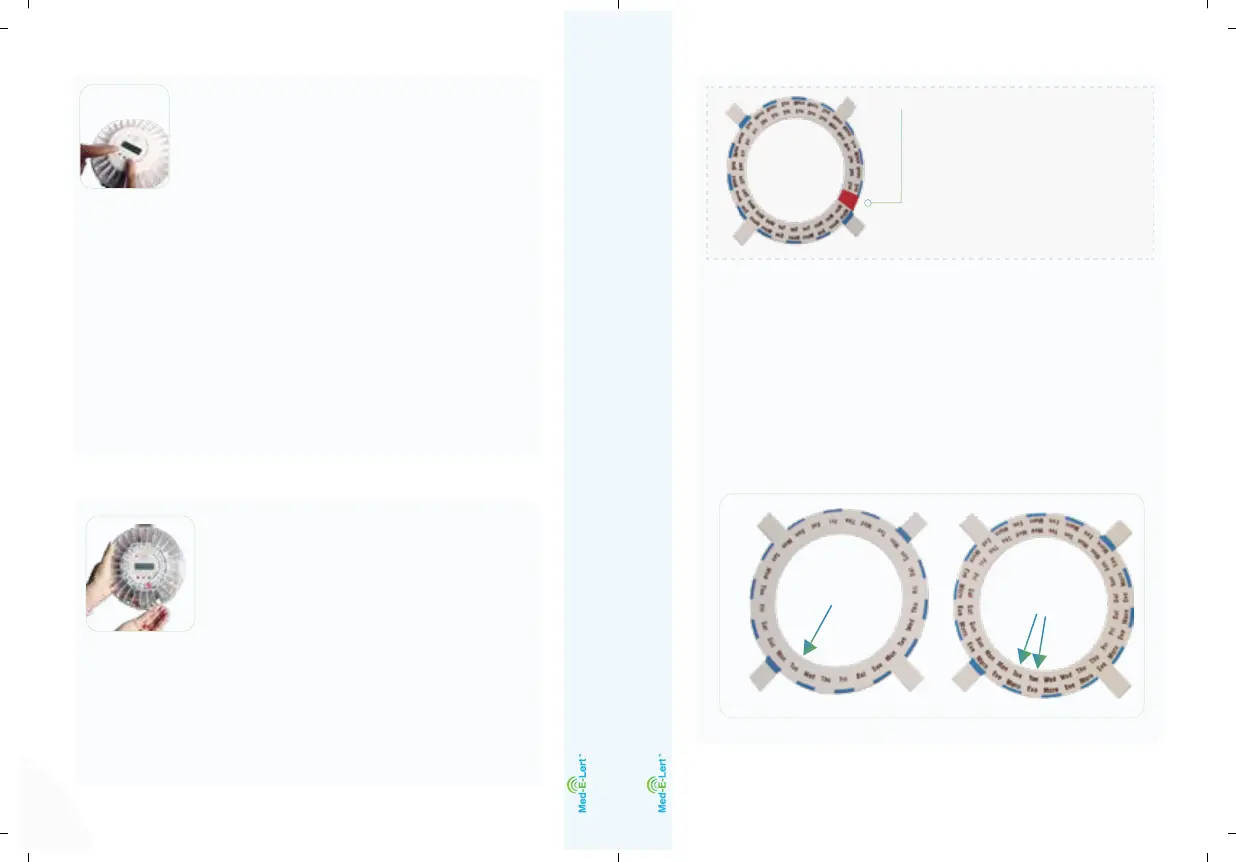
Loading Your Medication
Now that we have set up the time
and alarms, it is time to select
the appropriate dosage ring to
guide you where to place your
medication(s).
(Tip: group your medications/supplements by the
time of day that you take them; this will assist you
when it comes time to place them into the pill tray.)
On the display, you will see the
letter “a” in a circle. This is the first
alarm tone. There are three alarms
tones, which are displayed on the
screen with letters “a,” “b,” or “c” within a circle,
indicating which tone is chosen.
3. Each time you press button 1 while holding
down button 3 will cycle you to the next alarm
tone. If you do not see a letter within a circle,
that means the audible alarm is turned off and
the visual alarm is on.
12
| USER MANUAL- ENGLISH
Note: some dosage rings
have a red portion; do
not place medication
into the corresponding
compartments, as those
slots should remain empty.
(Tip: the amount of days that is repeated consecutively
on any given dosage ring is the medications dosages
per day. For example, if the maximum times a day you
take any given medication is twice per day, you want
to select the dosage ring that repeats each day of the
week twice: Mon Morn/Mon Eve; Tue Morn/Tue Eve,
etc.)
1x/day ring
2x/day ring


 To Next Page