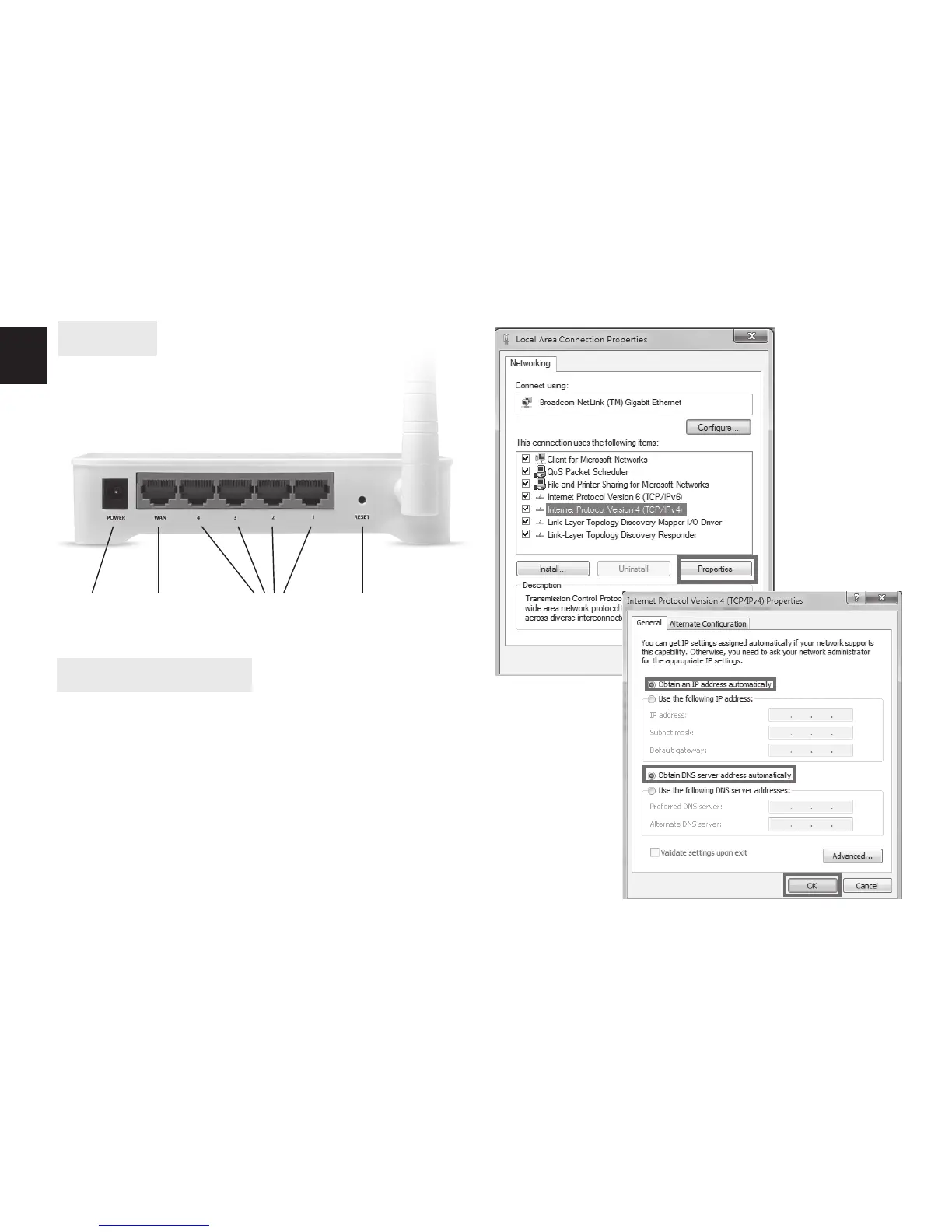
DC input WAN port LAN port Reset switch
Overview
Conguration steps
1. Into WAN port plug via Ethernet cable Internet con-
nection (other router or ADSL/DSL modem). Into
LAN port plug PC computer to congure router.
2. Make sure that network card in Your computer is set
to work with DHCP server by obtaining IP and DNS
addresses automatically. To check it, choose Proper-
ties of Local area cable connection and then, choose
Properties of Internet Protocol V4 (TCP/IPv4).


 To Next Page