4. Now go to „HOME” tab and click “Connect”
button.
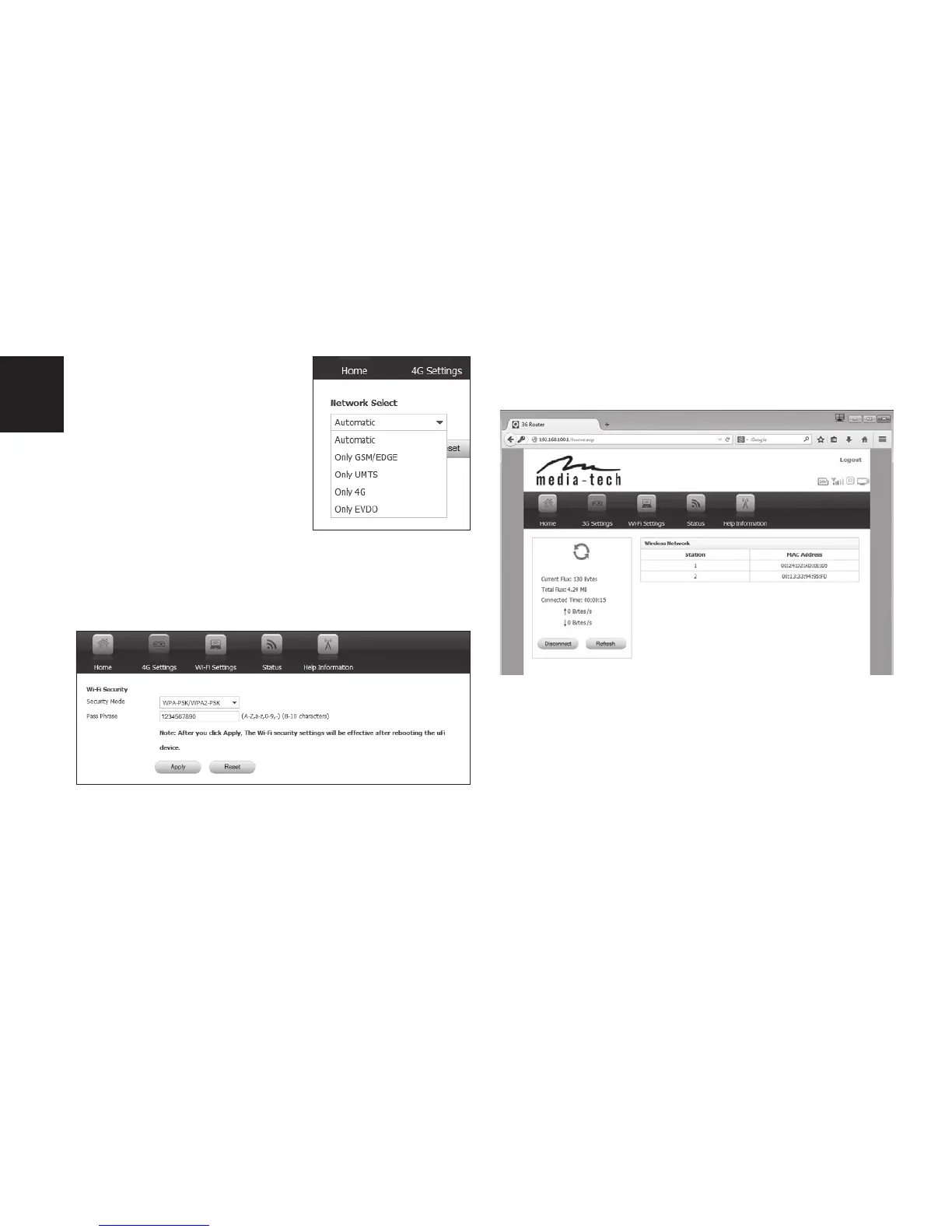
You can manually force
to use 3G or 4G network
(GSM option is not ac-
tive), please select form
list “Network Select”.
You can monitor connection status using
„HOME” tab, other options can be viewed in
“STATUS” tab.
Note! When new setting are applied device will
reboot, remember to scan for WiFi networks
again and enter new password.
Due to continuous development specica-
tion and appearance of product are subject to
change without prior notice. For technical sup-
port please visit www.media-tech.eu.
If you want to change password and encryp-
tion type of broadcasted WiFi network go to
“WiFi Settings/WiFi security”.


 To Next Page
 Loading...