
 Need help?
Do you have a question about the MediaAccess TC8305C and is the answer not in the manual?
Provides a brief overview of the Gateway's main features, including IPv6, internet, and networking capabilities.
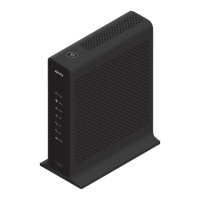
Introduces the physical components of the Gateway by detailing its front, top, back, and bottom panels.
Outlines local connection requirements for wireless and wired setups before starting the installation process.
Details the procedure for connecting the Gateway to the service provider's network using a coaxial cable.
Explains how to power on the Gateway, including connecting the power cord and waiting for the startup phase.
Provides instructions on connecting wired devices to the Gateway using Ethernet ports.
Guides on connecting wireless devices to the Gateway's access point via WPS or manual configuration.
Step-by-step instructions for connecting wireless clients using the WPS Push Button Configuration method.
Details how to manually connect wireless clients using network settings, with OS-specific guidance.
Instructions for connecting traditional phones or DECT base stations to the Gateway's Tel1 port.
Identifies and explains the sections of the Admin Tool interface, including menus, login, and content panels.
Guides on changing the default Admin Tool password for enhanced security.
Details configuring wireless network parameters like SSID, mode, security, and channel.
Provides instructions for adding wireless clients using WPS through the Gateway's Admin Tool.
Introduces features to manage internet access for specific websites, services, and devices.
Guides on blocking websites by URL or keywords, with options for time-based rules.
Details blocking specific internet services by protocol and port, with time-based scheduling.
Explains how to allow or block specific devices from network access, with time-based rules.
Guides on generating and viewing reports of parental control rule infringements.
Describes the Gateway's firewall, security levels, and configuration options.
Introduces solutions for managing incoming internet traffic to multiple computers via UPnP, port forwarding, or triggering.
Explains Universal Plug and Play (UPnP) for automating network device configuration and access.
Guides on forwarding internet traffic on specific ports to internal IP addresses for various services.
Details port triggering for dynamic port forwarding rules activated by outbound traffic.
Instructions on setting up a local device as a De-Militarized Zone (DMZ) host.
Explains how to assign a fixed IP address to a device via DHCP reservation.
Offers solutions for common wireless connectivity problems like no connection, poor range, or WPS issues.
Introduces diagnostic tools available in the Admin Tool for testing network connectivity.
Details methods for resetting or restoring the Gateway to factory default settings.
 General
| Device Type | Gateway |
|---|---|
| Type | DOCSIS 3.0 |
| DOCSIS Version | 3.0 |
| Frequency Bands | 2.4 GHz, 5 GHz |
| Ethernet Ports | 4 |
| Telephony Ports | 2 |
| Wireless Standard | 802.11n |
| Wi-Fi Speed | Up to 300 Mbps |
| Compatible Operating Systems | Windows, macOS, Linux |

 To Next Page