Quick Start Guide
(E) indicates an encrypted channel. LAN-Caster will
pass an encrypted channel onto the network, but it
will not decrypt it. DVB-T services in other countries
are similar.
The RF frequency that the RF multiplexes are
transmitted on, vary across the country. The LAN-Caster
is able to scan all the signals coming from the Aerial,
and automatically detect the RF multiplexes that it can
‘see’. When it detects a multiplex, it will determine the
TV and radio stations that are available and show them
on the channel setup menu.
On initial installation, press Scan to search for the RF
multiplexes available in the geographical area. The
progress of the scanning process is shown – it may take
a few minutes. When the scan is complete, the list of
available RF multiplexes will be shown.
Click on the appropriate ‘radio’ button to see a list of
TV and Radio channels that are available in a particular
multiplex.
Select the channels to stream on the network, by ticking
the ‘Enabled’ tickbox and entering the stream details
into the webpage. Up to 11 channels may be enabled
together on a single multiplex. Press the APPLY button
at the bottom of the page to save these settings.
Channel settings may be stored for more than one
RF multiplex at a time, but only the channels on
the currently TUNED multiplex will be streamed to
the network. The rotating ‘Tuned’ icon on the list
of multiplexes shows which multiplex is currently
‘Tuned’.
When a non ‘Tuned’ multiplex is selected, a tickbox
will appear at the bottom of the webpage to allow this
RF multiplex to be ‘Tuned’.
The channel stream parameters include the multicast
(or unicast) stream address, port number, TTL, and
the Differentiated Services codepoint (for QoS packet
tagging). Consult the network administrator to get
suitable values for these settings.
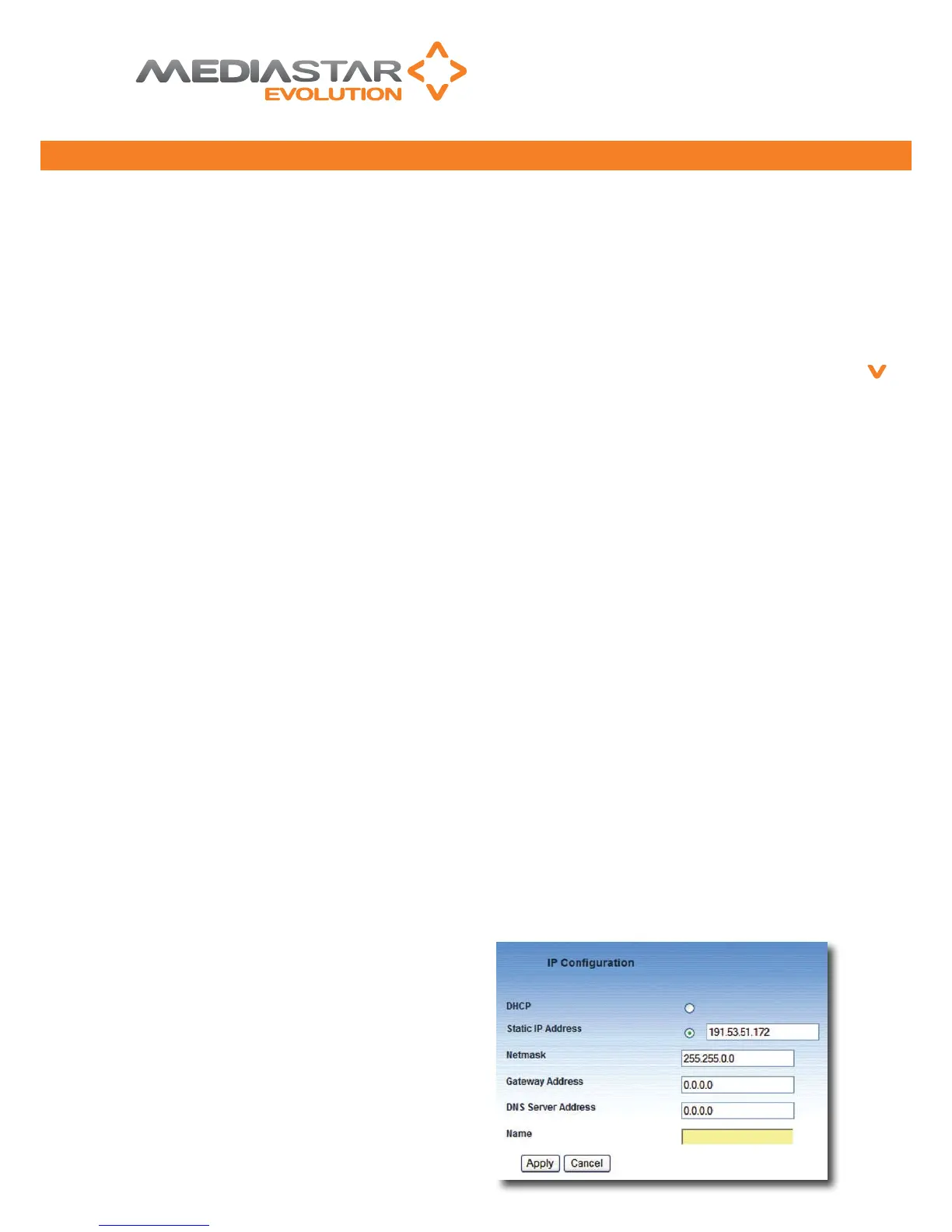
The network conguration of the LAN-Caster is set-
up here. Be sure to conrm these settings with the
network administrator before installing this unit on the
network.
- Setting this option means the LAN-Caster will
contact a network DHCP server to automatically obtain
an IP address. Following a LANCaster reset, the DHCP
server could give the unit a different IP address, so
when using DHCP it is advisable to reference the unit
by its Name.
- the IP address of the LAN-Caster
can be set here, but the address must be obtained
from the network administrator.
- the netmask denes which parts of the IP
address are used for address recognition purposes. This
should be specied by the network administrator.
- A network gateway is a network
device that interfaces between different networks.
When the LAN-Caster wishes to communicate with a
device whose IP address is not on the local subnet,
it will communicate via the gateway device specied
here.
- A Domain Name Server is a
network device that resolves computer and domain
names into IP addresses that are used for network
communications. This allows the LAN-Caster to resolve
computer names specied here and for software
upgrade checks.
- Specify the LAN-Caster name here (using
characters A-Z, a-z, 0-9, “-”). If DHCP has been selected,
this device name is requested from the DHCP server. If
the name request is granted, the LANCaster can then
be referenced using its device name from a browser
application (e.g. http://NBC-LANCaster).
Mediastar Evolution
5
PART NO. 200-2370
776QSG_v2


 To Next Page
 Loading...