Quick Start Guide
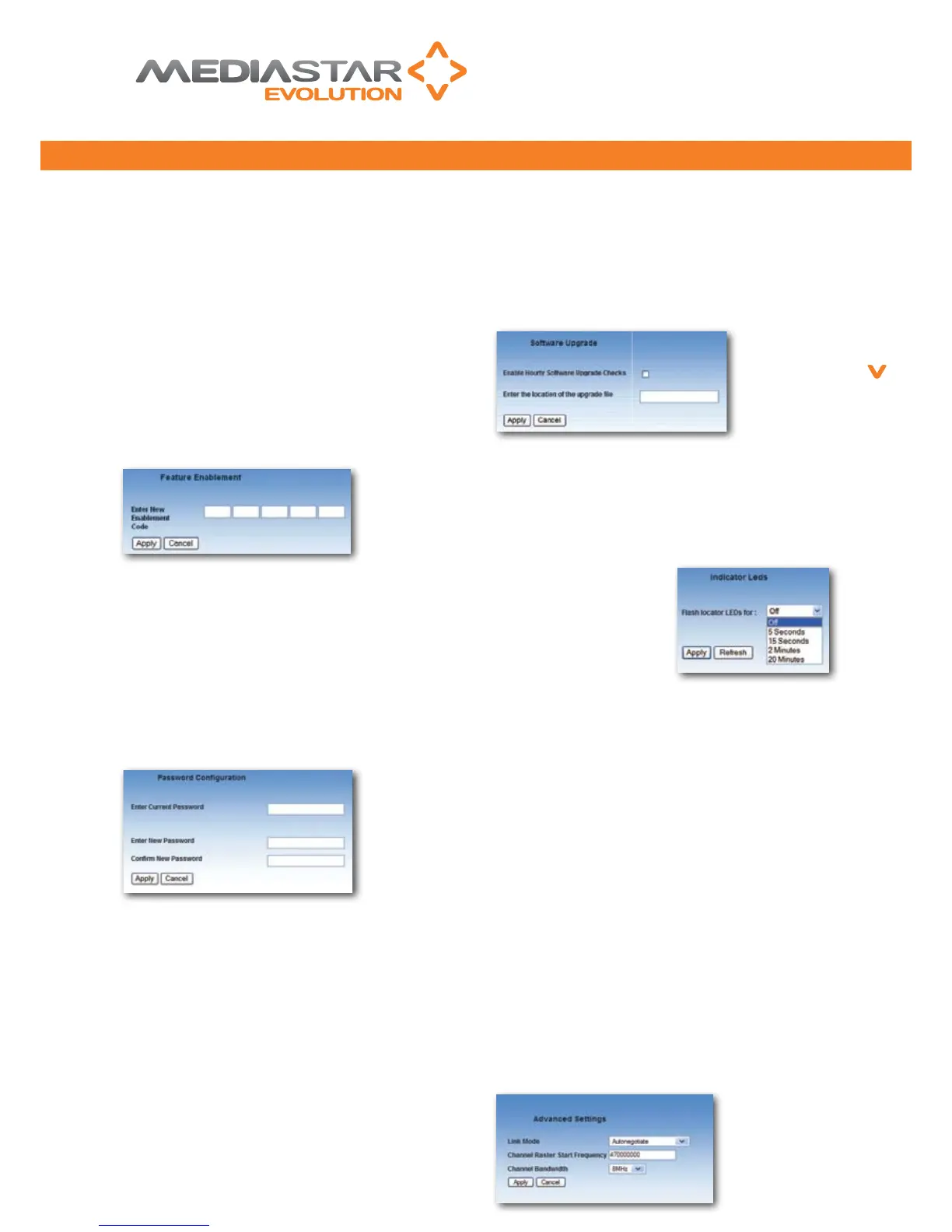
This screen allows you to enter ‘Enablement codes’
into the LAN-Caster. If you wish to upgrade the LAN-
Caster with an additional feature, then you should
obtain a suitable enablement code from your reseller
or Cabletime. This 15-digit number is then entered into
the elds on this screen. The LAN-Caster will validate
the code and enable any appropriate feature. The new
feature enablement will be remembered by the LAN-
Caster following any reset or power off. All enablement
codes are unique to an individual LAN-Caster unit.
Please have the serial number of your LAN-Caster
available when you apply for an upgrade. The serial
number can be found on the Status page.
A password will prohibit unauthorised access to all
the conguration web pages, and will also prohibit
unauthorised changes being made through the RS232,
USB or Telnet command interfaces. Valid passwords
consist of six numbers 0-9. Setting the password to
six zeroes clears the current password, which then
allows unrestricted access to the conguration menus/
commands again. If the password becomes lost, please
refer to Cabletime for help ‘un-locking’ the unit.
The software that is used inside this unit may be
upgraded in the eld to facilitate new functionality or
provide support related upgrades. It is only possible to
upgrade this unit with software that has been supplied
by Cabletime. The LAN-Caster makes rigorous checks
on new upgrade les to ensure no tampering has
taken place with them prior to their use. In order to
upgrade the software on this unit, enter the URL of
the directory containing the software index le into
the input eld. The index le contains a list of the
LAN-Caster serial number(s) on site, and the software
version that they should currently be using. It can
be edited by a system administrator to set the LAN-
Caster software version of each unit on site (wildcard
serial numbers can be specied). If the ‘Enable Hourly
Software Upgrade Checks’ box is ticked, the LAN-Caster
will make hourly checks on the upgrade le to see if
a new software download is required. When it is, the
LAN-Caster automatically downloads the new software
le, validates it and then loads and runs the new
software upgrade.
The Locator LEDs functionality enables quick
identication of a specic unit within a rack of LAN-
Caster units. Select a ashing duration and press the
Apply button. This will make the front panel LEDs
ash in a unique manner
to identify the unit being
addressed via the web page.
When the ashing duration
expires, the LEDs return to
their normal function.
These settings should not be modied unless the
controls are fully understood by the user.
This pull down menu allows the network connection
mode to be specied manually. It should only be
changed from ‘Autonegotiate’ if there is difculty
establishing the network link with the switch/ router.
Please note that by using a 10BaseT mode, there may
not be sufcient network bandwidth to transfer all the
selected TV or Radio channels onto the network.
This allows the start frequency of the channel scan to be
changed. In some territories, the DVB-T RF multiplexes
are transmitted below the 470 MHz default value.
This is the RF multiplex bandwidth. In some territories
this may be different to the default 8MHz setting.
Mediastar Evolution
6
PART NO. 200-2370
776QSG_v2


 To Next Page
 Loading...