IP Address
Note: When assigning IP Addresses to the computers on the network, remember to have the IP address for
each computer set on the same subnet mask. If your Broadband Router use DHCP technology, however, it
won’t be necessary for you to assign Static IP Address for your computer.
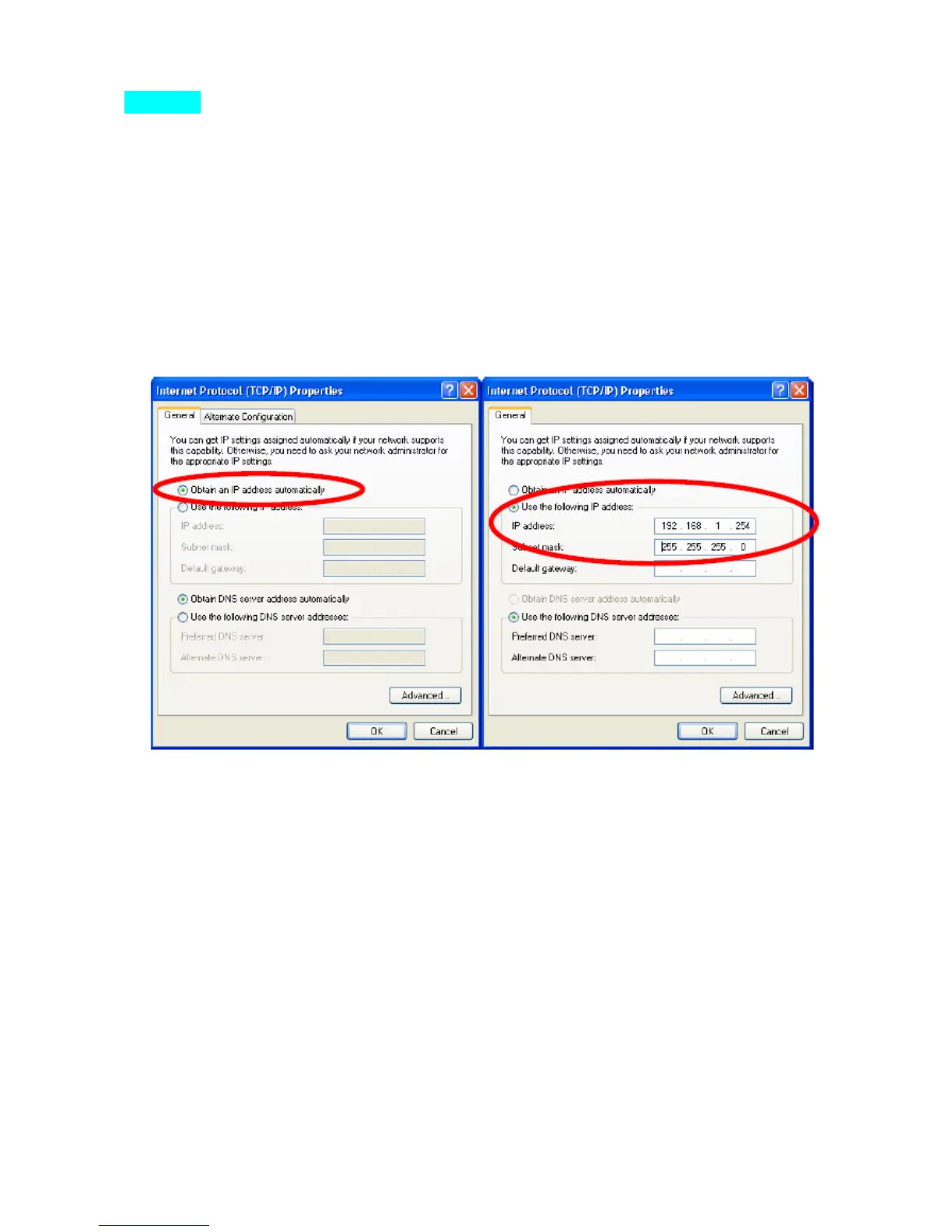
1. To configure a dynamic IP address (i.e. if your broadband Router has the DHCP technology), check the
Obtain an IP Address Automatically option.
2. To configure a fixed IP address (if you broadband Router is not DHCP supported, or when you need to
assign a static IP address), check the Use the following IP address option. Then, enter an IP address into the
empty field; for example, enter 192.168.1.254 in the IP address field, and 255.255.255.0 for the Subnet Mask.


 To Next Page