MT7921K
Install User Guideline: Part-I
Confidential B
This document contains information that is proprietary to MediaTek Inc.
Unauthorized reproduction or disclosure of this information in whole or in part is strictly prohibited.
2.1.3 Install Windows driver
MT7921K supports PCIE interface. According to interface type of MT7921K, please refer to steps shown below
to install Windows driver:
PCIE interface:
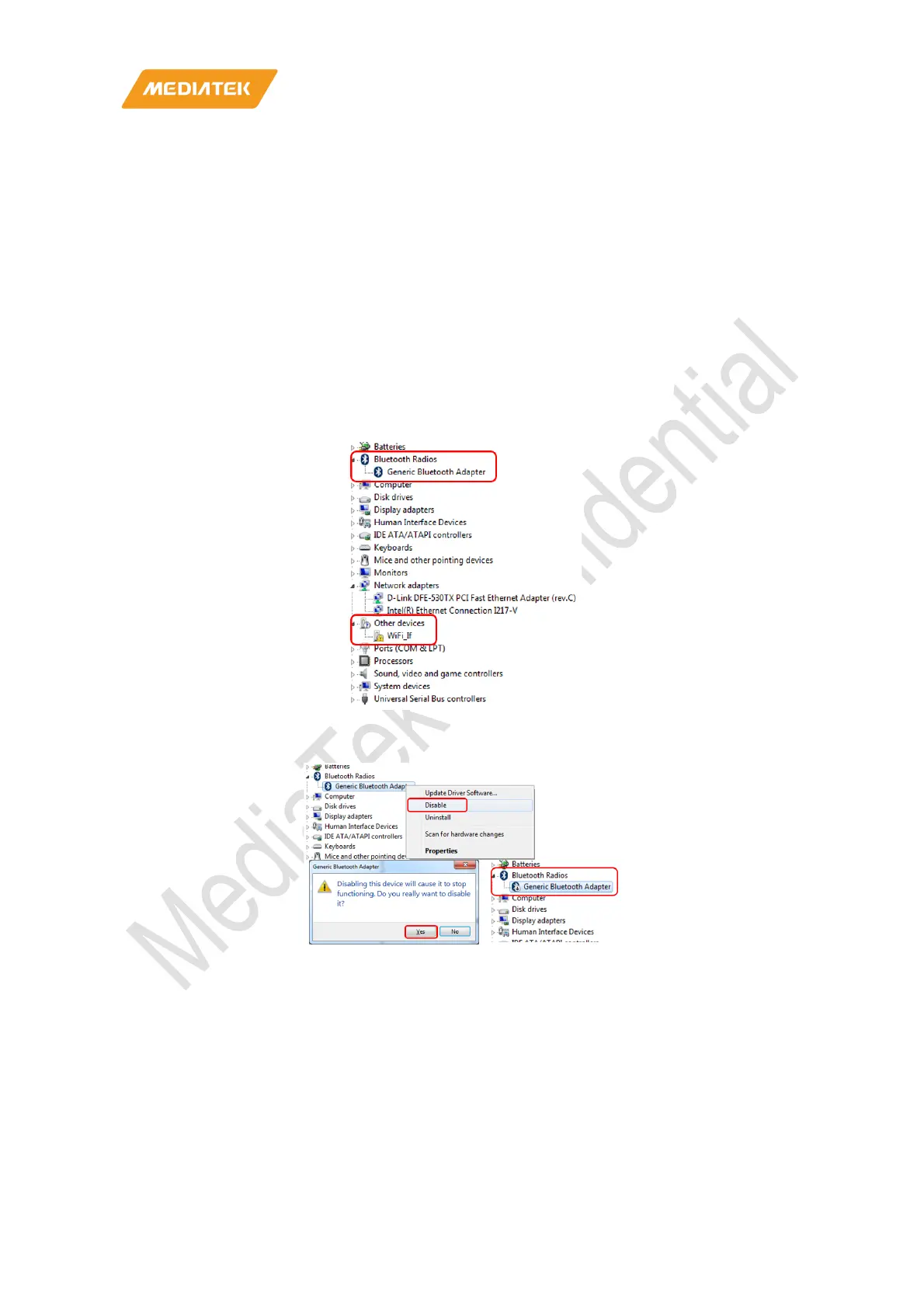
1. Connect DUT to PC/NB and check Windows Device Manager.
2. Window Device Manager would discover DUT shows “Generic Bluetooth Adapter”(BT device) and
“WiFi_If”(WiFi device).
3. Right click the “Generic Bluetooth Adapter” BT device and select disable as follows.



 To Next Page