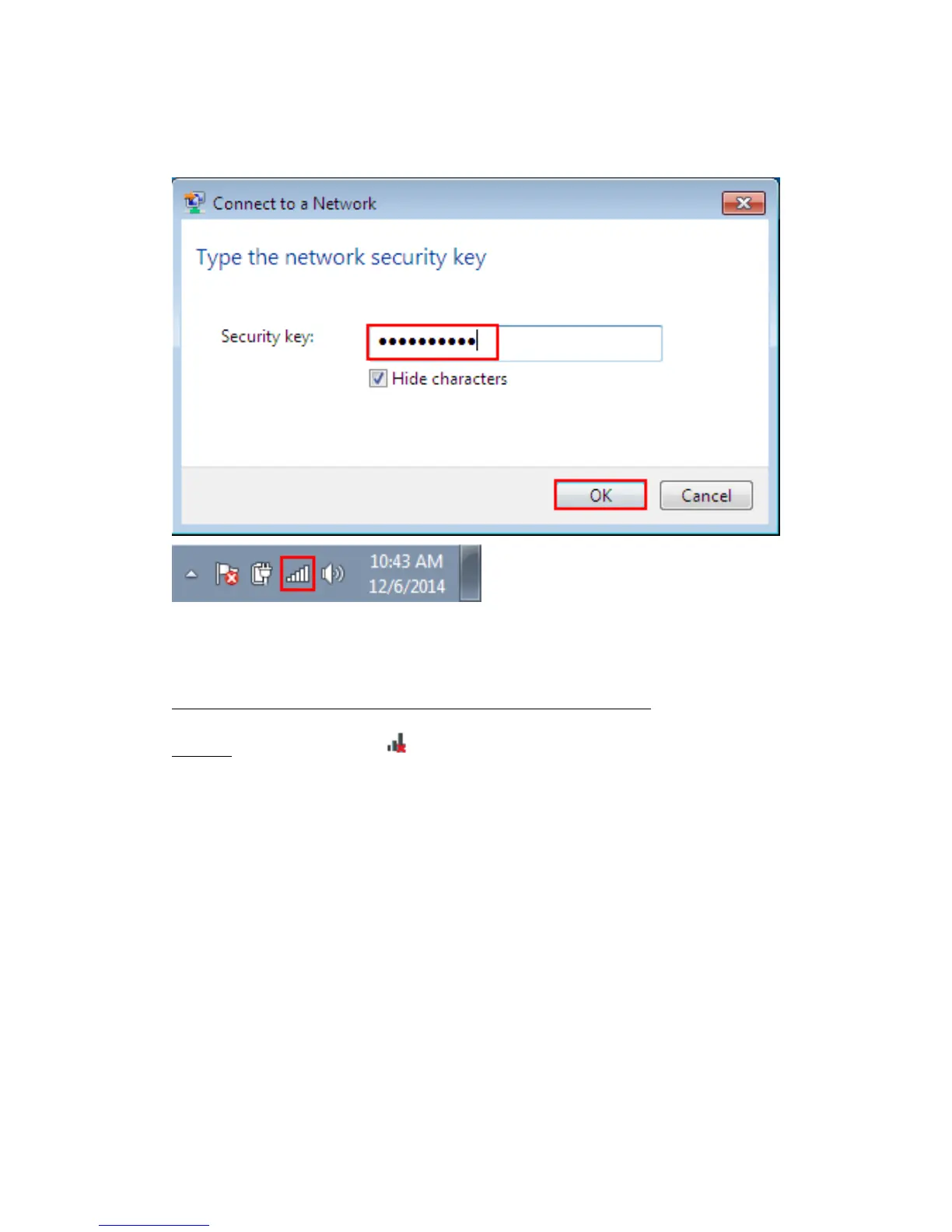
Open the wireless networking page and enter the security key. Click the “OK” button.
Then you should have internet access when you open a internet window with any
browser.
If You Chose “Install Driver and Mediatek WLAN Utility”:
Step 4b. Double click the icon in the Windows system tray, which is located in the
bottom-right hand corner of your computer screen, and click on the “Available
Networks” button (See figure 1). Open the right wireless list and choose wireless
signal (See figure 2) and double click.


 To Next Page