Step 3. Once you choose which option you prefer, continue the installation wizard
and finish it.
Step 4:
If You Chose “Install Driver Only”:
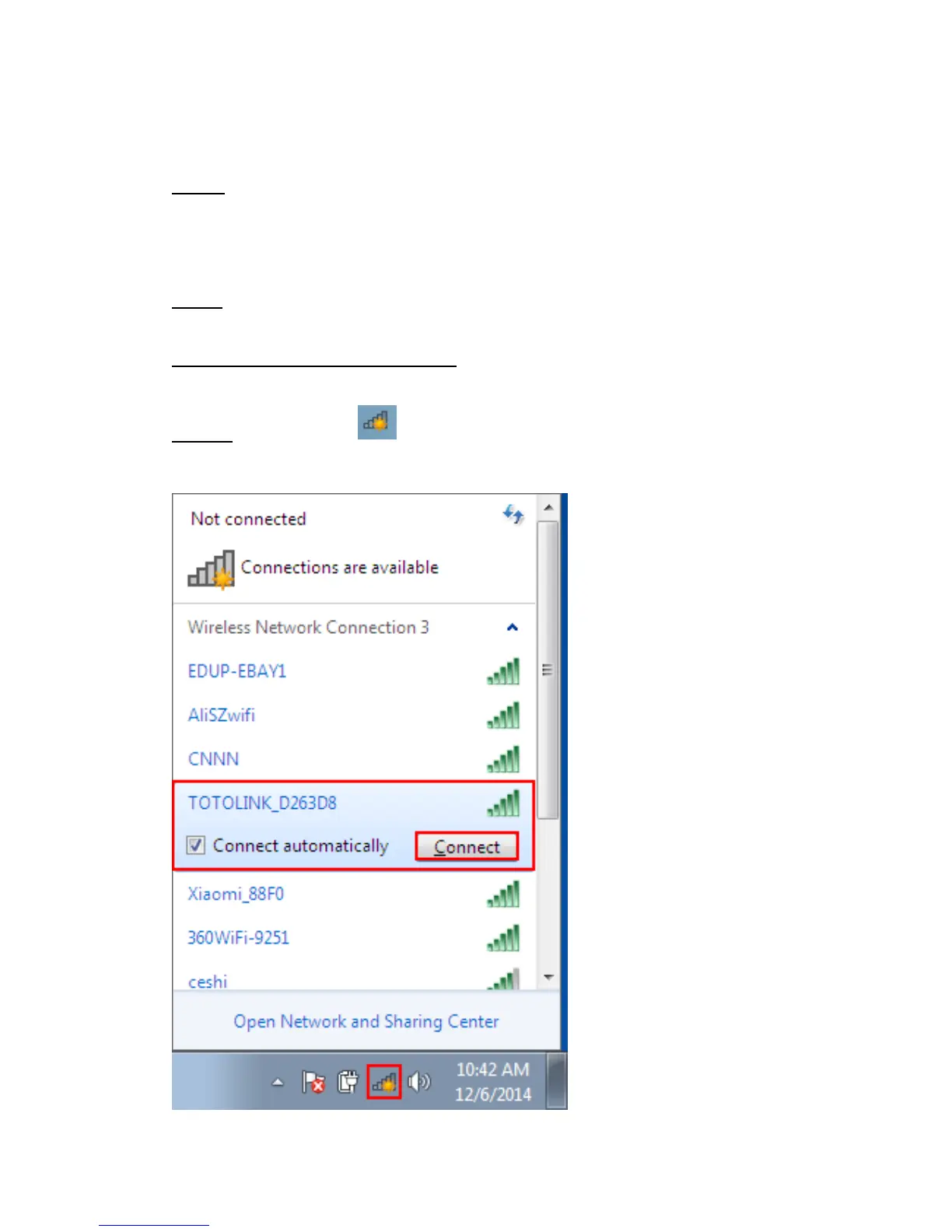
Step 4a. Click on the Icon in the Windows system tray, which is located in the
bottom-right corner of your computer screen and then double click the SSID you
preferred (or click “connect” button)



 To Next Page