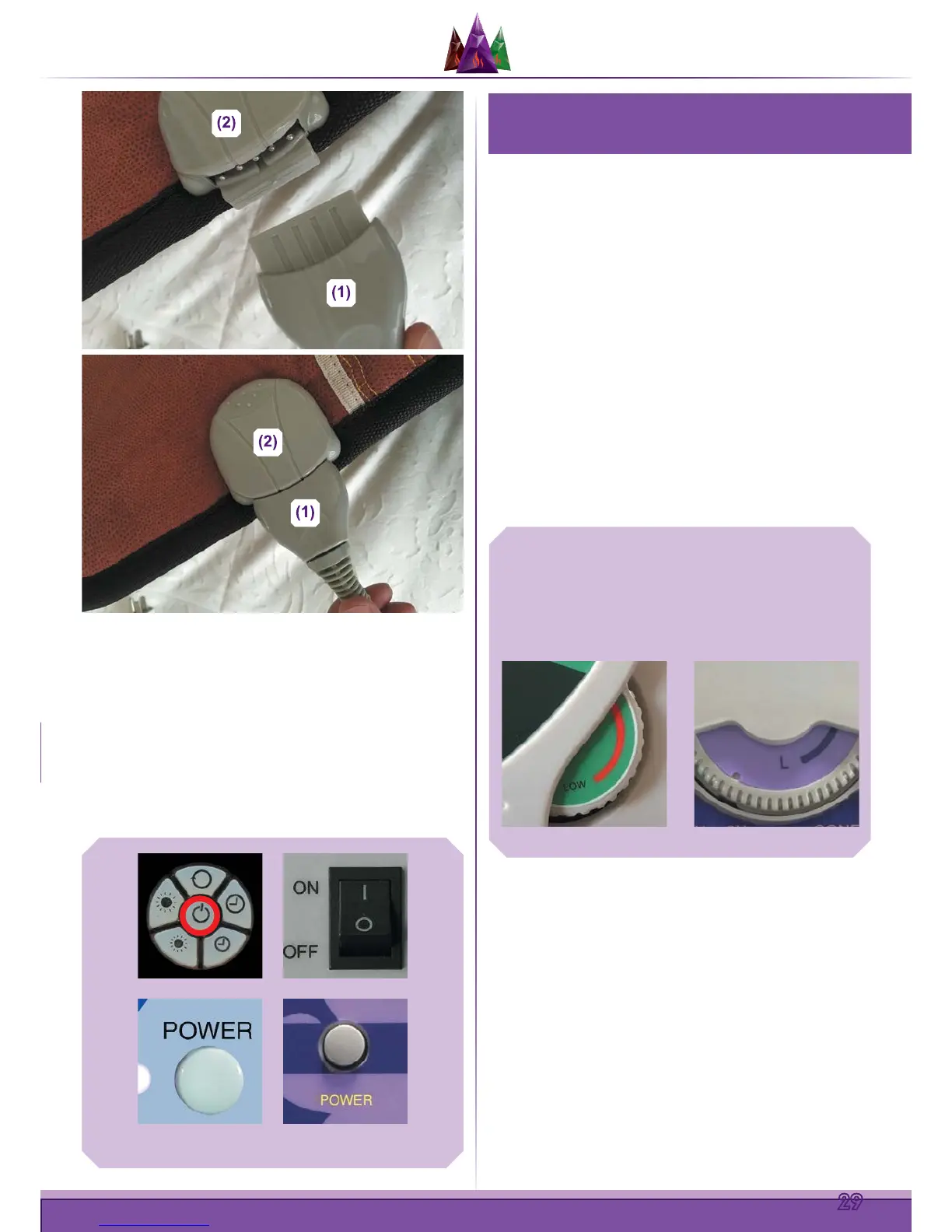
Then plug the controller into a safe power supply grounded
socket.
Turn on the power to the mat by pressing the POWER
ON/OFF Toggle button or Switch. The POWER Indicator
light should be lit if the mat is getting power. If the mat is not
getting power, re-check steps
and above to ensure your
connections are snug. Try another outlet if you are still having
trouble getting the POWER Indicator light to display.
Press the POWER ON/OFF Toggle button again to turn
the mat o when desired.
1. SETTING THE MAT’S TEMPERATURE
For the Midsize, Compact Pro, Professional and Queen
size MediCrystal Mats
TM
, the temperature can be set using
the round “Adjust Temperature Dial”. In order to select your
preferred temperature, dial the wheel right (clockwise) to
increase the temperature and make the mat hotter. Once your
desired temperature appears in the LED display, stop dialing.
After a couple of seconds, the display will revert back to
showing the mat’s current temperature while it begins to heat
to your requested temperature.
Dial the wheel left (counterclockwise) to decrease the
temperature or make the mat cooler (when your desired
temperature appears in the LED display, stop dialing. After
a couple seconds, the display will revert back to showing
the mat’s current temperature while it begins to cool to your
requested temperature. The Queen size mat dual zone
controllers allow to independently control the heat temperature
and session time in left and right side of the mats.
HOW TO OPERATE YOUR
MEDICRYSTAL MAT
The Operation Indicator light will display, but then turn o
when the selected temperature range is reached. Whenever
the temperature of the mat is below the selected temperature,
the mat’s heating process will kick-in and the Operation
Indicator light will come back on again.
For the MediCrystal Pad, Belt and Mini Mat
TM
, the
temperature can be set using the button controls. To select
your preferred temperature, press the Temperature Increase
button and hold it until your desired temperature appears in the
LED display. After a couple of seconds, the display will revert
back to showing the mat’s current temperature while it begins
to heat to your requested temperature.
Use the Temperature Decrease button to make the mat cooler.
Once your desired temperature appears in the LED display,
stop pressing the button. After a couple of seconds, the display
POWER ON/OFF TOGGLE BUTTON
ADjUST
TEMPERATURE
DIAL


 To Next Page
 Loading...