After Sales Support TEL: 1300 884 987 WEB Support: www.medion.com.au
37
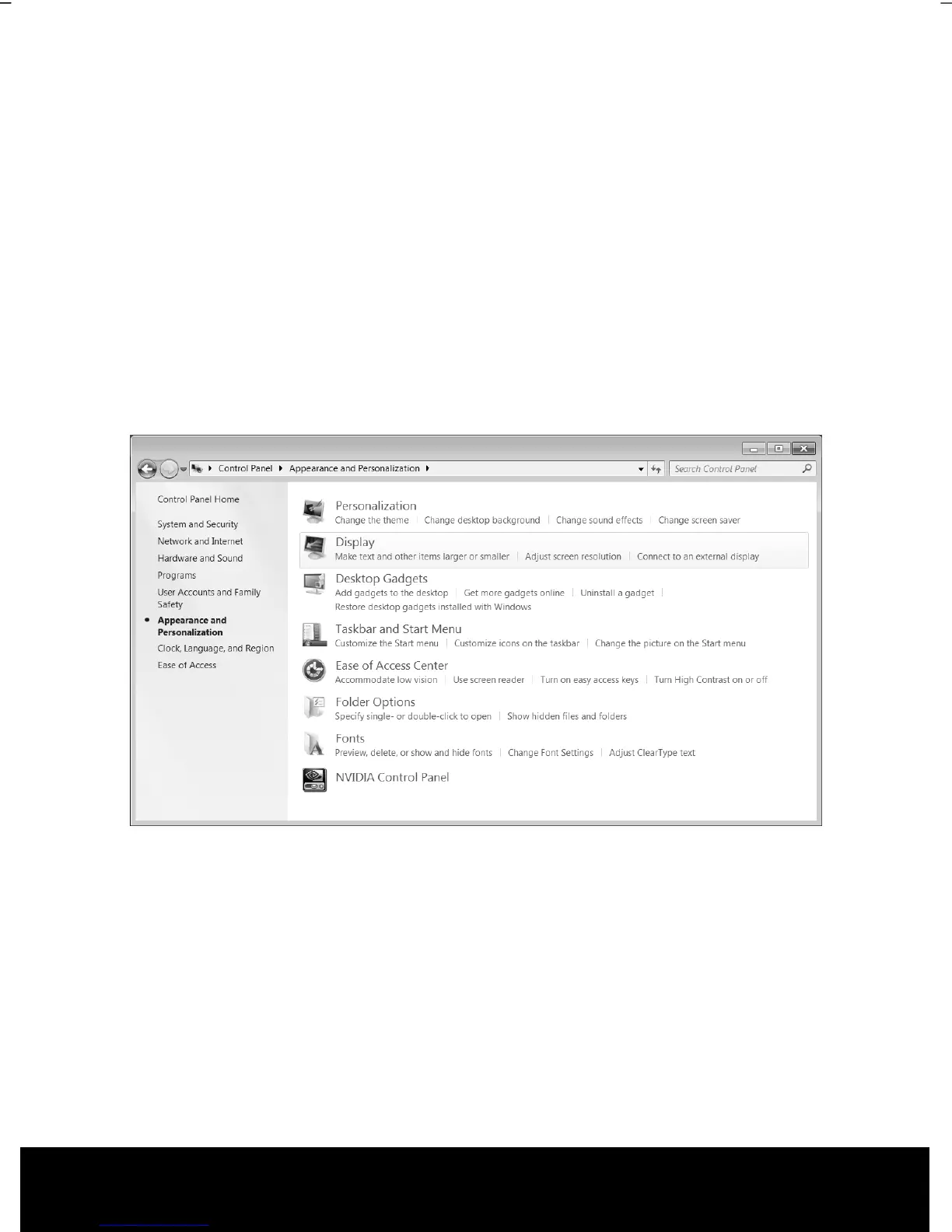
You can adjust the presentation to the mode supported with the Windows “Control Panel
Appearance and Personalization Display Settings Adjust screen resolution
Advanced Settings“ Help Program.
Appearance and Personalization
This program offers you the possibility of adjusting the presentation on your display. This
includes the background image, the screensaver, Active Desktop (web) and additional
settings of your display and your graphics card, for example. The program can be started
in the following way:
► Right mouse click on the Windows interface (Desktop) and left mouse click on
Personalization
or
► Via Start Control Panel Appearance and Personalization with a double-
click with the left mouse button.
The following adjustment possibilities are available:
• Personalization
• Display
• Desktop Gadgets
• Taskbar and Start Menu
• Ease of Access Center
• Folder Options
• Fonts



 To Next Page