EasyManua.ls Logo

Medion MD 81460 - User Manual

Medion MD 81460
28 pages
Print Icon
To Next Page IconTo Next Page
Loading...
MD 81460 1
EN
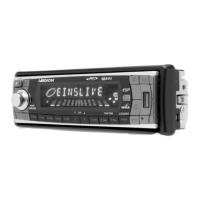
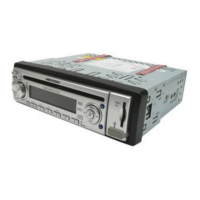
OVERVIEW
Operating Part
1. AF: Set the Radio Data System Mode
2.
SCN: Search for AF transmitters
3.
REL: RELEASE  Remove operating part
4. EJ: EJECT  Eject CD
5.
MULTIJOG: Induction regulator: control the selected audio setting (SEL)
6. CD compartment
7. Display
8.
BND: BBand selection in the Radio Mode; display ID3 tag Information in the
MP3 Mode
9. MU: Mute
10. MMC/SD slot
11.
TA : Traffic alarm
12.
PTY: Display PTY information
13.
SEL: Press for a short time repeatedly, to select the following audio settings:
Volume, bass, treble, balance, fader; in car radio: press longer repeatedly,
to select between different car radio settings
In the case of an MP3 title search: Confirm each entry with letters in the case
of an MP3 search;
EON Settings menu
14.
A.P.: Automatic storage of station / play station,
MP3 title, file and directory search
15.19.: M1M6 station buttons
15.
TOP/PLAY/PAUSE: Start / interrupt reproduction /
Play the first title, number button M1
16. INT: Play the title, number button M2
17.
RPT: Set the Repeat function, number button M3
18.
RDM: Random, number button M4
19. Number button M5, number button M6
20.
TUNE/ TRACK/ SKIP +: Forwards search for station / CD title
TUNE/ TRACK/ SKIP -: Backwards search by station / CD title
21.
MOD: MODE  Choose between radio and CD operation
22.
CL:Set / display the time; Call up information in the Radio Mode Radio Data
System;
If no Radio Data System information has been received: Call up the frequency
and the time

Questions and Answers

  • A
    Alyssa NielsenAug 11, 2025
    Why is there no sound coming from my Medion Car Receiver?
    • N
      Noah KellyAug 11, 2025
      If there is no sound from your Medion Car Receiver, the volume might be set to the minimum. Try increasing the volume. Also, check the cable connections to ensure they are properly connected.
  • A
    Alyssa HarrisAug 16, 2025
    How to fix Medion MD 81460 that cannot be switched on?
    • R
      Randall Hardin MDAug 16, 2025
      If your Medion Car Receiver won't switch on, first ensure the ignition is switched on by turning the key. If that doesn't work, check if any of the fuses are defective and replace them if necessary.
  • J
    Joseph WalkerAug 22, 2025
    What to do if CD cannot be loaded or is ejected from Medion MD 81460?
    • S
      stewartkelseyAug 22, 2025
      If your Medion Car Receiver is having trouble loading or is ejecting CDs, consider these possibilities: * There might already be a CD inside. Remove it. * The CD might be inserted incorrectly. Ensure the label faces upwards. * The CD could be dirty or damaged. Try cleaning it or using a different CD. * The car's temperature might be too high. Wait for it to normalize. * Condensation may have formed. Turn off the receiver for a few hours, then try again.
  • B
    Blake KellyAug 29, 2025
    What to do if function buttons do not work on Medion Car Receiver?
    • L
      lowejenniferAug 29, 2025
      If the function buttons on your Medion Car Receiver aren't working, it could be due to interference affecting the microcomputer. Try pressing the RESET button (23). Also, ensure that the control panel is correctly fitted.
  • M
    Mr. Steven PatelSep 4, 2025
    Why does the CD skip in my Medion MD 81460 Car Receiver?
    • E
      Edward KellerSep 4, 2025
      If the CD skips while playing in your Medion Car Receiver, the installation angle might be more than 30°. Correct the installation angle. Also, the disc could be dirty or damaged; clean it or try another one. If you burned the CD yourself, there might be errors on it; test it in another playback device.

Medion MD 81460 Specifications

General IconGeneral
Display TypeTFT
Resolution800 x 480 pixels
RadioYes
BluetoothYes
USB PortYes
AUX InputYes
TouchscreenYes
DVD PlayerYes
Tuner BandsFM
Playback MediaCD, DVD, USB
ConnectionsUSB, AUX