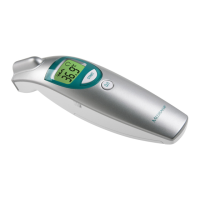
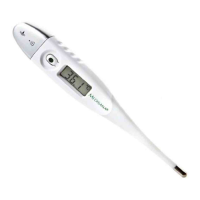
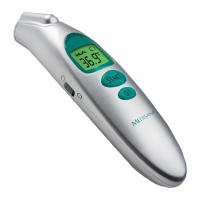
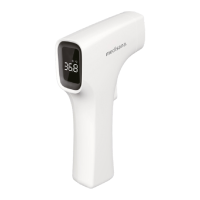
The Medisana Non-contact Infrared Thermometer FTG (Art. No.: 48620, Model No.: FT3010) is a medical device designed for measuring body temperature in humans without physical contact, specifically on the forehead. Additionally, it can measure the temperature of objects, fluids, surfaces, and ambient temperature. The device is CE marked according to EC-directive 93/42/EEC MDD and complies with the EN 60601-1-2 standard for electromagnetic compatibility. It is intended for home use, with a recommended annual metrological inspection for commercial use.
Function Description:
The thermometer utilizes infrared technology to measure temperature from a distance of approximately 5-15 cm. For body temperature, it measures above the eyebrow, between the forehead and the temple, converting radiated energy into a temperature value displayed within 1 second. This allows for quick and precise measurements, even for infants without disturbing their sleep. The device also features an additional function to measure object temperatures, expanding its utility beyond body temperature.
Important Technical Specifications:
- Display System: Digital LCD display with backlight.
- Power Supply: 3V (2 x 1.5V AA/LR6 batteries).
- Measuring Range:
- Body temperature mode: 22°C - 42.9°C (71.6°F - 109°F).
- Surface temperature mode: 0°C - 100°C (32°F - 212°F).
- Accuracy of Measurement (Laboratory readings):
- In the region of 22°C - 42°C: ±0.3°C (71.6°F - 107.6°F): ±0.54°F.
- All other regions: ±0.5°C (±0.9°F) (under operating conditions).
- Measurement Duration: Approximately 1 second.
- Memory Capacity: Up to 32 readings.
- Automatic Shut-off: Approximately 10 seconds after the last measurement or button press in setting mode.
- Operating Temperature: 16°C - 40°C (60.8°F - 104°F), relative humidity: 15% to 95%.
- Storage/Transport Temperature: -20°C - +50°C (-4°F - 122°F), relative humidity: 15% to 95%.
- Dimensions: Approximately 90 x 43 x 148 mm.
- Weight: Approximately 120 g (without batteries).
- Product Life: 10 years.
Usage Features:
The device includes several buttons for operation and settings:
- SET button (1): Used to enter and navigate through settings (F1-F5) and to exit setting mode.
- START button (4): Initiates a measurement.
- - button (6) and + button (7): Used to adjust values in settings (e.g., measurement unit, fever alarm value, offset value, backlight state) and to scroll through stored memory readings.
Getting Started:
- Battery Insertion: The device uses two 1.5V AA/LR6 batteries. The battery exchange symbol (8) or a blank LCD display (2) indicates the need for battery replacement. To insert/replace batteries, slide the battery compartment cover (5) downwards, remove it, insert new batteries observing polarity, and then replace the cover.
- Acclimatisation: For accurate readings, both the thermometer and the patient must acclimatise to the room temperature for at least 30 minutes.
- Offset Value Setting: Before first use, it is recommended to set an offset value. This involves comparing a measurement from a conventional thermometer with one from the Medisana FTG and adjusting the offset (F3 setting) if there's a difference.
Settings (accessed by pressing and holding SET button (1) for approx. 3 seconds):
- F1 (Measurement Unit): Adjust between °C or °F using the + (7) and - (6) buttons.
- F2 (Fever Alarm Value): Set the temperature at which the fever alarm will activate (factory setting: 37.8°C / 100.0°F) using the + (7) and - (6) buttons.
- F3 (Offset Value): Adjust the offset value (factory setting: 0.0°C / 0.0°F) using the + (7) and - (6) buttons.
- F4 (Alarming State): Turn the acoustic alarm ON or OFF. If ON, the acoustic signal symbol (9) will light up constantly.
- F5 (Backlight State): Turn the backlight ON or OFF using the + (7) and - (6) buttons.
- To exit setting mode and switch off the device, press the SET button (1) again. The device automatically switches off after approximately 10 seconds of inactivity in setting mode.
Measuring Body Temperature:
- Ensure the thermometer and patient have acclimatised for at least 30 minutes.
- Switch on the thermometer by pressing the START button (4). Confirm it is in body temperature measurement mode (14).
- Point the sensor (3) at the center of the forehead, approximately 5-15 cm away. Ensure the area is clean and free of dirt, hair, or sweat.
- Press the START button (4) to take the measurement.
- The result (13) will be displayed in about 1 second. A short beep indicates completion. If the result is at or above the fever alarm level (F2) and the alarm is ON (F4), three beeps will sound.
- The result is automatically stored. The device will automatically switch off after 10 seconds of inactivity.
Measuring Object Temperature:
- Switch on the thermometer by pressing the START button (4). Confirm it is in surface temperature measurement mode (15) (adjust with SET button (1) if necessary).
- Point the sensor (3) at the center of the object, approximately 5-15 cm away. Ensure no objects obstruct the path between the sensor and the air if measuring ambient temperature.
- Press the START button (4) to take the measurement.
- The result (13) will be displayed in about 1 second, accompanied by a short beep if the acoustic alarm is active.
- The result is automatically stored. The device will automatically switch off after 10 seconds of inactivity.
Recalling Stored Data:
The device stores up to 32 results. While switched on, press the + (7) or - (6) buttons to view stored readings. The display shows the memory slot number and the stored value. Empty slots show "- - -". Holding the + (7) or - (6) buttons will display stored results in fast sequence.
Error Messages:
- Battery symbol: Flat batteries, insert new ones.
- Err: System error. If persistent, contact customer service.
- ErH: Ambient temperature too high (above 40°C / 104°F).
- ErL: Ambient temperature too low (below 16°C / 60.8°F).
- Hi: Measured temperature too high (above 42.9°C / 109°F in body mode, or 100°C / 212°F in surface mode).
- Lo: Measured temperature too low (below 22°C / 71.6°F in body mode, or 0°C / 32°F in surface mode).
Maintenance Features:
- Cleaning the Sensor: The sensor (3) is the most delicate part. Clean it with a cotton bud dipped in warm water or 70% isopropyl alcohol. Protect it from dirt and damage.
- Cleaning the Thermometer: Use a soft cloth slightly dampened with mild soapy water or 70% isopropyl alcohol. Do not immerse the thermometer in water or other liquids as it is not watertight. Ensure the unit is completely dry before reuse.
- Avoid Harsh Cleaners: Do not use aggressive cleaning agents, thinners, benzine, or tough brushes.
- Protect from Scratches: Be careful not to scratch the lens of the sensor, the display, or the housing.
- Environmental Protection: Do not use or store the unit in environments with excessively high or low ambient temperature or humidity, direct sunlight, static electricity, or dust.
- Battery Removal: Remove batteries if the device will not be used for an extended period to prevent leakage.
- No Regular Maintenance/Calibration: If used as described, no regular maintenance or calibration is required.
- Disposal: Do not dispose of the device with household waste. Remove batteries before disposal. Dispose of the device and used batteries at municipal collection points or authorized retailers.
Warranty:
Medisana products come with a ten-year warranty from the date of purchase, requiring proof of purchase (sales receipt or invoice) for claims. Defects in material or workmanship will be repaired free of charge. The warranty does not extend with repairs. Exclusions include damage from improper treatment, unauthorized repairs, transport damage, and normal wear and tear of accessories. Liability for consequential losses is excluded.

 Need help?
 General

 To Next Page