GB
35
Application
You can defi ne a normal program (U-01) and a burst program (U-02) yourself
in TENS mode for individual therapy. The following parameters are saved in
the process:
• Duration of the therapy
• Frequency
• Pulse width
1. Select TENS therapy mode (see page 33).
2. Select one of the user programs U-01 or U-02 (see page 33).
3. Briefl y press the button “Set”. The display for the therapy duration will blink.
4. With one of the controls or set the desired therapy duration (10 to 90
minutes).
5. Briefl y press the button “Set”. The display for the frequency will blink.
6. Set the desired frequency with one of the controls or :
• Normal program (U-01): 2 to 120 Hz
• Burst program (U-02): 0.2 to 5.0 Hz
7. Briefl y press the button “Set”. The display will now display the pulse width.
8. With one of the controls or , set the desired pulse width (50 to 300 S).
9. Briefl y press the button “Set”.
This program has now been saved and can be used like a preset program (see
page 33 and 34).
In EMS therapy mode, you can defi ne a program yourself and save the follow-
ing parameters:
• Therapy duration
• Frequency
• Pulse width
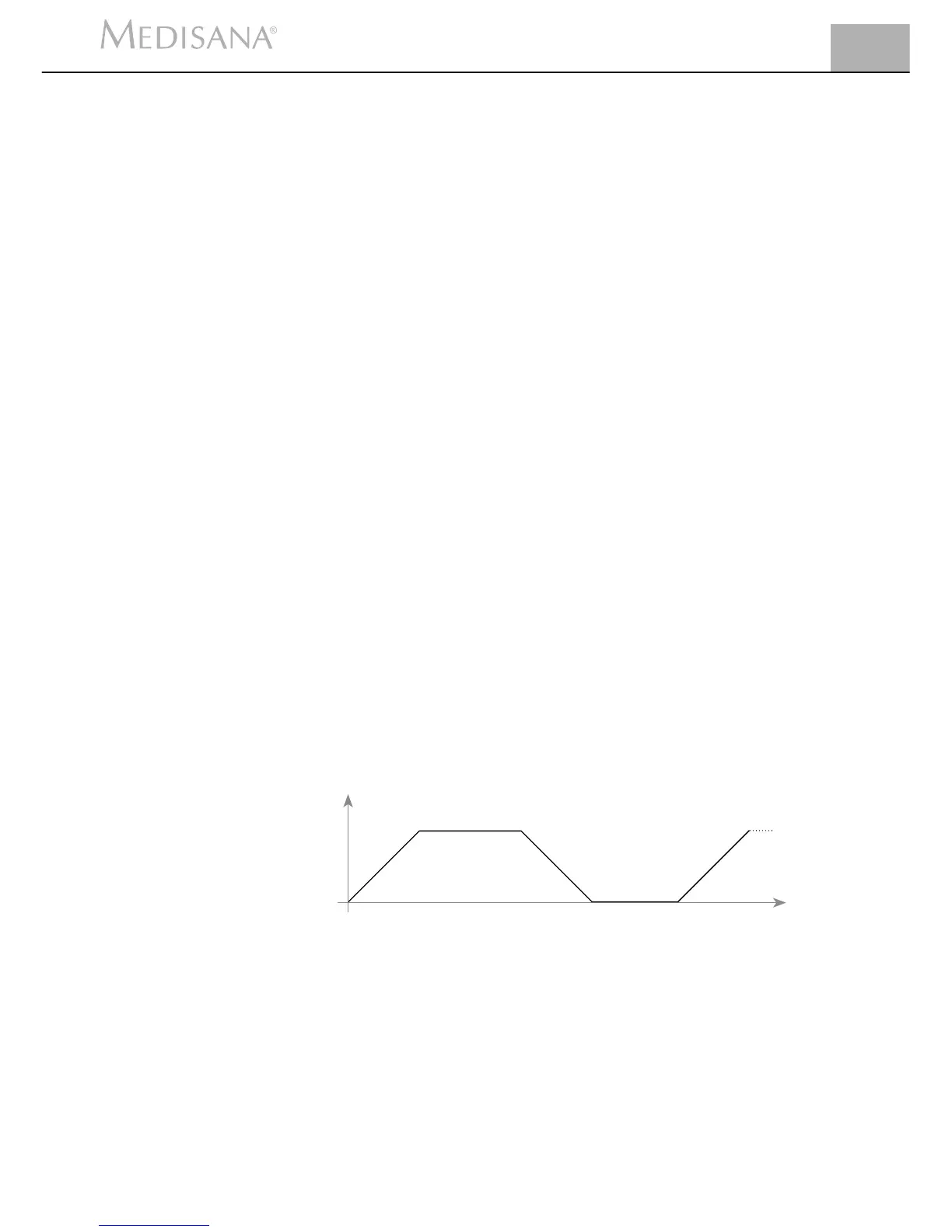
• Increase/decrease time – Current intensity increases from zero to the de-
fi ned value or drops back to zero during this time.
• Continuous time – Current intensity is held.
• Pause time – pause for recovery.
Current intensity
Time
Ramp time
Ramp time
Continuous time
Relax time
Drop time
1. Select EMS therapy mode (see page 33).
2. Select the user program U-01 (see page 33).
3. Briefl y press the button “Set”. The display of the therapy duration will
blink.
4. With one of the controls or , set the desired therapy duration (10 to 90
minutes).
5. Briefl y press the button “Set”. The display for the frequency will blink.
6. With one of the controls or set the desired frequency (2 to 120 Hz).
7. Briefl y press the button “Set”. The display will now show the pulse
width.
Defi ne TENS
program
Defi ne the EMS
program


 To Next Page