
 Need help?
Do you have a question about the Medivators VERISCAN LT and is the answer not in the manual?
Explains how to use the manual for features, setup, operation, safety, maintenance, and troubleshooting.
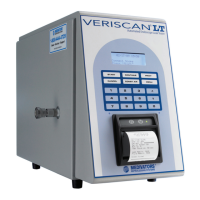
Describes the Veriscan LT's innovative dry leak testing method and its benefits over traditional methods.
Specifies the Veriscan system's intended application for leak testing flexible, immersible endoscopes.
States compliance with UL and CAN/CSA safety standards for the Veriscan system.
Outlines safety precautions for operators, including training and PPE usage.
Provides important general warnings and precautions for using the Veriscan system.
Emphasizes the importance of leak testing and pre-cleaning procedures for endoscopes.
Lists professional organizations providing recommended guidelines for endoscope cleaning.
Details the items contained within the Veriscan system box.
Lists the components included in the endoscope-specific installation kit.
Covers the display screen and control keypad functions.
Details the various ports for connecting peripherals and the system.
Describes the power switch, outlet, and cord for system operation.
Covers the drying crystals and coalescent filter for air processing.
Instructions for positioning the Veriscan system near an AC wall outlet.
Steps for connecting the power cord to the unit and wall outlet.
Procedure for turning the Veriscan system on and its initialization process.
Detailed steps for setting the Veriscan's internal clock for accurate timestamping.
Guide on connecting the Quick Connect Tubing to various endoscope brands.
Instructions for preparing the Veriscan by installing or replacing drying crystals.
Detailed steps for physically removing and replacing the drying crystal bulb and housing.
Steps to properly connect the endoscope to the Veriscan system using Quick Connect Tubing.
Explains how to initiate a leak test and inputting operator/patient IDs and scope serial number.
Details the automatic leak test process, including audible prompts and manual interactions.
Instructions for printing leak test results and accessing other printing options.
Steps for safely disconnecting the endoscope from the Veriscan system.
Procedures for turning the Veriscan system off and on.
Guides the user through initiating a screening test, including ID inputs.
Details the screening test process, including audible prompts and manual interactions.
Instructions on printing screening test results and accessing other report types.
Steps to re-run a leak test after identifying potential issues.
Procedures to follow if an endoscope fails the leak test a second time.
Actions to take if the endoscope distal end does not inflate after a failed test.
Step-by-step guide to conduct the daily QA test without connecting an endoscope.
Lists the system capabilities available through the MENU key.
Explains how to enter the endoscope serial number for test linking.
Steps to enable and use the Operator ID feature.
Steps to enable and use the Patient ID feature.
Guides on switching between Automatic and Manual test modes.
Details how to select specific test settings in Manual Test Mode.
Covers managing, accessing, and deleting leak test results.
Lists menu options for operator programming and general tools.
Describes how to print test results and generate various quick reports.
Instructions for printing results immediately after a leak test.
Guides on generating summary reports for daily, weekly, monthly activity, and failures.
Continues instructions for printing weekly, monthly, and 30-day failure summary reports.
Steps for properly tearing off printed reports from the Veriscan printer.
Explains how to download past leak test results to a PC using the ProV-LT software.
Step-by-step guide for transferring Veriscan data to a computer.
Details the data structure and columns available in the downloaded Excel spreadsheet.
Refers to technical settings accessed by service technicians.
Lists routine maintenance tasks and their recommended frequency.
Visual guide for monitoring the condition of desiccant drying crystals.
Explains the function and replacement process for desiccant drying crystals.
How to determine when the drying crystals need to be replaced based on color change.
Covers changing drying crystals, coalescent filter, and fuse.
Covers performing system self-tests and exterior cleaning.
Step-by-step instructions for replacing the thermal printer paper roll.
Recommendations for storing the Veriscan system components properly.
Guidelines for safely handling and transporting the Veriscan system.
Steps to troubleshoot issues when the Veriscan display screen is blank.
Outlines the standard warranty terms for the Veriscan reprocessor and accessories.
Specifies the exclusive remedy for warranty claims (repair or replacement).
Lists warranty disclaimers and limitations of liability.
 General
| Brand | Medivators |
|---|---|
| Model | VERISCAN LT |
| Category | Test Equipment |
| Language | English |

 To Next Page