POWER
OUTPUT (RX)
OPTICAL ANALOG
INPUT (TX)
OPTICAL ANALOG
MODE
POWER
OUTPUT (RX)
OPTICAL ANALOG
INPUT (TX)
OPTICAL ANALOG
MODE
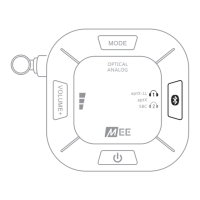
The status of the
Connect Hub
is as follows:
INDICATOR
LIGHT (S)
CONNECT
STATUS
Powered on
Red and blue blinking: ready to pair device
Solid blue: one Bluetooth device connected
Red and blue blinking: ready to pair second device
Solid blue: second Bluetooth device connected
Audio codec currently in use
Optical audio mode
Analog audio mode
Current volume boost level
LED INDICATOR LIGHTS
FACTORY RESET/CLEAR MEMORY
The
Connect Hub
, can be reset by holding the MODE button for
approximately 5 seconds, until you hear a voice prompt say “Memory
cleared”.
All previously paired devices will be cleared from memory and a new
pairing will need to be created by following the procedure in
PASS-THROUGH
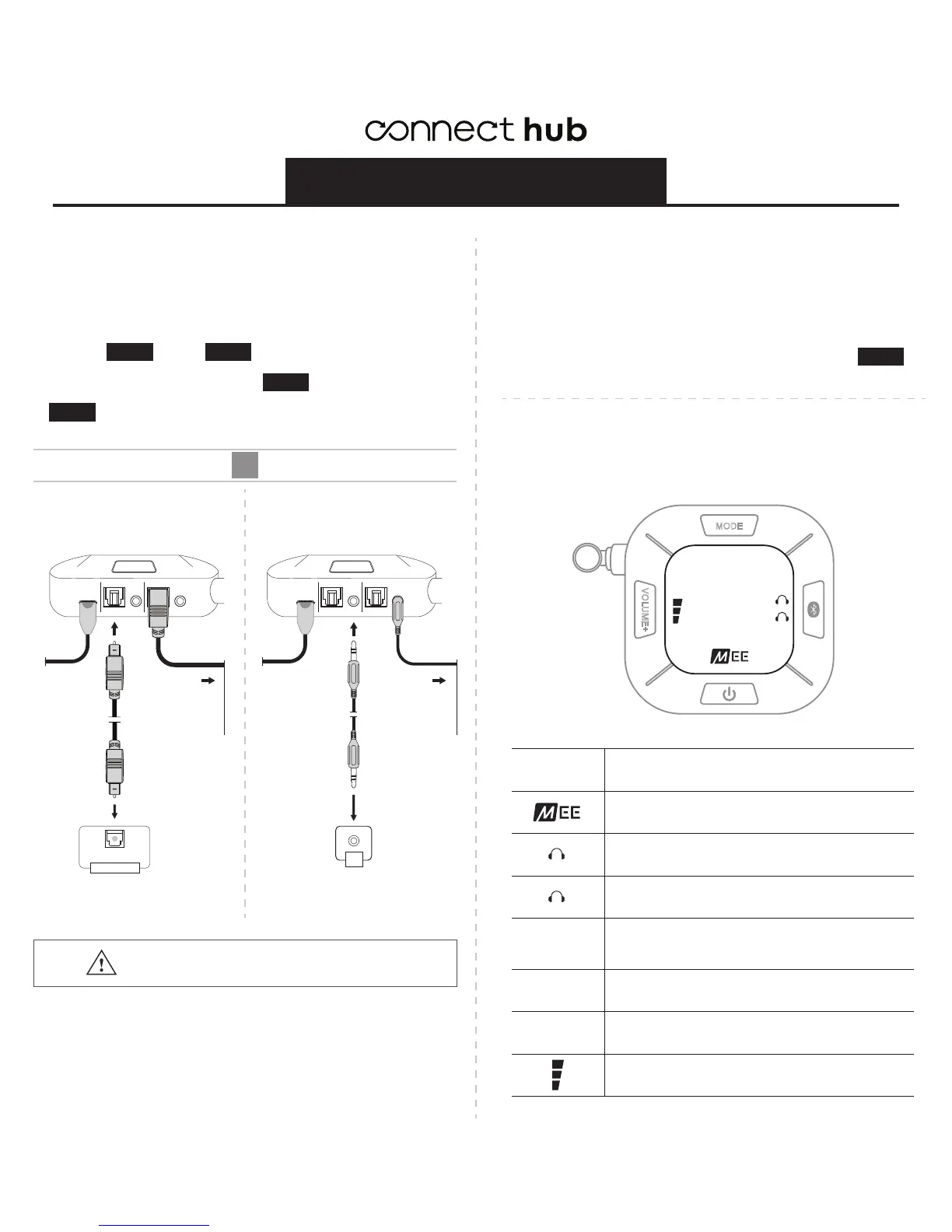
When used in TX (Bluetooth transmitter) mode, the audio outputs of the
Connect Hub
can pass the TV’s sound through to a soundbar or other
audio device. This makes it possible to plug both the
Connect Hub
and
a soundbar / speaker into a TV that only has one audio output.
Complete Step 1 through Step 4 of this setup guide.
Pass-through only works when the input and output connections match.
If you connected your TV via optical in step 3 , then use optical to
connect your soundbar. If you connected your TV via 3.5 mm or RCA in
step 3 , then use 3.5 mm to connect your soundbar.
ADDITIONAL INFORMATION
STEP 2
VOLUME+
MODE
OPTICAL
ANALOG
aptX-LL
aptX
SBC
1
2
1
2
OPTICAL
ANALOG
aptX-LL
aptX
SBC
OR
OPTICAL ANALOG
The
Connect Hub
needs to be powered on
for pass-through functionality.
CONNECTED
TO TV VIA
3.5 MM
CONNECTED
TO TV VIA
OPTICAL
STEP 1 STEP 4
STEP 3
STEP 3
Plug the other end into the
soundbar’s DIGITAL OPTICAL INPUT
Plug digital optical S/PDIF
audio cable into the OPTICAL
OUTPUT of the
Connect Hub
.
Plug the other end into the
soundbar’s 3.5 mm AUX input jack
Plug 3.5 mm audio cable into
the 3.5 mm ANALOG OUTPUT
of the
Connect Hub
.
OPTICAL
DIGITAL AUDIO IN
AUX


 To Next Page
 Loading...