STEP 2: PAIRING (CONTINUED)
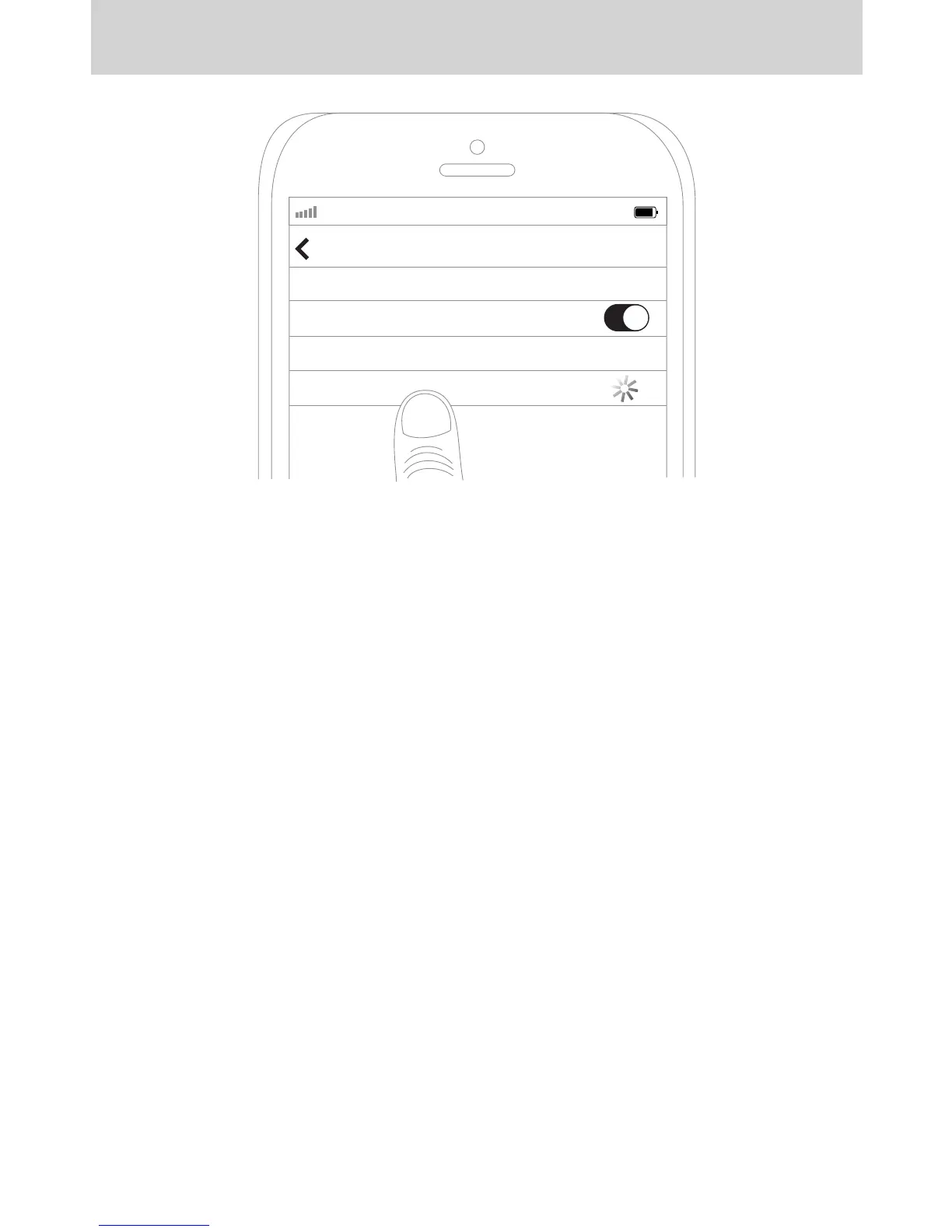
Select “MEE audio EB1” and allow pairing to complete. Use “0000” if a pin is required.
Visit the Bluetooth Support Page at MEEaudio.com/Bluetooth for additional Bluetooth
pairing and setup information.
AT&T LTE
12:26 PM
95%
Bluetooth
Settings
MEE audio EB1
Bluetooth
DE
FR
ES
RU
JA
ZH
SCHRITT 2 - KOPPELUNG (FORTSETZUNG): Wählen Sie „MEE audio EB1“ auf Ihrem
Gerät aus und folgen Sie den Anweisungen, um die Kopplung abzuschließen. Geben
Sie „0000“ ein, falls ein Pin erforderlich ist. Besuchen Sie die Bluetooth Support Seite
auf MEEaudio.com/Bluetooth für Anleitungsvideos zum Koppeln und
Problemlösungs-Vorschläge.
ÉTAPE 2 - JUMELAGE EN COURS (SUITE): Sélectionnez « MEE audio EB1 » sur votre
appareil et suivez tous les autres messages pour effectuer le couplage. Utilisez « 0000
» si un NIP est nécessaire. Consultez la page d’assistance Bluetooth sur
MEEaudio.com/Bluetooth pour des vidéos d’instruction sur le couplage et des
informations sur la résolution des problèmes.
PASO 2 - EMPAREJAMIENTO (CONTINUACIÓN): Seleccione “MEE audio EB1” en su
dispositivo y siga las instrucciones siguientes para emparejar. Si requiere una clave,
introduzca 0000. Visite la página de asistencia técnica de Bluetooth en
MEEaudio.com/Bluetooth donde encontrará videos instructivos sobre asociación e
información sobre solución de problemas.
2 : “MEE audio EB1”
. pin-, “0000”.
Bluetooth MEEaudio.com/Bluetooth,
.
ステップ2-ペアリング(続き):“MEEaudioMatrixEB1”が表示されますので選択しますPIN
コードをの入力を求められた場合は”0000”を入力します。MEEaudio.com/Bluetoothのブル
ートゥース・サポートページにてより詳しい情報が入手できます。
步骤2 - 配对(续): 在你的设备上选择 ”MEE audio Matrix EB1”,按照进一步提示完成配
对。如果需要密码,请输入“0000”。 如果经过多次尝试依然配对失败,请参阅用户手册或
登陆MEEaudio.com/Bluetooth蓝牙支持页面查看配对教学视频和故障诊断信息。


 To Next Page