stereo mode
+
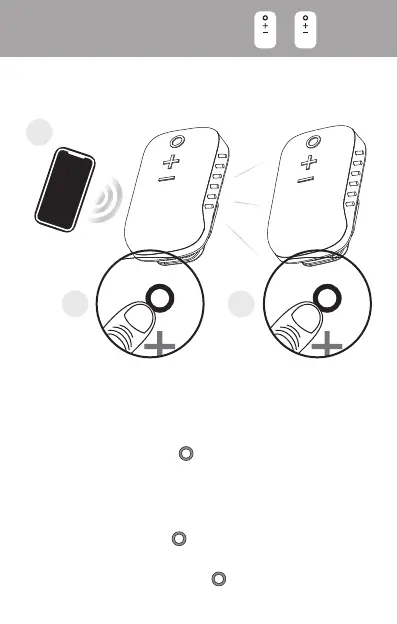
Stereo mode
Link 2 goSPKRs together for stereo sound!
1
2 3
Step 1
Connect the first goSPKR to your device
Step 2
Double press the button on first goSPKR
Step 3
Power on the second goSPKR. Unpair it from
any previously-paired Bluetooth device, then
double press its button
Note: Double press the button on either
goSPKR to exit stereo mode
2x 2x


 To Next Page