3
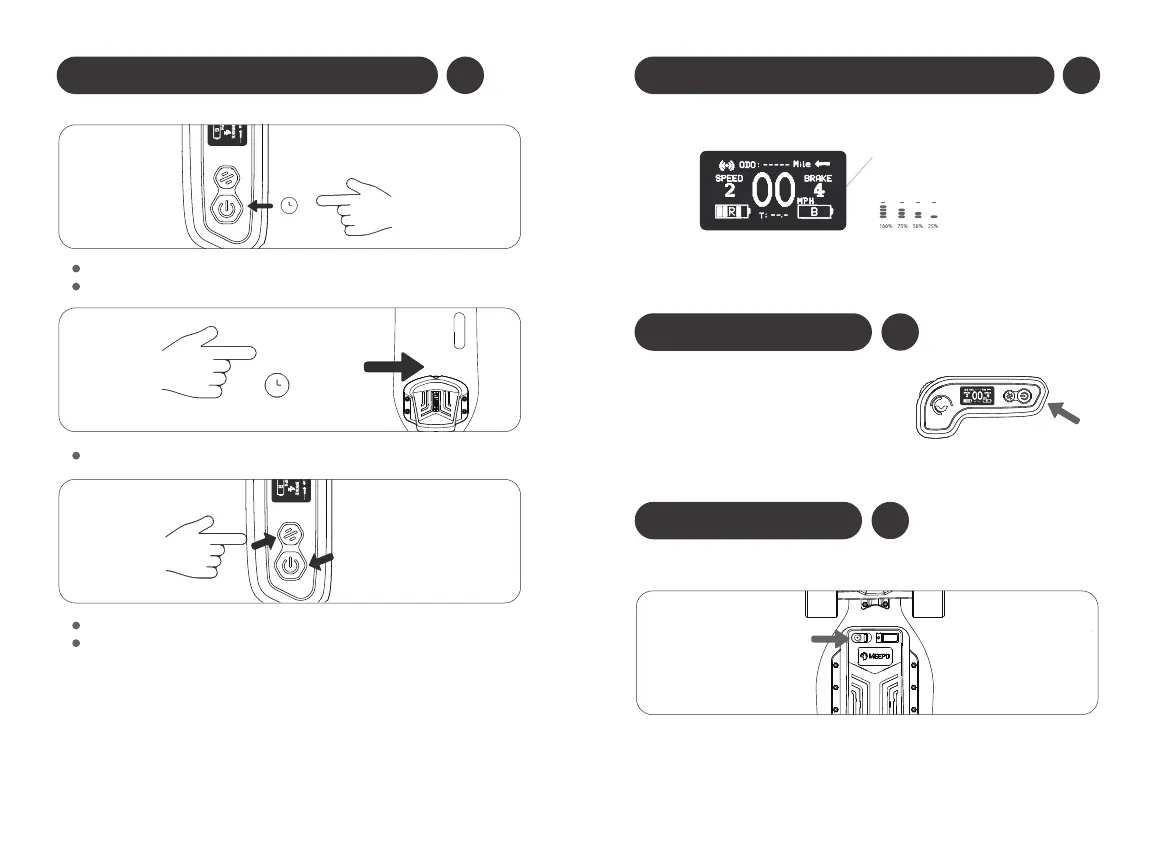
Pairing the Remote And Board
7S
The screen on the remote will show “pairing”.
When the power button blinks rapidly and the remote displays all the
specs, the board and remote have been paired.
If you have an old remote, make sure it is turned off.
Hold the power button on the board for 7 seconds, until it blinks slowly.
Press the “power” and “function” buttons on the remote at the same time.
4
Check the Board Battery Life on the Remote
5
Charge the Remote
6
Charge the Board
Charging Port
Charging Port
The remote takes several hours to charge.
If the board and remote are charging at
the same time, the remote should finish
charging before the board.
Warning: Never leave your board unattended while charging.
Skateboard
Battery Remaining
(When the remote's power on)



 To Next Page