8
Main Control Menu
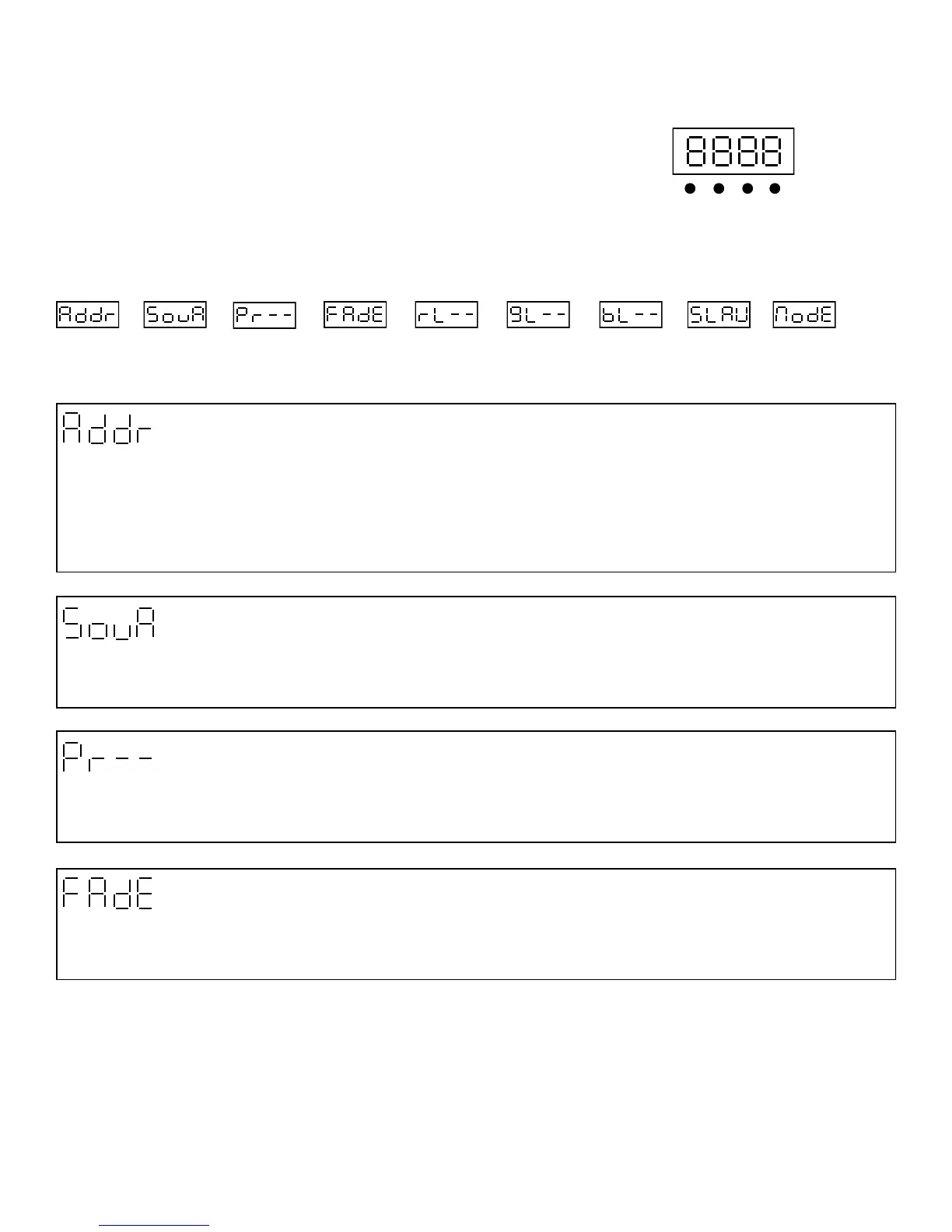
The control board on the fixture base is your interface to access and control
all the functions on the unit. Its digital display gives you a code view of the
options and functions. The following will explain each function and its options.
Menu
DMX Address
Press Enter to select the DMX start channel use the up/down keys, display will be flashing once you have selected the de-
sired start channel Press Enter to confirm display will stop flashing.
Up Down
Enter
CONTROL BOARD
DMX Address Red Dimmer
Green Dimmer Blue Dimmer
Pre-Programs
Fade Scroll
Sound Chase
Slave
DMX Mode
1-512 0-255 0-255
0-255
0-25
0-25
Loop N/A 3-Ch
Sound Mode
This function allows you to activate the pre programs stored in the Bright Stripe via audio sensitivity. Press Enter to confirm the
settings.
24-Ch
48-Ch
6-Ch
Pre Programs Mode
This function allows you to activate from the 25 pre programs stored in the Bright Stripe via control screen. Press Enter to con-
firm the settings.
Fade Scroll
This function allows you to fade the LED’s on the whole strip from one color to another. Press Enter use the up/down keys to
select desired fade speed settings from 0 to 20. Press Enter to confirm the settings.


 To Next Page