Your “Filter Max” Filter is a high performance corrosion-
proof filter that has superior flow characteristics that is with
the ease of operation. Everything is made simple from
installation, operation to the maintenance of the filter. Your
“Filter Max” filter will be your pool filtration partner that
provides clear water with the least maintenance hassle and
care.
operation will depends on how dirty your filter is. Check the
sight glass to see when the water becomes clear. It is
recommended that the backwash should be at least 2 minutes
long.
Once the backwash operation had been completed, the filter
should go through the process of “Rinse” and then back to
“Filter”. To perform the different operations, position the
handle on the control valve as indicated.
INSTALLATION
Installation had been made simple, the only tools needed is a
screwdriver and pipe sealant for plastic.
The filter should be installed as close to the pool as possible,
but keep a distance of at least 5 feet (1.5m). Locate the Filter
on rigid, level surface, preferably in a dry, shaded, and well-
ventilated area. Prior to installation give consideration to
the following: Position of suction, return, and waste
connections. Access for backwashing operation and
servicing; protection from sun, rain, splashing, etc;
Drainage of filter room; Ventilation and protection of the
motor.
1/ Place the empty tank in position.
2/ Fill the tank with water to the level that covers the laterals
(crepinas), or about 1/3 of the tank height is recommended.
This will avoid damages to the laterals (crepinas) by the
force of the sand when pouring into the filter.
Model MFV17, the Multiport Control Valve had been pre-
assembled. Remove the Multiport Control Valve from the
tank by unfastening the screw from the Clamp. Place the
Sand Fill Cover over the tank opening to prevent the sand
from getting into the standpipe.
Model MFV20, MFV24, 7A 7
MFV31, MFV35, the Sand Fill Cover had been pre-
assembled.
MFV2 , MFV2 , MFV31A,
WARNING
BEFORE INSTALLATION BE
S U R E T O R E A D A L L
INSTRUCTIONS AND WARNINGS
CAREFULLY. KEEP THIS USER MANUAL FOR
FUTURE REFERENCE.
HOW IT WORKS
The Filter uses special sand to remove dirt particles from
pool water. Filter sand is loaded into the filter tank to act as
the filtration media. The pool water which contains dirt
particles is pumped through your piping system to the filter
via the filter control valve. As pool water passes through the
filter, dirt particles will be caught by the sand bed and
filtered out. The cleaned pool water is returned from the
bottom of the Filter Tank, through the control valve and
back to the pool through your piping system. The entire
process is continuous and automatic. It is this process that
provides the filtration and circulation of water in your pool.
With the filtration process, dirt will accumulate and
becomes saturated in the filter tank. Pressure in the tank will
increase and the resistance of water flow will occur. This
means it is time to clean (backwash) your filter. Another
indication to know when to clean (backwash) the filter is by
checking the pressure gauge reading. Backwash operation
should be performed when the pressure increases by 10psi
above the pressure when it was clean. Typically a clean
filter will run at 10 to 15psi, so take note of the pressure
gauge reading when the filter was installed. When the
pressure reaches approximately 20 to 25psi or 50% increase
from the clean reading, proceed to the Backwash operation.
WARNING: turn off the pump before switching the control
valve handle.
To perform the Backwash operation, position the handle on
the control valve to “Backwash”, the water flow is
automatically reversed through the filter so the water is
directed from the bottom of the tank, up through the sand,
flushing the trapped dirt and debris out of the waste line.
The duration of the backwash
1-4
FILTER SMAX ERIES
MFV27A MFV31A MFV27
MFV31 MFV35
Add water to cover
laterals and add sand.
MFV17 MFV20 MFV24
1.Sand fill cover.
2. Place
on tank
opening.
3. Add water
to cover
laterals and
add sand.
MODEL: MFV17, MFV20, MFV24, MFV27A, MFV27,
MFV31A,MFV31, MFV35
MEFI13031601
E
N
G
L
I
S
H

 Need help?
 General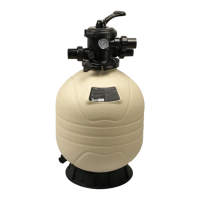

 To Next Page