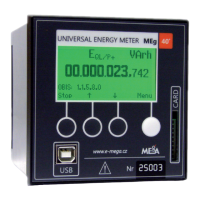
33
USBhost / RS485 converter
3/ CONSTRUCTION
e USBhost/RS485 converter according to Fig. 1 with the panel Fig. 2 is installed in
aplastic box designed for spaces with the maximum voltage of 50 V
AC
. ere is a 1 m long
USB cable with USB B (M) connector running out from the left side. ere are 4 screw-
on terminals on the right side, 2 for the RS485 serial interface and 2 for the power supply
(see Tab. 1). e max. cross-section of connected conductors is 1.5 mm
2
.
Tab. 1: Table of USBhost/RS485 converter terminals
Terminals Description
A (RxTx+) bidirectional data
B (RxTx−) bidirectional data
+12 V supply voltage from + 6 to + 16 V
⊥ signal ground
4/ INSTALLATION
Before installation, FW must be installed in MEg40
+
allowing the addressing. By default,
MEg40
+
with the USB interface includes FW, for which no addressing is assumed.
e schematic diagram of converter in communication chain
MEg40
+
→ USBhost / RS485 → MEg202.2 is shown in Fig.3. USB cable with connector
B (M) is shown in Fig. 2. e USB cable with the connector B (M) is intended to
be connected into the universal instrument MEg40
+
. rough this connector, the USB
interface of the instrument MEg40
+
is also supplied as specied by the USB interface
standard. rough screw-on terminals, the converter is connected to terminals of the
communication unit MEg202.2; for interconnection of the terminals see Table 2.
Tab. 2: Interconnection of USBhost/RS485 converter and communication unit MEg202.2
USBhost / RS485
converter
MEg202.2
Chan1 Chan2
A 3 7
B 4 8
+12 V 1 5
⊥ 2 6


 To Next Page
 Loading...