Need help?
Do you have a question about the MegaChef MCPR100A and is the answer not in the manual?
Warnings about hot steam, using utensils, keeping distance from pressure valve, and safe pressure release procedures.
Children are prohibited from operating; close supervision is mandatory when children are present.
Emphasizes reading the manual thoroughly before using the appliance for household purposes.
Read instructions, avoid hot surfaces/liquids, use handles, keep away from children, do not open while pressurized.
Avoid hot surfaces/burners, use caution with hot liquids, use only for intended purpose, ensure lid is closed.
Do not fill over 4/5; 3/5 for expanding foods; avoid foods that foam, sputter, or clog.
Check valve/filter for clogging; do not use for pressure frying oil.
Clean filter, do not tamper with sealing ring, do not add weight to valve, keep surfaces clean.
No immersion, use hot pads, avoid cabinets, no garage use, authorized servicing only.
Fire, electric shock, injury risks if not used as instructed; use grounded receptacle.
Indoor, dry environment only; use original parts; no extension cords or adapters.
Lists error codes (E1-E4) and their corresponding problems/causes like sensor issues or overheating.
Digitally controlled, automatic, advanced technology for healthier, faster cooking; saves resources and money.
Multiple functions, automatic cooking, memory, faster cooking saves time/energy compared to conventional.
Working pressure 0-70kPa (12 Psi), Maximum pressure 90kPa, Keep Warm Temperature 140°F - 175°F.
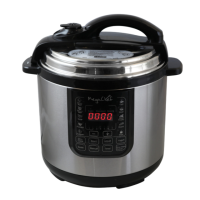
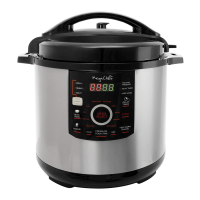
Identifies parts like Lid Handle, Lid, Pressure Limiting Valve, Float Valve, Inner Pot, Outer Pot, Handles, Rings, Sensor.
Lists accessories such as Measuring Cup and Spoon.
Remove packaging, clean parts with damp cloth, clean cooking pot thoroughly.
Instructions on fitting the rubber sealing ring onto the Y-shaped metal ring and securing it to the lid.
How to adjust the pressure limiting valve to airtight position for sealing and for releasing pressure.
Instructions to turn the lid clockwise to loosen and lift vertically.
Align lid bulge with handle, turn counter-clockwise to lock, listen for click.
Fill inner pot to 2/5 line with water, program to pressure cook for 30 mins for first use.
Wait 60 minutes for the pot to cool before usage after the initial preparation cycle.
Do not exceed 4/5 capacity for general foods, 3/5 for expanding foods; always use at least ½ cup liquid.
Ensure inner receptacle and heating plate are clean and dry; adjust pot for optimal contact.
Unit has 14 settings with default times, detects food weight/liquid volume, auto-builds pressure, cooks, and keeps warm.
Accessing presets like Soup, Rice, Poultry directly or via MENU button for Casserole, Stews, etc.
Choose preset via panel or MENU, LED blinks for adjustments, cooking starts automatically after 5 blinks.
Adjust food consistency (DELICATE, RICH, STANDARD) using COOKING STANDARD button; default time adjusts.
Use '+' or '-' buttons to adjust cooking time; LED shows P followed by minutes; timer can be set up to 99 minutes.
Unit pressurizes, timer counts down; may hear hissing; beeps 3 times on completion, switches to WARM/CANCEL.
Release pressure using valve; ensure pressure is fully released before opening lid; use caution with hot steam.
Press WARM/CANCEL to end operation; remove food for serving; indicator light goes off, display shows 0000.
Table listing presets (Soup, Rice, Beef, etc.) with default and range cooking times.
Prepare food, secure lid, move pressure valve, plug in power cord.
Press KEEP PRESSURE button, use '+' or '-' to set time (P followed by minutes); timer up to 99 minutes.
Timer blinks 5 times, unit pressurizes, timer counts down; may hear hissing.
Beeps 3 times on completion, switches to WARM/CANCEL; avoid long 'keep warm' periods.
Release pressure using valve, ensure fully released before opening lid; use caution with hot steam.
Press WARM/CANCEL to end operation; indicator light off, display shows 0000.
Program cooker for automatic start up to 24 hours later; can be used with presets or manual.
Press PRESET, green light indicates mode; timer shows 00:30 minimum; adjust in 30-min increments.
Press PRESET, green light indicates mode; timer shows 00:30 minimum; adjust in 30-min increments.
Sautéing enhances recipes; steps: press SAUTÉ, adjust timer, add oil/food, stir, optional pressure cook after.
Quick but restricted; cook individual cuts up to 1 inch thick; larger cuts require longer times and may vary.
Ensure cooker is unplugged, depressurized, cooled; use non-abrasive sponge; never immerse.
Clean upper ring, remove/clean filter, clean lid (seal ring, valves, filter, float valve), clean inner pot.
Let parts dry completely; wash inner pot, store inner pot inside cooker in a cool, dry location.
Read manual, prep ingredients, secure lid, brown meats, cut food evenly.
Use various liquids; adapt conventional recipes (cut time by 2/3); ensure sufficient liquid for steam.
Add more liquid if pressure not built; reduce herbs/seasonings; fresh herbs are better; increase time by 10% at high altitudes.
 General
| Brand | MegaChef |
|---|---|
| Model | MCPR100A |
| Category | Electric Pressure Cooker |
| Language | English |

 To Next Page