8-Quart Digital Pressure Cooker | Model MCPR120A | 15
→ Pressing the “+” or “-” buttons will adjust the default cooking time to your preference.
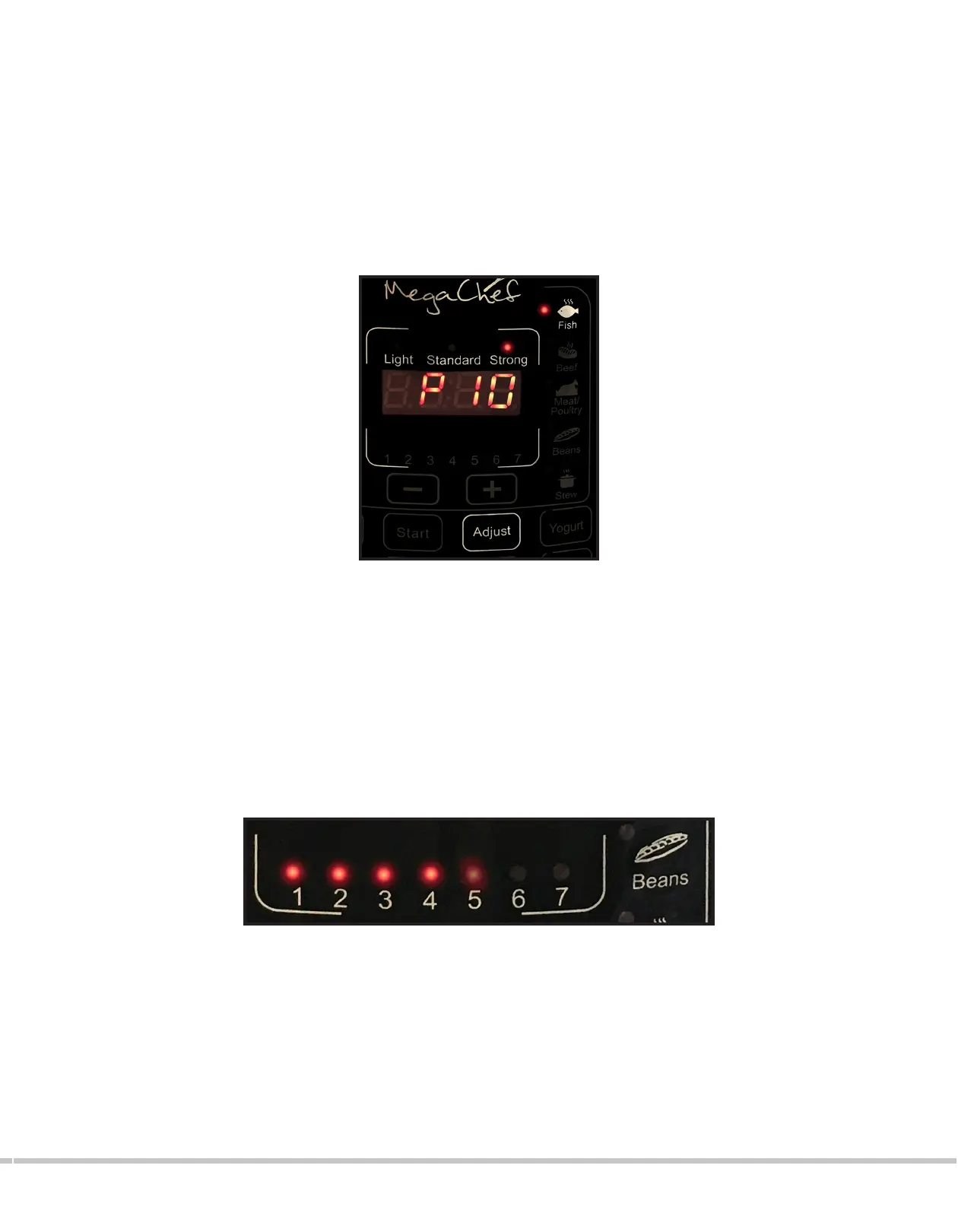
→ Pressing the ADJUST button will allow you to choose the consistency and texture of
the food. Each pre-programmed setting is defaulted to “STANDARD” for a regular
consistency of the food. To change this setting, simply press the ADJUST button until
the desired setting is lit up (LIGHT for a more delicate texture, and STRONG for richer
and fuller consistency.). The default time will be adjusted according to the chosen
setting .
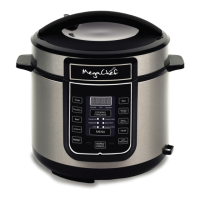
6. Once the desired adjustments have been made (if any necessary), press the START
button. Red indicators will blink from 1 to 7 on the front panel to indicate that the unit
is pressurizing; once it has reached the right amount of pressure, the timer will start
counting down on the display.
7. When cooking is completed, the pressure cooker will beep 3 times before automatically
switching to “KEEP WARM/CANCEL”. The display will show “bb” and the “ KEEP WARM/
CANCEL “ button will illuminate to indicate that the cooking is completed and that the
unit is now only keeping the food warm.
* You may hear hissing or sizzling sounds during the cooking process.
* It is not recommended to stay on the “keep warm” mode for more than 4 hours.
* This mode is not available for SLOW COOK or YOGURT.


 To Next Page