EasyManua.ls Logo

MegaCount OMEGA-ETH - User Manual

Default Icon
23 pages
Print Icon
To Next Page IconTo Next Page
Loading...
megacount.io
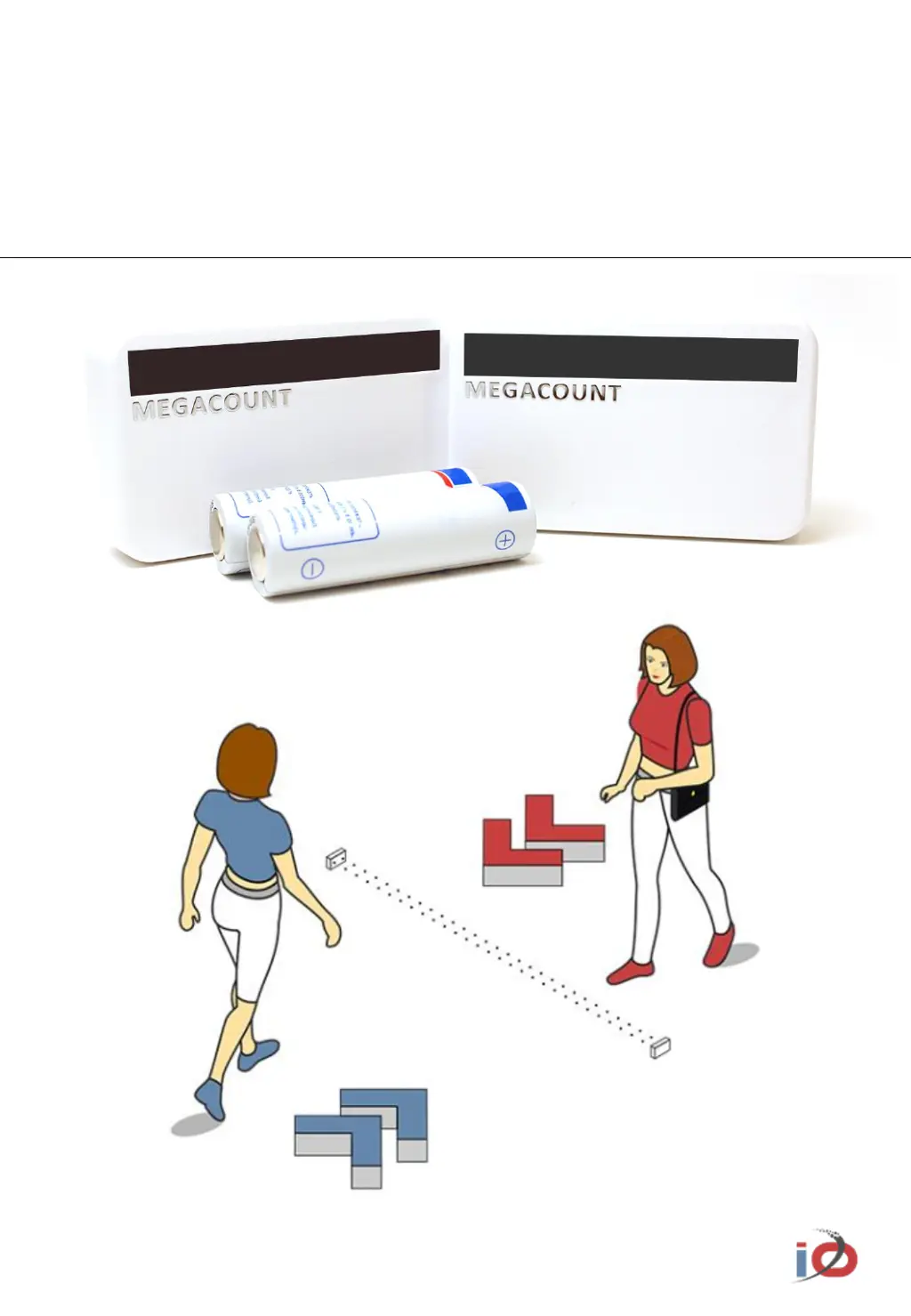
PEOPLE COUNTER
User Manual
OMEGA-ETH

Questions and Answers

  • J
    John MartinezAug 16, 2025
    Why does my MegaCount OMEGA-ETH Cash Counter indicate 'Out' instead of 'In'?
    • A
      angelamartinezAug 16, 2025
      If the MegaCount Cash Counter shows 'Out' when someone is walking in, and vice versa, check which indicator blinks on the counter as they enter. If the red indicator blinks, set red as the 'In' indicator. If the blue indicator blinks, set blue as the 'In' indicator.
  • K
    kristenfletcherAug 18, 2025
    Why are shorter people not being counted by my MegaCount Cash Counter?
    • R
      rogersbrendaAug 18, 2025
      If the MegaCount Cash Counter isn't counting shorter individuals, it might be due to the counter's detection field being too high. Ensure the detection field is not positioned at head level or higher.
  • M
    Marie SwansonAug 21, 2025
    What to do if data is not transferred and FTP test fails on MegaCount Cash Counter?
    • J
      Jessica HolmesAug 22, 2025
      If data transfer fails on your MegaCount Cash Counter, ensure the program is allowed through Windows Firewall settings. Also, allow reading, writing, and deleting files and directories on the FTP server. Verify that the FTP port is open.
  • D
    Daniel ValentineAug 25, 2025
    Why does MegaCount Cash Counter confuse In and Out directions at a large distance?
    • B
      Bradley HensleyAug 25, 2025
      If the MegaCount Cash Counter confuses 'In' and 'Out' directions at a large distance, switch the counter to unilateral counting mode in the settings. After selecting unilateral counting mode, wait for synchronization and then check the counter's performance. Note that both red and blue indicators will blink simultaneously, and the counter automatically handles the calculations, so there's no need to divide the values by two.
  • P
    Patricia WestAug 28, 2025
    Why are In values bigger than Out values on MegaCount Cash Counter?
    • G
      Gary StewartAug 28, 2025
      If your MegaCount Cash Counter's 'In' values are significantly higher than 'Out' values, or vice versa, check for obstructions like doors or door handles that might interfere with the counting. If a visitor reaching for the door triggers the counter, relocate it to a more suitable position and test the indication. If necessary, switch the counter to unilateral counting mode and reassess its performance.
  • J
    Jessica BrooksAug 30, 2025
    What to do if the counter indicator does not blink on MegaCount OMEGA-ETH Cash Counter?
    • B
      Barry TurnerAug 30, 2025
      If your MegaCount Cash Counter indicator does not blink when someone walks through, try the following: Change the batteries, ensure that the counter blocks are directly facing each other, and set the correct distance on the T-block.
  • G
    Gregory BrownSep 2, 2025
    Why does MegaCount Cash Counter not export data for a long time?
    • A
      Amanda WestSep 2, 2025
      If the MegaCount Cash Counters do not export data for a long time, check the connection of the ETH-modem to the PC and ensure the counter program is synchronized. Replace the batteries if they are low on power. Also, check your anti-virus software to ensure it is not blocking the program.
  • P
    plopezSep 5, 2025
    How to transfer data if the ETH-modem or PC have been turned off for a long time on MegaCount OMEGA-ETH Cash Counter?
    • D
      Dominic LopezSep 6, 2025
      The MegaCount Cash Counter stores data for 14 days with cycle overwrite. Reconnect the ETH-modem or turn on the PC and wait for data transfer.
  • M
    Michael WilliamsSep 8, 2025
    How to fix MegaCount OMEGA-ETH scanning program cannot find the modem?
    • G
      George SanchezSep 8, 2025
      To resolve the issue of the scanning program not finding the modem for your MegaCount Cash Counter, verify the ETH-modem's cable connection to the network and ensure the power supply cable is connected. The modem must be connected to a router-switch. Also, check that your anti-virus software is not blocking the scanning program.
  • I
    Ian EllisSep 12, 2025
    How to find errors in log files of MegaCount Cash Counter?
    • B
      bdavidsonSep 12, 2025
      The program lists all operations; access via Menu-Logging

Summary

WARNING

DELIVERY KIT

HOW IT WORKS

GENERAL DESCRIPTION OF A PAIR OF COUNTERS

COUNTER CHARACTERISTICS

STEP 1. CONNECTING THE ETHERNET MODEM

STEP 2. INSTALLING BATTERIES INTO THE COUNTERS

STEP 3. CONNECTING THE COUNTER TO THE ETH-MODEM

STEP 4. SETTING THE DISTANCE BETWEEN THE COUNTERS

STEP 5. MOUNTING THE COUNTERS TO THE SUFRFACE

STEP 6. COUNTER CONFIGURATION

STEP 7. DATA EXPORT

STEP 7 7.1 SETTING UP OMEGA CLOUD ANALYTICS

Configure connection to OMEGA cloud for data analytics and reporting.

STEP 7 7.2 SETTING HTTP(S) DATA TRANSFER

Set up data transmission to a server via HTTP(S) in JSON or XML format.

STEP 7 7.3 SETTING FTP;sFTP-SSH DATA TRANSFER

Configure data transfer using FTP/sFTP-SSH for JSON, XML, or TXT files.

RECOMMENDATIONS AND TROUBLESHOOTING

MegaCount OMEGA-ETH Specifications

General IconGeneral
BrandMegaCount
ModelOMEGA-ETH
CategoryCash Counter
LanguageEnglish