EasyManua.ls Logo

MEI easitrax advance 5000 Series - User Manual

Default Icon
9 pages
Print Icon
To Next Page IconTo Next Page
Loading...
Fill Key Operation:
The ADV 5XXX and the Vending Machine must be READY and ON-LINE.
Press the C button. Watch the Indicator LED’s carefully.
The Indicator LED’s on the ADV 5XXX will display the following sequence:
DEX audit in progress
DEX completed successfully (15 sec)
Telemetry session in progress
Telemetry Session Completed OK (15 sec)
Unit is Ready and On-Line
By performing a Fill Key operation, you make the ADV 5XXX DEX the
vending machine and make a call, sending the data to the server.
This is the QR code for www.meigroup.com.
MEI
3222 Phoenixville Pike, Suite 200
Malvern, Pa. 19355
Technical Support:
1-800-345-8172
www.meitechnical.com
“Give your machines a voice
TM
ADV 5XXX Installation Booklet
P/N 250659008_G1

18

Questions and Answers

  • U
    uwilsonAug 9, 2025
    What to do if MEI easitrax advance 5000 Computer Hardware credit card failed authorization?
    • A
      Alexander CarsonAug 9, 2025
      If a credit card fails authorization, verify the connection and confirm that the device is working correctly.
  • Y
    ybrandtAug 17, 2025
    What to do if MEI easitrax advance 5000 telemetry session failed?
    • Z
      Zachary PhamAug 17, 2025
      If the telemetry session failed, verify the connection and confirm that the device is working correctly.
  • N
    Nicole MaldonadoAug 25, 2025
    How to fix MEI Computer Hardware ADV 5XXX when it is not secure?
    • J
      joannastoneAug 25, 2025
      To fix this, replace the VELCRO and remount the ADV 5XXX.
  • E
    Eric RamirezAug 31, 2025
    What to do if MEI Computer Hardware ADV 5XXX does not have POWER?
    • T
      Thomas ParrishAug 31, 2025
      If the ADV 5XXX doesn't have power, check the red LEDs.

Summary

Installation

Installation Instructions

Connecting Harnesses and Antenna

Steps for connecting Power/MDB harness, DEX harness, and GPRS antenna.

Operation

Pushbutton Switches

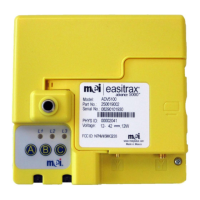
Description of the three push button switches (A, B, C) and their functions.

LED Indicators

Explanation of the three red LEDs (L1, L2, L3) and their meanings.

Fill Key Operation

Procedure for performing a Fill Key operation, including LED sequences.

Troubleshooting

Tools Needed for Troubleshooting

List of tools and software required for troubleshooting the ADV 5XXX.

Troubleshooting Checklist

A step-by-step checklist for diagnosing issues when arriving at the machine.

Confirming DEX Connections

Procedure to verify the correct connection and status of DEX connectors.

MEI easitrax advance 5000 Series Specifications

General IconGeneral
BrandMEI
Modeleasitrax advance 5000 Series
CategoryComputer Hardware
LanguageEnglish

Related product manuals