35
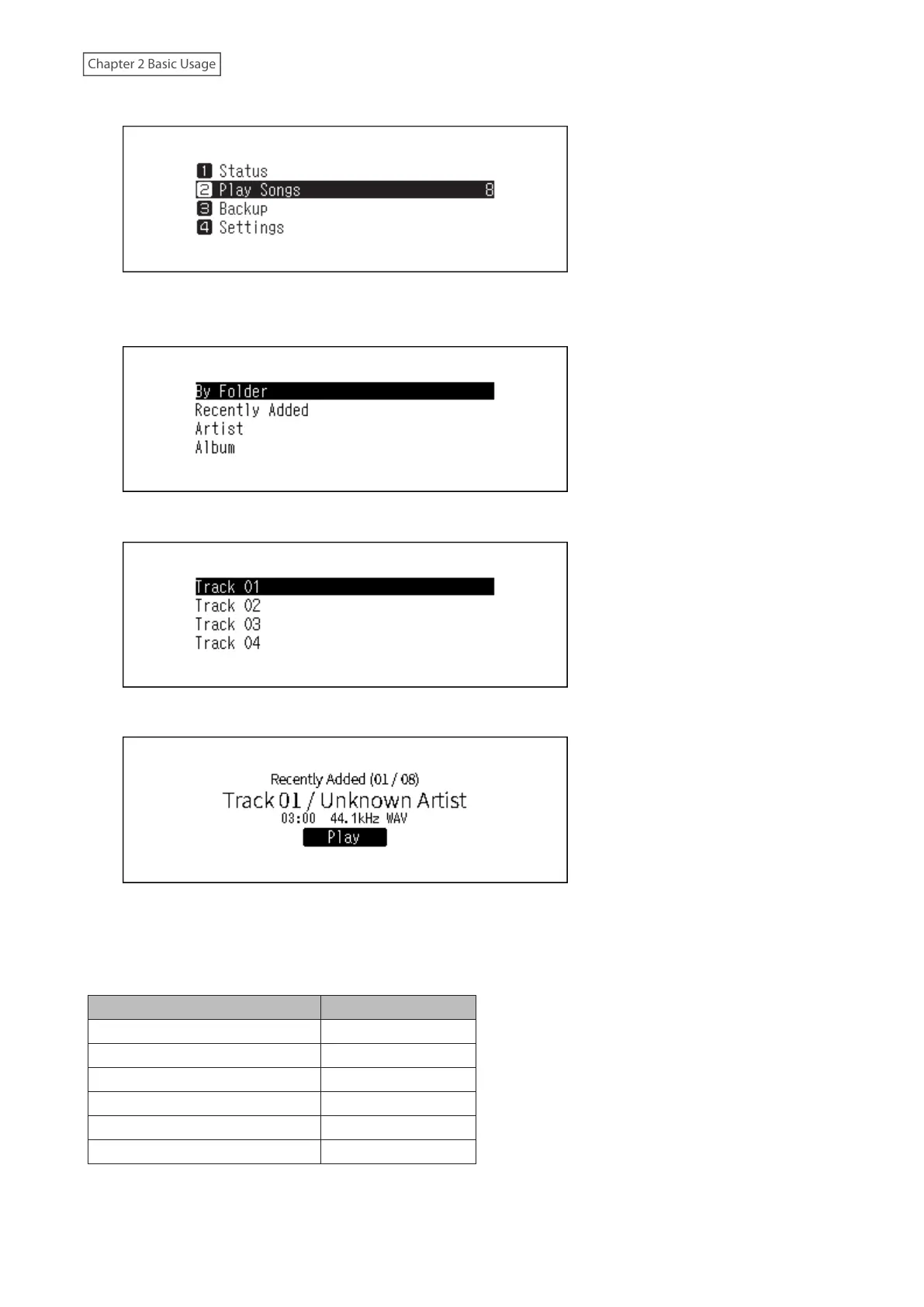
3 Press the Up/Down buttons and select “Play Songs”, then press the Menu/Enter button.
Note: The number shown to the right of “Play Songs” means the number of available music files to play.
4 Press the Up/Down buttons and select the category, then press the Menu/Enter button.
5 Press the Up/Down buttons and select the music file to play, then press the Menu/Enter button.
6 Press the Menu/Enter button.
The Digital Music Library’s USB-DAC supports streaming for the following file types and sampling rates.
Supported File Types
File Types Extensions
FLAC .flac
ALAC (Apple Lossless)/AAC .m4a
AIFF .aiff, .aif
WAV .wav
DSDIFF .dff
DSF .dsf



 To Next Page