47
Changing the RAID Mode on the N1 EX
The N1 EX is configured with a RAID array by default. To change the RAID mode from the default, follow the
procedure below. Changing the RAID mode will delete all data on the drive. If needed, back up any data
before continuing.
Spanned
Combines 2 drives in the N1 EX into a single array. The usable drive space is the total space of all drives used. Data
is written to the first drive, then the second drive once the first drive becomes full. If a single drive in the array fails,
then all data on the array is lost.
RAID 0
Combines 2 drives in the N1 EX into a single array. The usable drive space is the total space of all drives used. This
simple RAID mode offers faster performance than a spanned array. If a single drive in the array fails, then all data
on the array is lost. Amongst the three RAID modes, RAID 0 does not offer any redundancy. If secure data storage is
critical, using RAID 0 is not recommended.
RAID 1
Combines 2 drives in the N1 EX into a mirrored array. The usable drive space on the array is the capacity of a single
drive. Identical data is written to each drive. If a drive is damaged, data can be recovered by replacing the damaged
drive. As long as one drive in the array remains undamaged, all data on the array can be recovered.
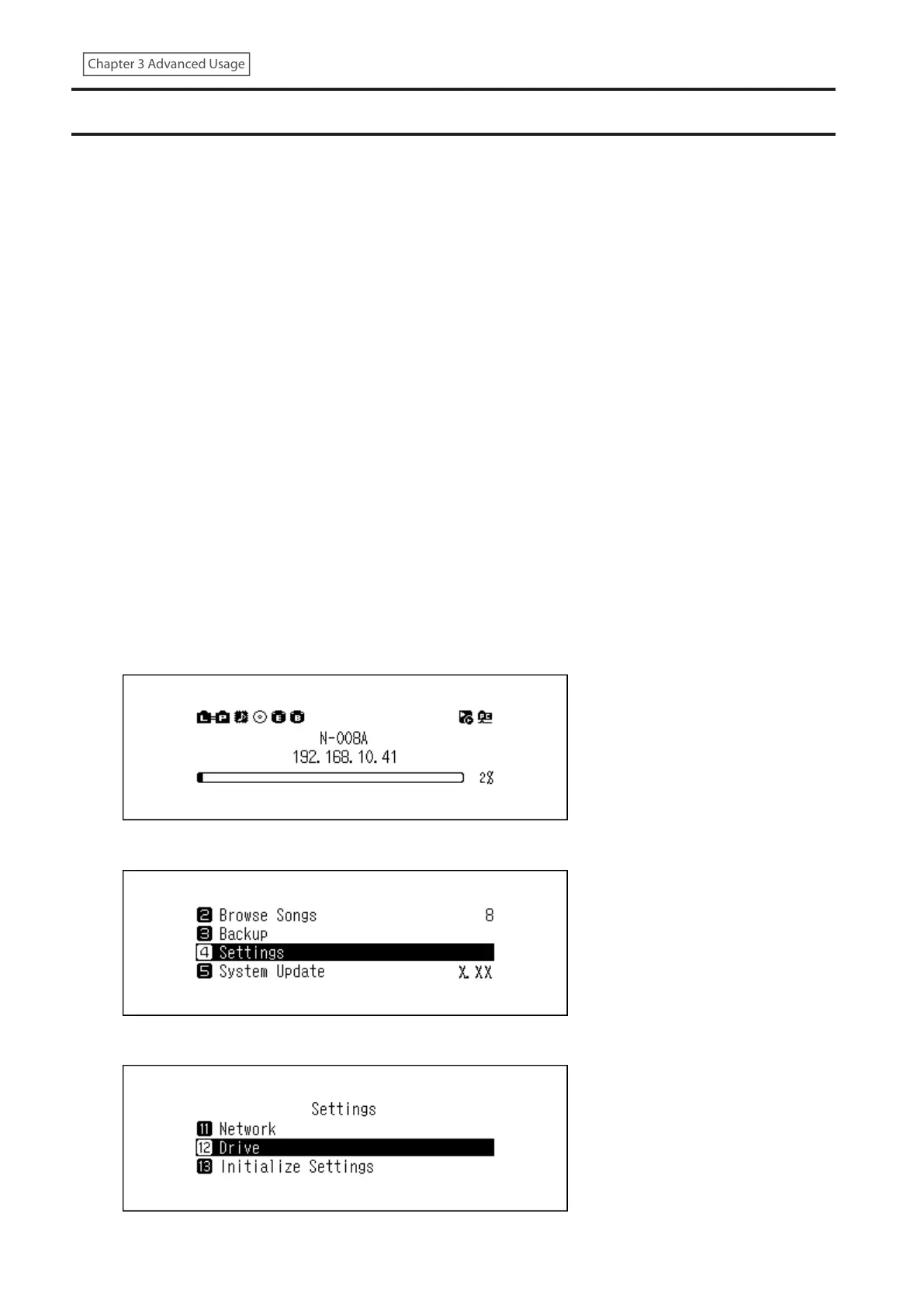
1 Press the Menu/Enter button to display the menu list at the home screen.
2 Press the Up/Down buttons and select “Settings”, then press the Menu/Enter button.
3 Press the Up/Down buttons and select “Drive”, then press the Menu/Enter button.



 To Next Page