39
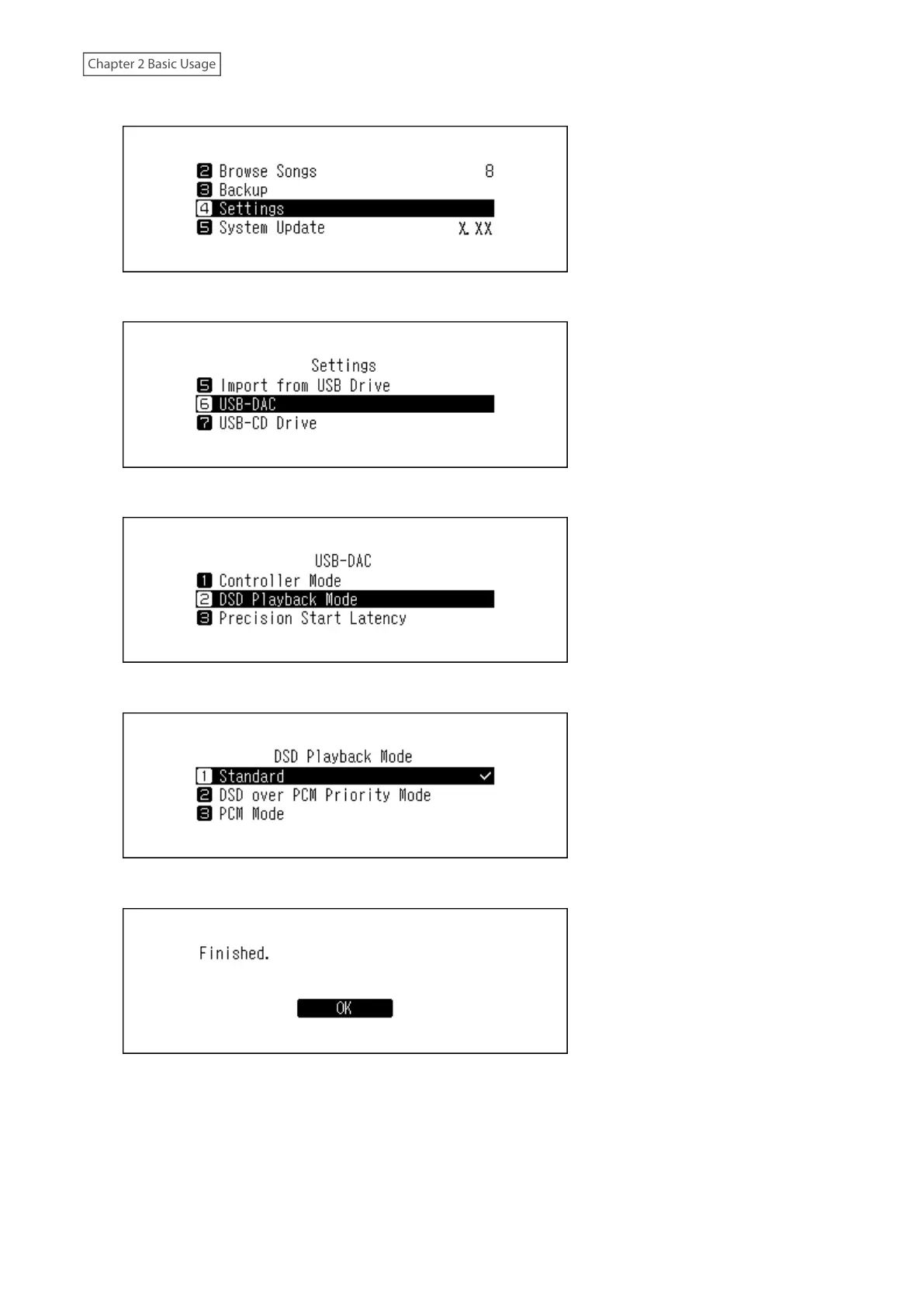
2 Press the Up/Down buttons and select “Settings”, then press the Menu/Enter button.
3 Press the Up/Down buttons and select “USB-DAC”, then press the Menu/Enter button.
4 Press the Up/Down buttons and select “DSD Playback Mode”, then press the Menu/Enter button.
5 Press the Up/Down buttons and select the playback mode, then press the Menu/Enter button.
6 Press the Menu/Enter button.
Note: By default, a gap time of 3 seconds will be added to the first track of the playlist because the beginning of a
music file does not count as initial playback if the sampling rate has changed between music files or if playing DSD
files on some USB-DAC devices. A 3-second gap time is the longest possible gap time. If you want to start the next
music file faster, go to Settings > USB-DAC > Precision Start Latency and set a shorter gap time.



 To Next Page