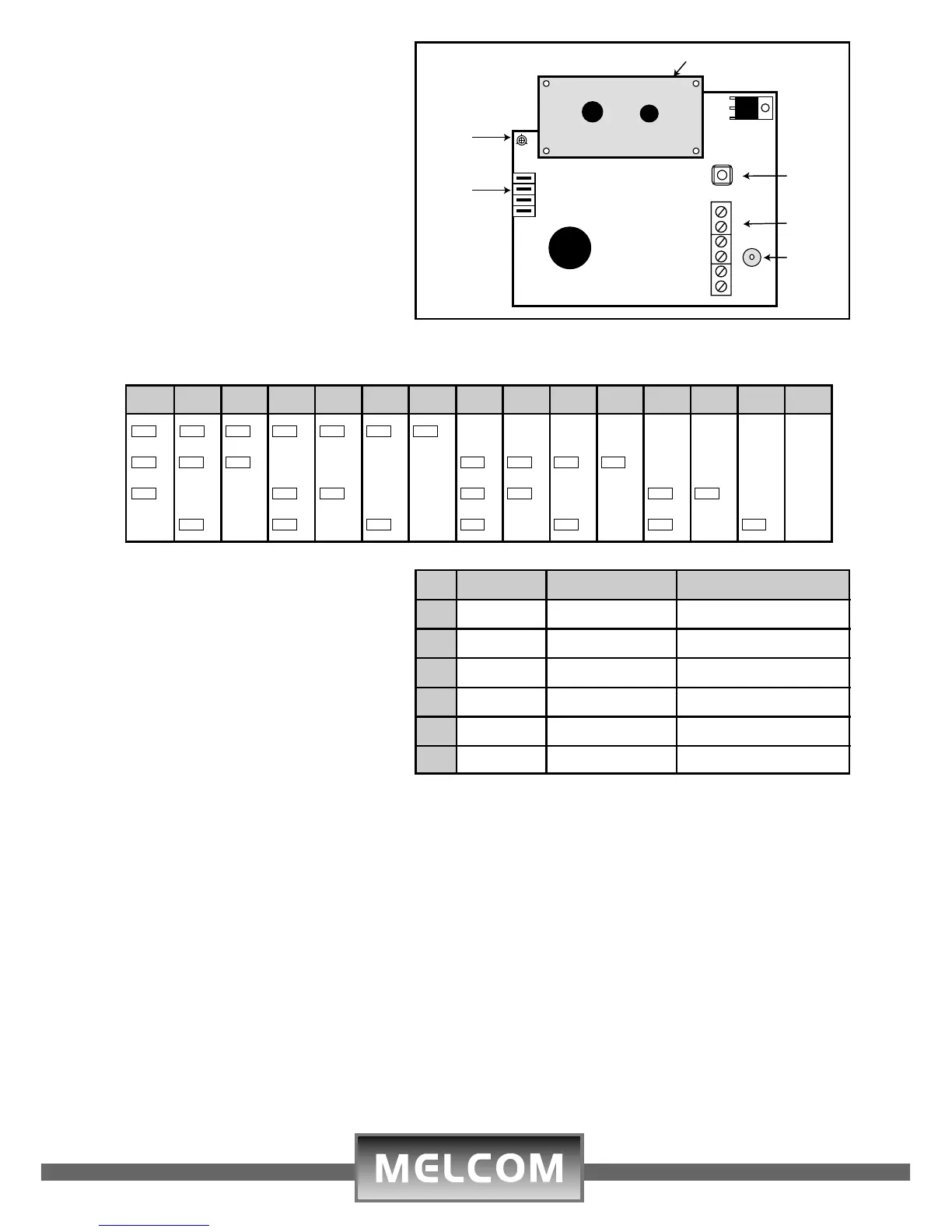
Address Table
Wiring Terminal Block
Thread 6 core cable through one
of the cable knockouts in the rear
plastic casing.
Wire according to the opposite
table.
Closing Keypad Cosing
To fit the front cover, align the
bottom pegs with their concentric
slots, and clip the top onto the
base, make sure all sides are
securely closed.
Operation
Refer to the ST6100/ST6600 installation and user manual
Contrast Adjustment
The LCD display screen contrast
can be adjusted by turning the
trimmer using a small screw
driver
Configuring Address Setting
Each keypad or accessory must
have a unique address when
connected to the control panel
bus. If invalid address set,
keypads will not work
Specifications
Operating Voltage: 12Vdc
Quiescent Current: LCD Backlight Off 16.7mA
Current: LCD Backlight Off 90mA
Current: in Alarm 70mA
Wiring: 6 core Multi-stranded cable
7x0.20m
2
Dimensions: 135mmx108mmx80mm
Housing Material: ABS Plastic
Weight: 0.30Kgs
123456789101112131415
O O
8
O O
8
O O
8
O O
8
O O
8
O O
8
O O
8
n
8
n
8
n
8
n
8
n
8
n
8
n
8
n
8
O O
4
O O
4
O O
4
n
4
n
4
n
4
n
4
O O
4
O O
4
O O
4
O O
4
n
4
n
4
n
4
n
4
O O
2
n
2
n
2
O O
2
O O
2
n
2
n
2
O O
2
O O
2
n
2
n
2
O O
2
O O
2
n
2
n
2
n
1
O O
1
n
1
O O
1
n
1
O O
1
n
1
O O
1
n
1
O O
1
n
1
O O
1
n
1
O O
1
n
1
No. Location Wire Colour Description
1 - BLK(Black) Negative
2 + RED(Red) 12 Volts Positive
3 Network YEL(Yellow) Data Out
4 Network BLU(Blue) Data in
5 M GRE(Green) Mains Indication
6 B WHT(White) Battery Indication
91-101-881



 To Previous Page
 Loading...